
Getting Started the Right Way
To help you get the most out of SolRIP, we've put together our recommended setup steps. These are the best practices to ensure your experience is smooth, safe, and efficient from the start. Whether you're here to reclaim SOL, clean up clutter, or burn unwanted assets, this is how we suggest using the platform.
Not ready to connect?
Preview your wallet first with our Wallet Checker: paste your address on the solrip.io homepage and click "View Wallet" for a read-only look at what you could reclaim. No connection needed.
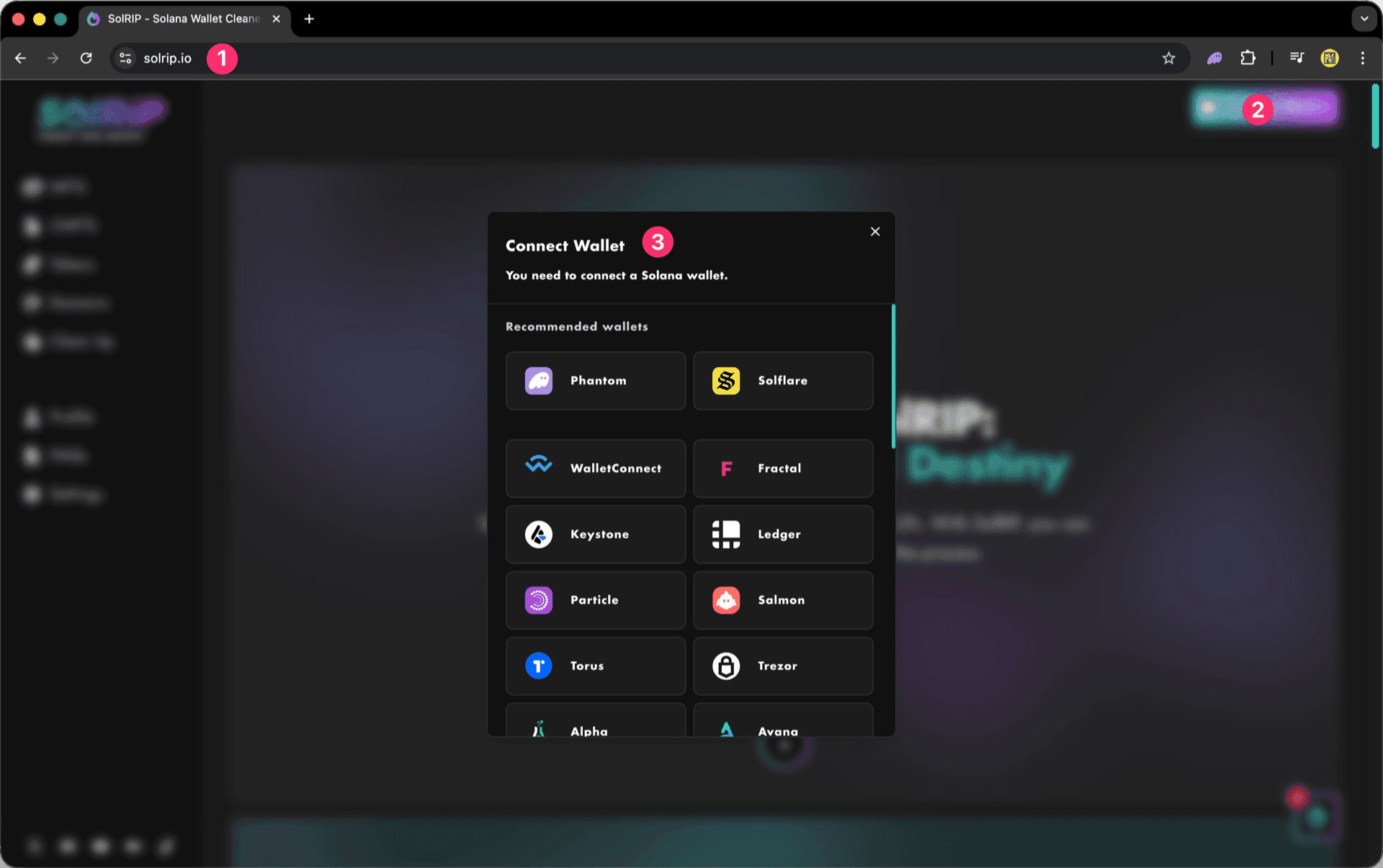
Step 1: Connect Your Wallet
- Visit solrip.io
- Click the "Connect Wallet" button on the top right.
- Choose your preferred Solana wallet.
Step 2: Set Your Preferences in Settings
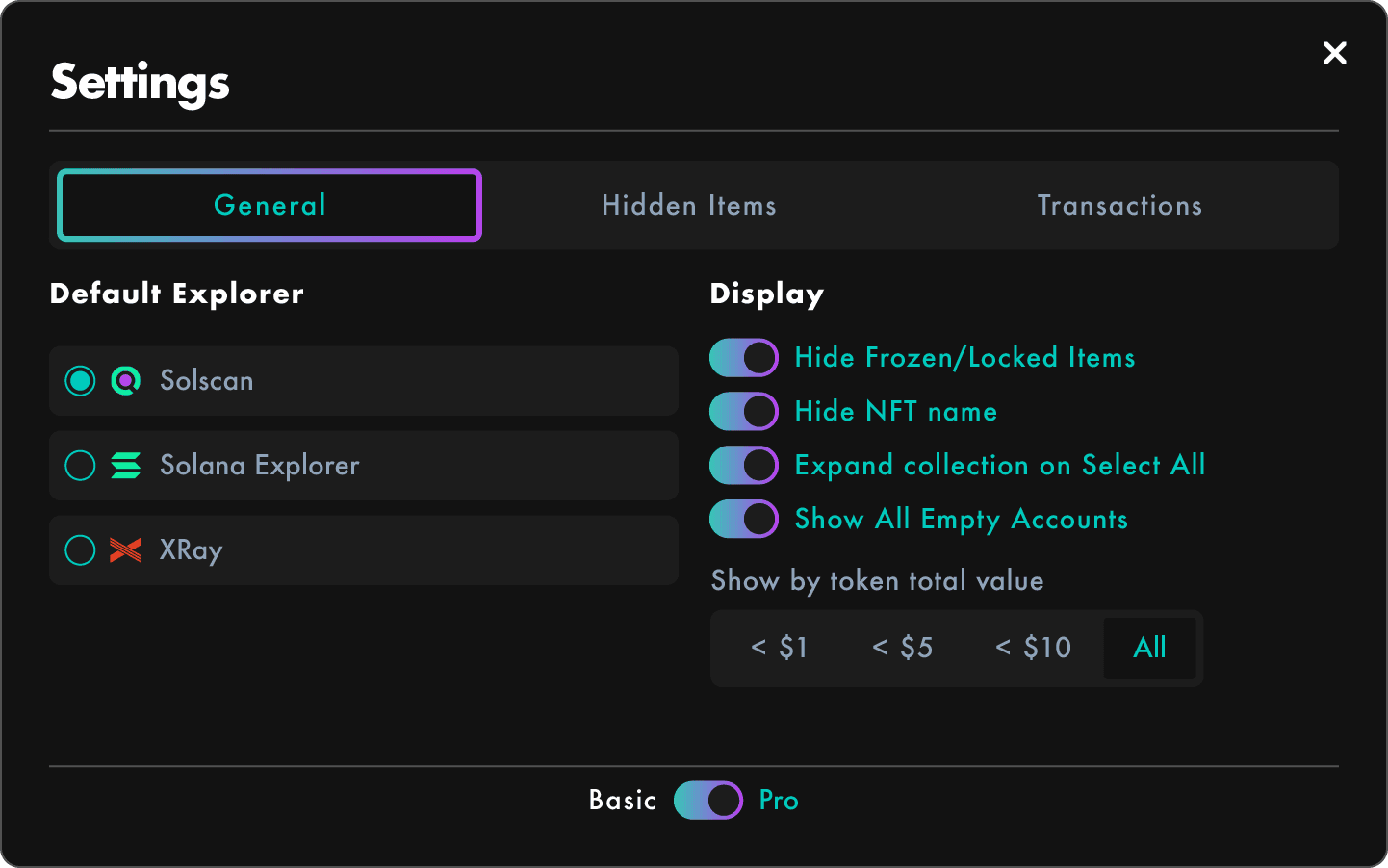
Take a minute to customize how SolRIP works for you:
Set your General Settings:
Choose your favorite explorer, display filters, and interface behavior.
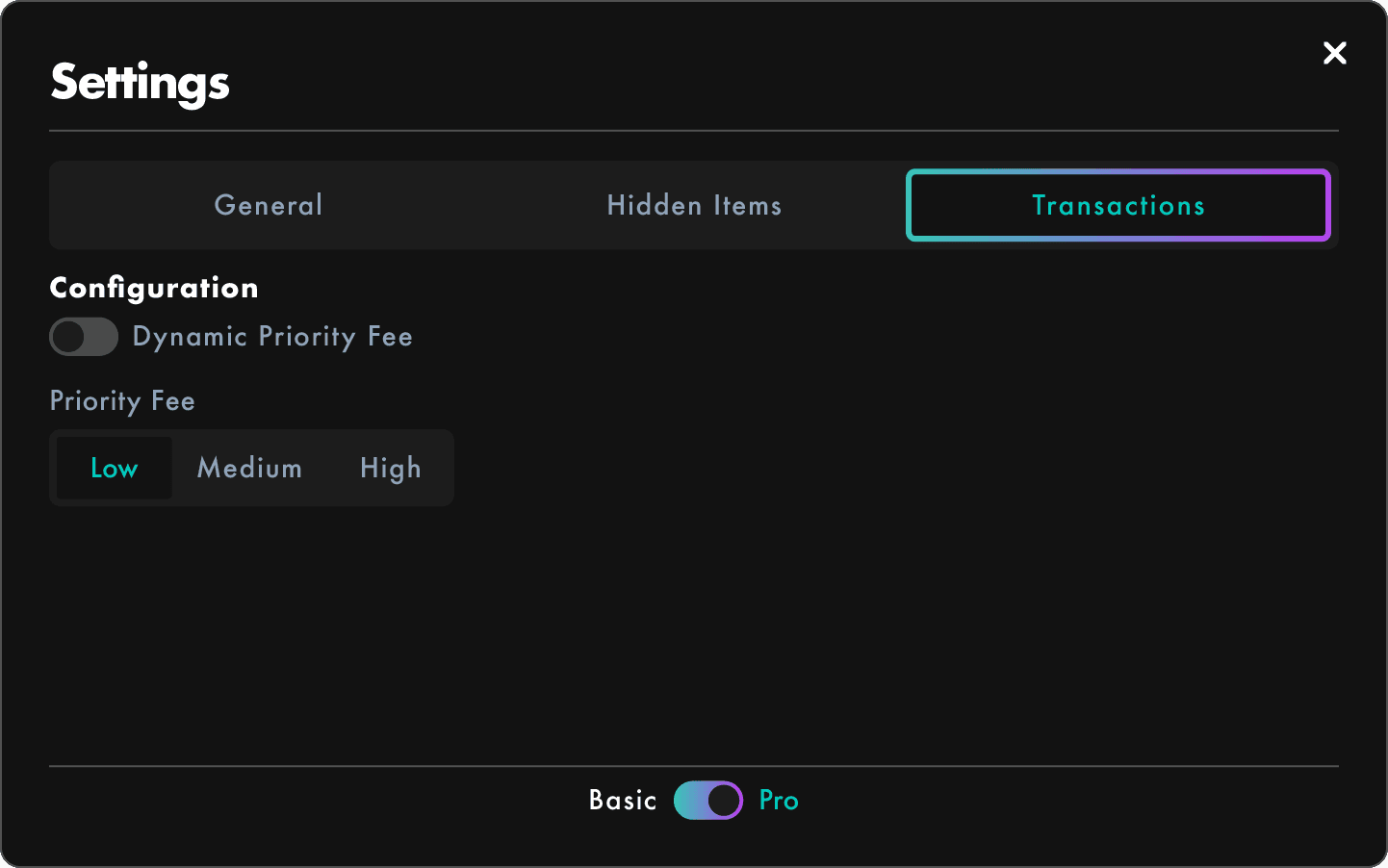
Check your Transaction Settings:
Adjust priority fees or let SolRIP handle it automatically.
Step 3: Protect Your Precious Items by hiding them
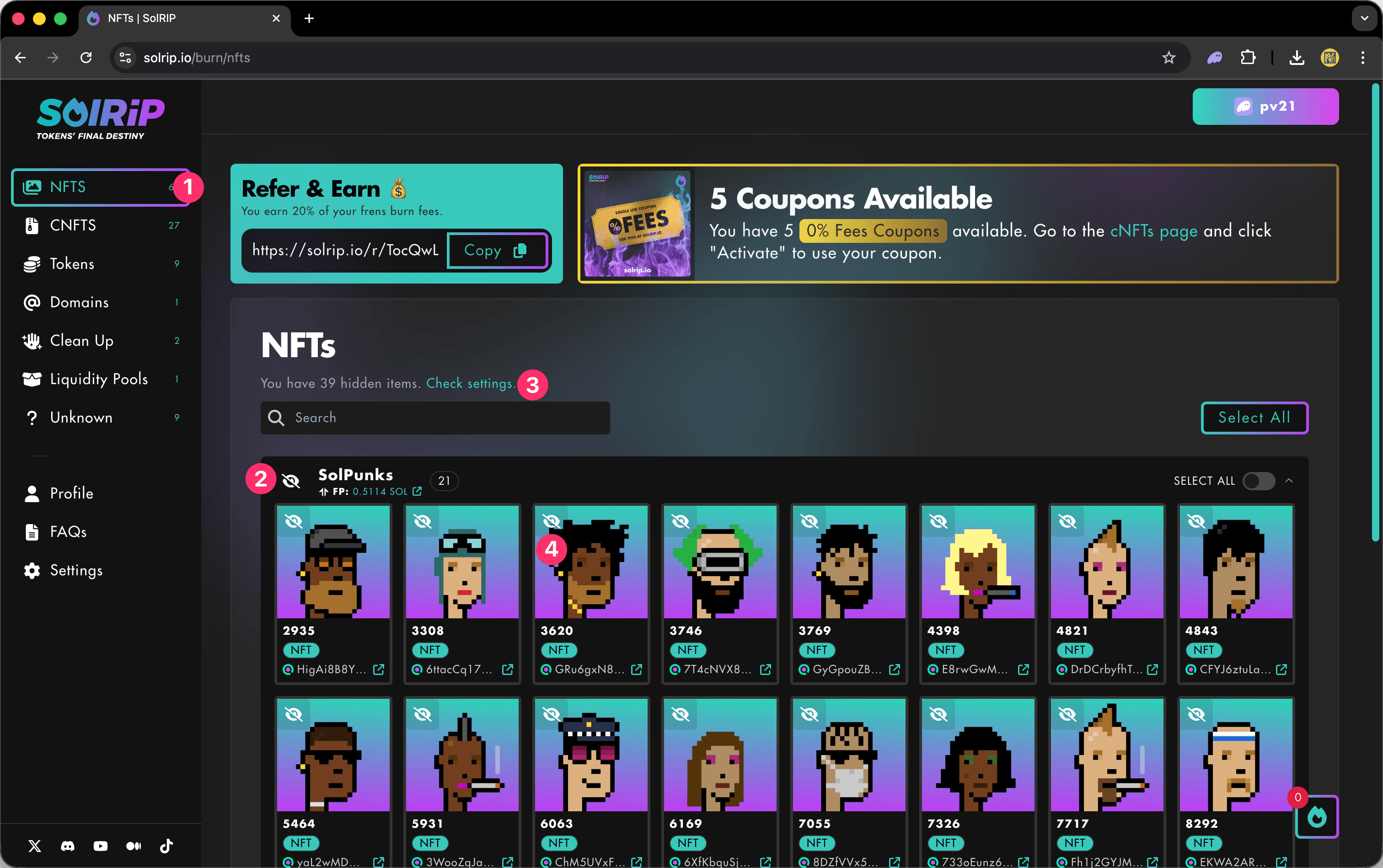
Worried about burning something by mistake? Follow these steps to hide your items:
Why Hide Items?
- 🔒 Prevent Accidental Burns: Hide assets you want to keep, so they don't appear in selection lists.
- 🎯 Stay Focused: Hiding clutter or long-term holds helps you focus on what you actually want to burn.
- 🧼 Clean UI Experience: Declutter your wallet view without permanently removing anything.
How to Hide Items
You can hide items from any asset view (Tokens, NFTs, etc.):
- Go to any page in SolRIP.
- Click the eye icon on the top left of any item to hide it, or in the collection tab on the left to hide the entire collection.
- If you have hidden items, you will get a message on the page with a link to the settings.
Step 4: You're All Set! Let's Start Burning!
Now that your wallet is connected, your preferences are set, and your valuable assets are protected, it's time to clean up and reclaim your SOL.
Explore the burn pages to get started:
Bonus Tip: Reclaim SOL by Burning Empty Accounts
Before you start burning, don't miss the safest and most rewarding action on SolRIP, burning empty token accounts.
Empty accounts are often left behind, every time you sell or transfer an NFT or Token. These contain trapped SOL that can be reclaimed when you burn them.
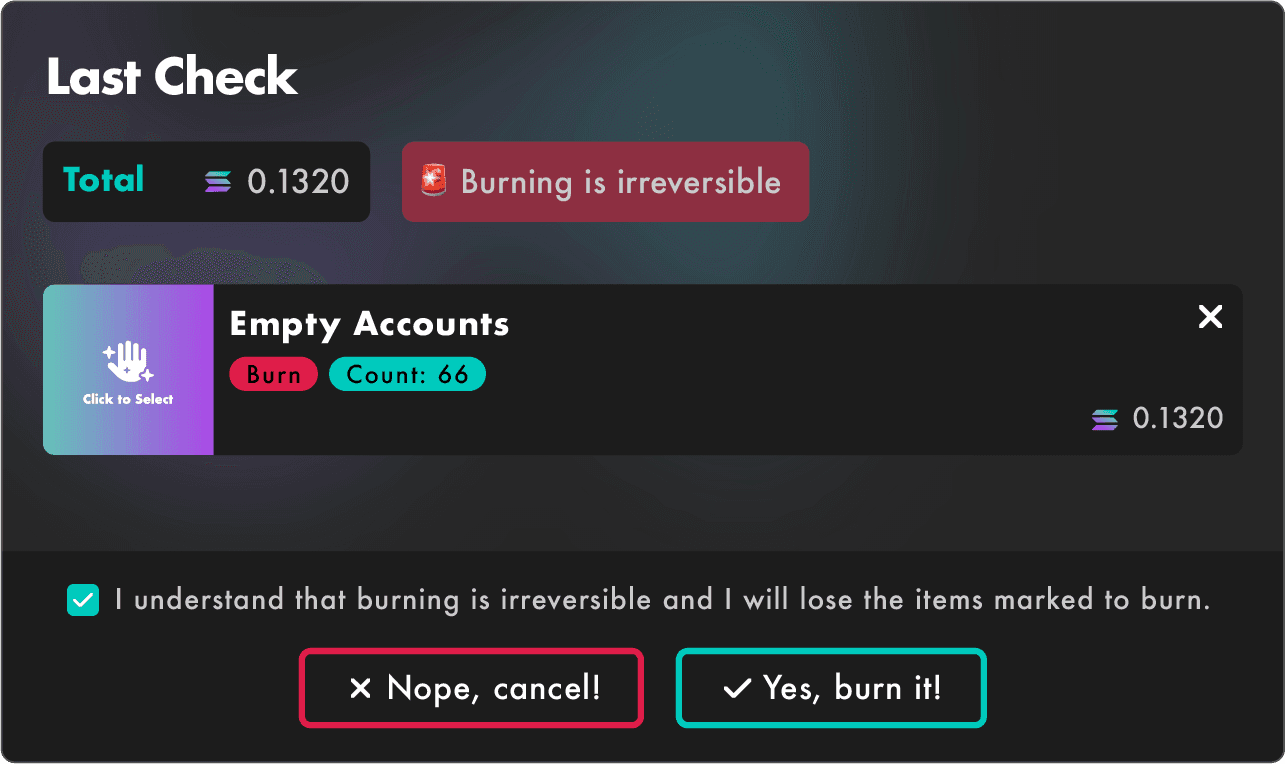
- ✅ 100% safe to burn
- ✅ No tokens or NFTs will be lost
- ✅ Instant SOL recovery directly to your wallet
Head over to the Clean Up page and click "Select All" to see what you can reclaim.
And it doesn't stop there. SolRIP offers two more 100% safe ways to claim SOL without burning anything: Excess SOL reclaims the excess SOL parked in your token accounts (your tokens stay exactly where they are), and Pump.fun Cashback lets you claim the trading cashback you've earned, paid out in SOL or USDC.