
Introduction
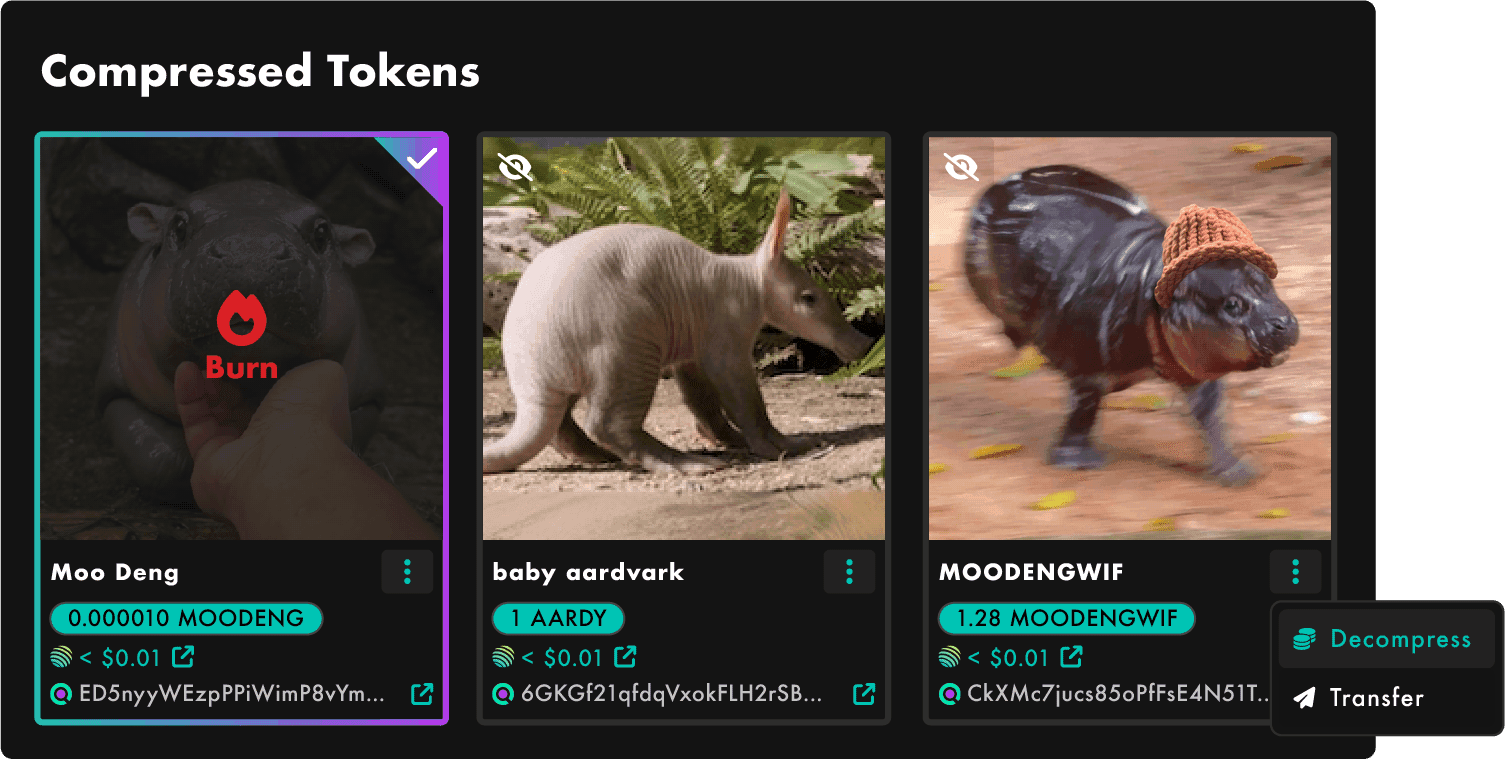
SolRIP is the first Solana burner to support burning, decompressing, and transferring Compressed Tokens (cTokens). These actions help you manage your cTokens efficiently,whether you want to clear spam, or move assets between wallets.
Expected SOL:
Burning cTokens does not return SOL back
Why Manage cTokens?
If you want to sell any of your cTokens, you will need to decompressed them first. SolRIP makes it easy to manage your cTokens:
- 🔥 Burn cTokens:
Remove unwanted compressed tokens from your wallet, including spam or low-value assets. - 🔓 Decompress cTokens:
Convert compressed tokens into fully on-chain tokens, unlocking their full functionality. - 📤 Transfer cTokens:
Send cTokens to another wallet, just like regular tokens.
How to Burn, Decompress, or Transfer cTokens on SolRIP?
Follow these simple steps to manage your cTokens:
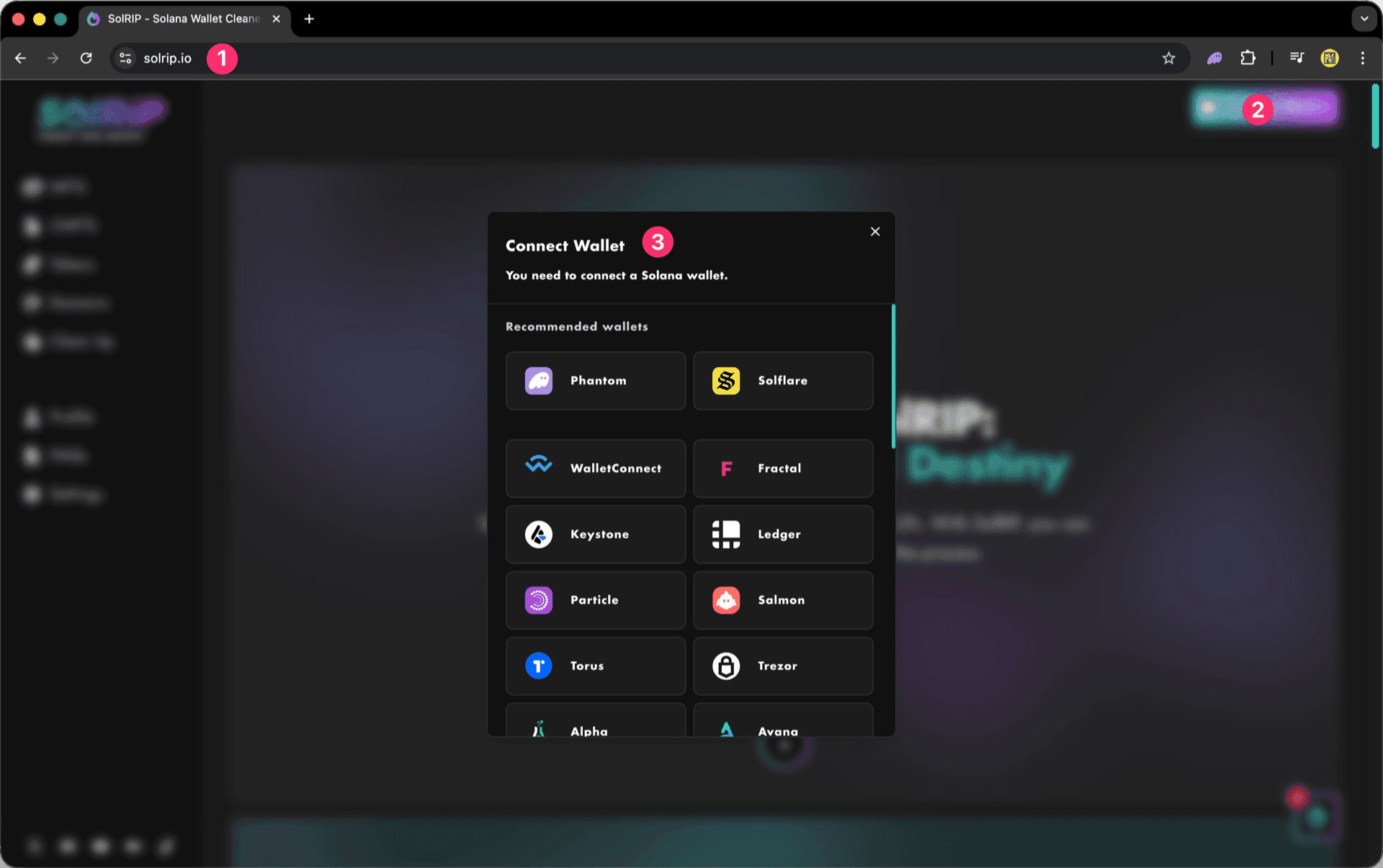
Step 1: Connect Your Wallet
- Visit solrip.io
- Click the "Connect Wallet" button on the top right.
- Choose your preferred Solana wallet.
How to Burn cTokens?
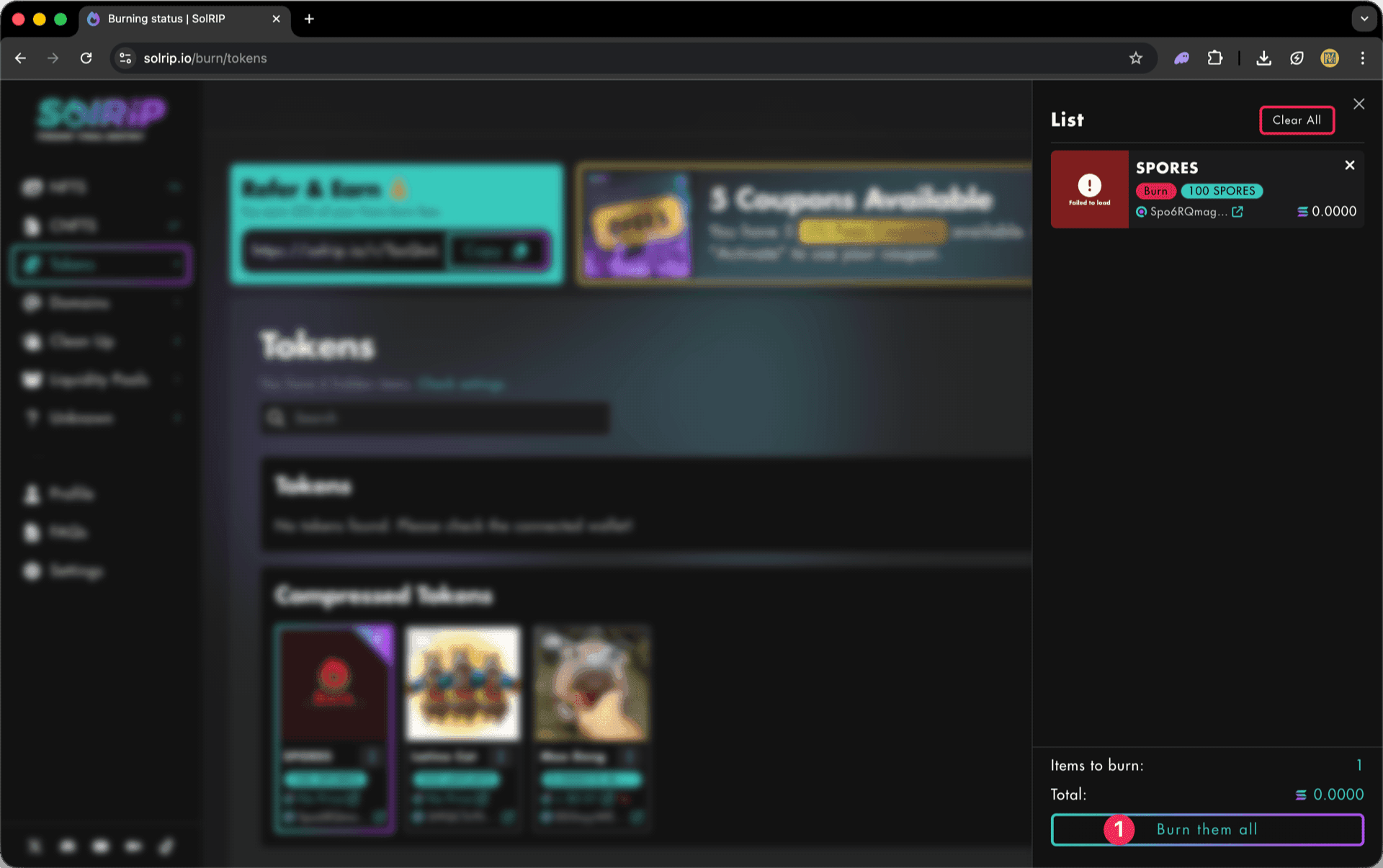
Step 1: Select the cTokens you want to burn
- Navigate to the Tokens page to view your cTokens.
- Click the "Select All" button to burn all cTokens in one go, or burn single cTokens by selecting them individually.
- Click the floating button on the bottom right to review your selection and continue.
Important:
By default, all Tokens with a total value over $1 are hidden. To see all your cTokens you need to select the "All" option under Show by token total value in the general settings.

Step 2: Click "Burn Them All" button
- Once satisfied with your selection, hit the "Burn Them All" button.
Step 3: Last Check
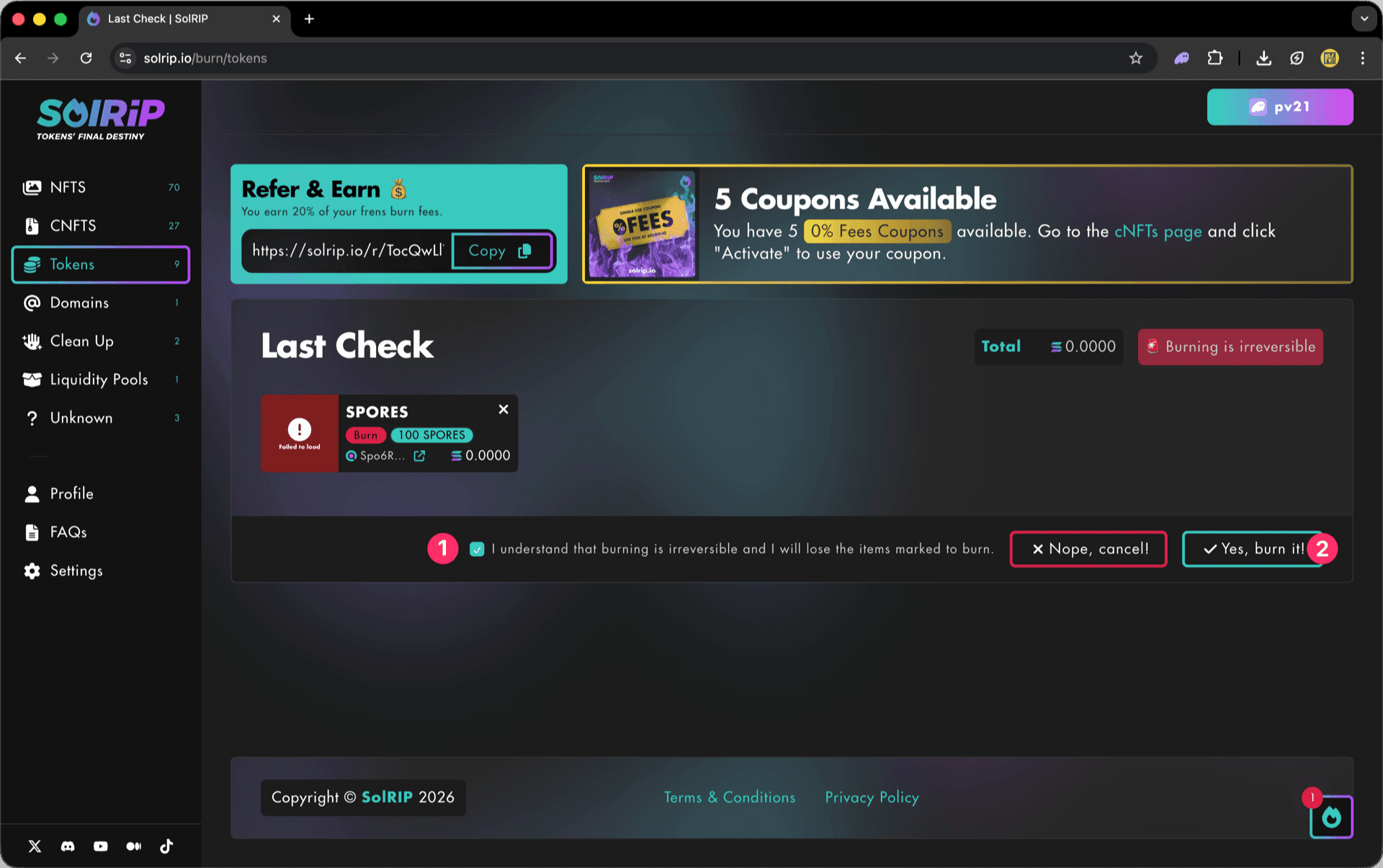
The Last Check page will appear, and this is your final confirmation step. Please make sure everything looks good before proceeding:
- If everything looks good, accept the disclaimer.
- Click the "Yes, Burn It" button to proceed.
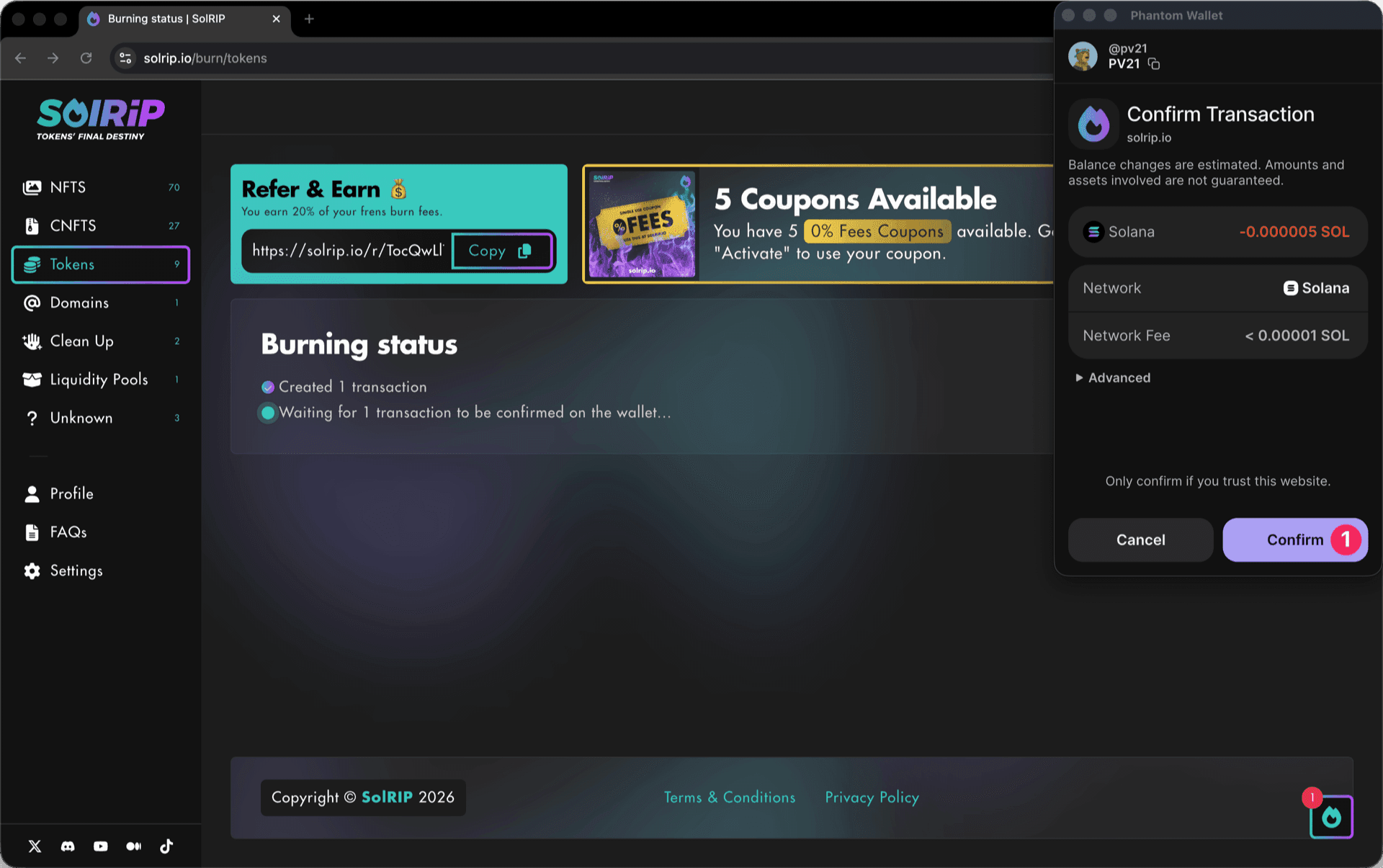
Step 4: Confirm the Burn on Your Wallet
- Approve the transaction in your wallet, and the burn will be completed instantly.
What Happens After Burning?
- The tokens you selected are permanently removed from circulation.
- Your wallet stays clean and free of unwanted tokens.
How to Transfer cTokens?
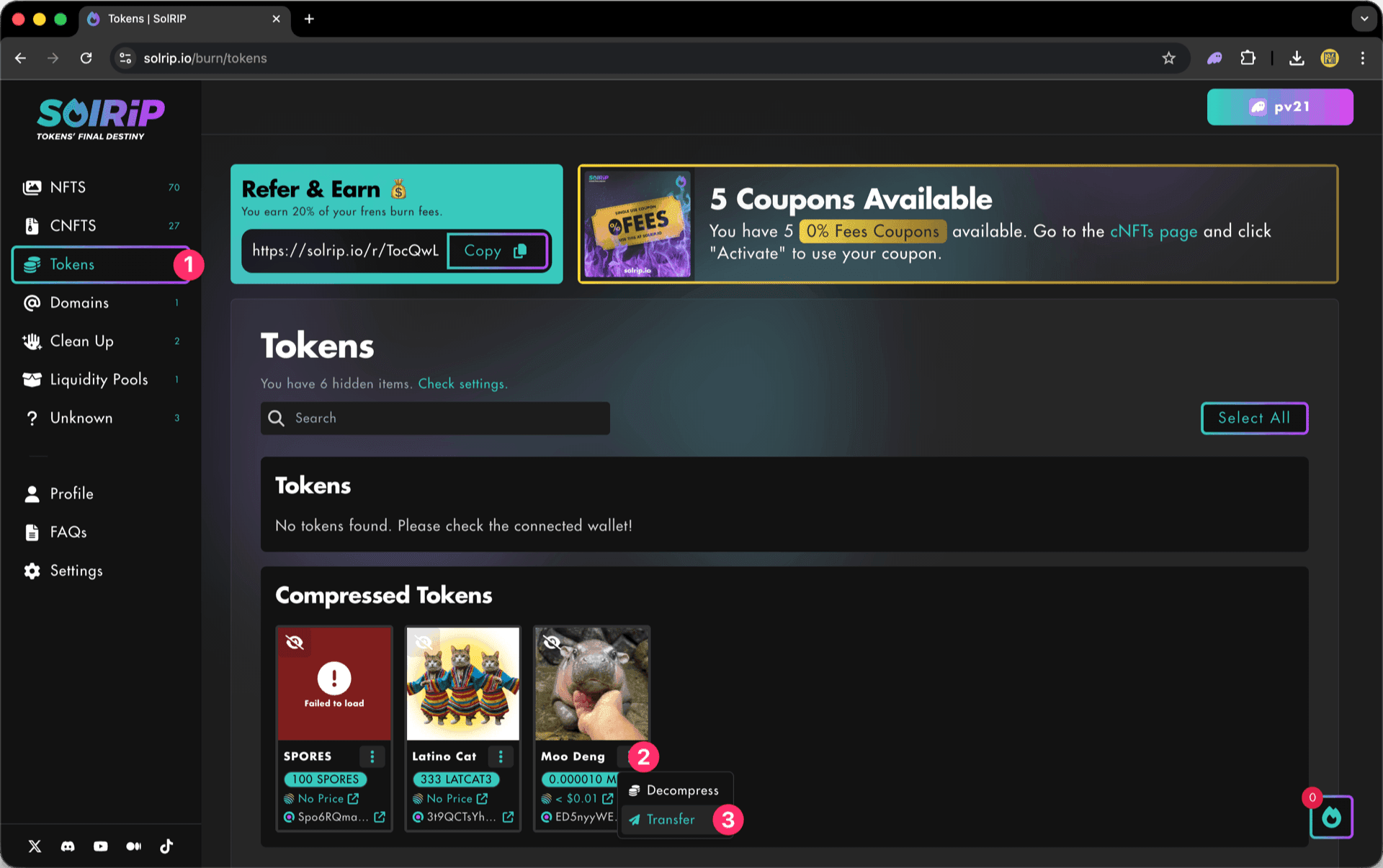
Step 1: Select the cToken you want to transfer
- Navigate to the Tokens page to view your cTokens.
- Click the "3 dots" button to open the dropdown menu.
- Select "Transfer" from the dropdown menu.
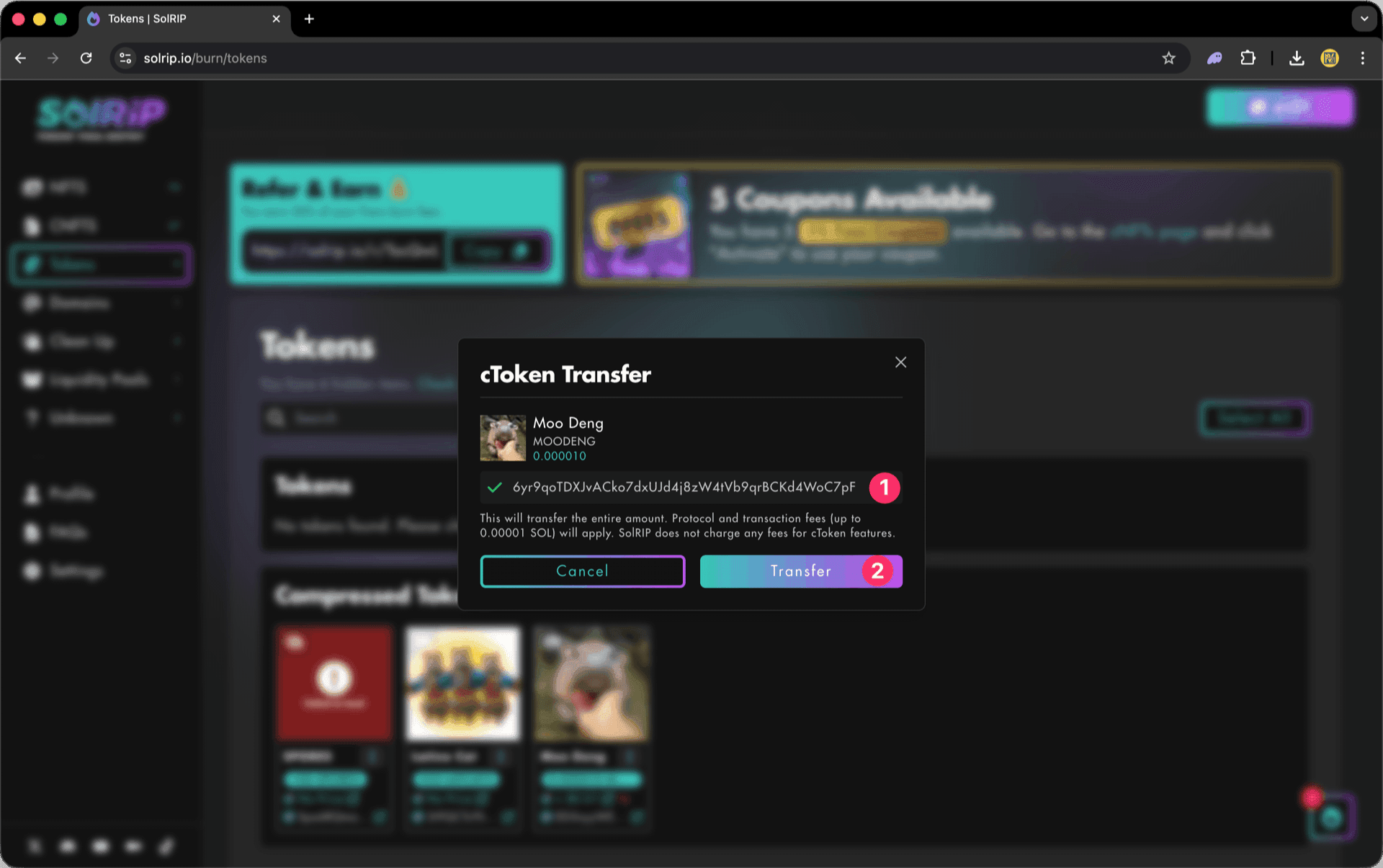
Step 2: Transfer your cTokens
- Paste the wallet address you want to transfer the cTokens to.
- Click the "Transfer" button to transfer your cToken.
Important:
This will transfer the entire amount. Protocol and transaction fees (up to 0.00001 SOL) will apply. SolRIP does not charge any fees for cToken features.
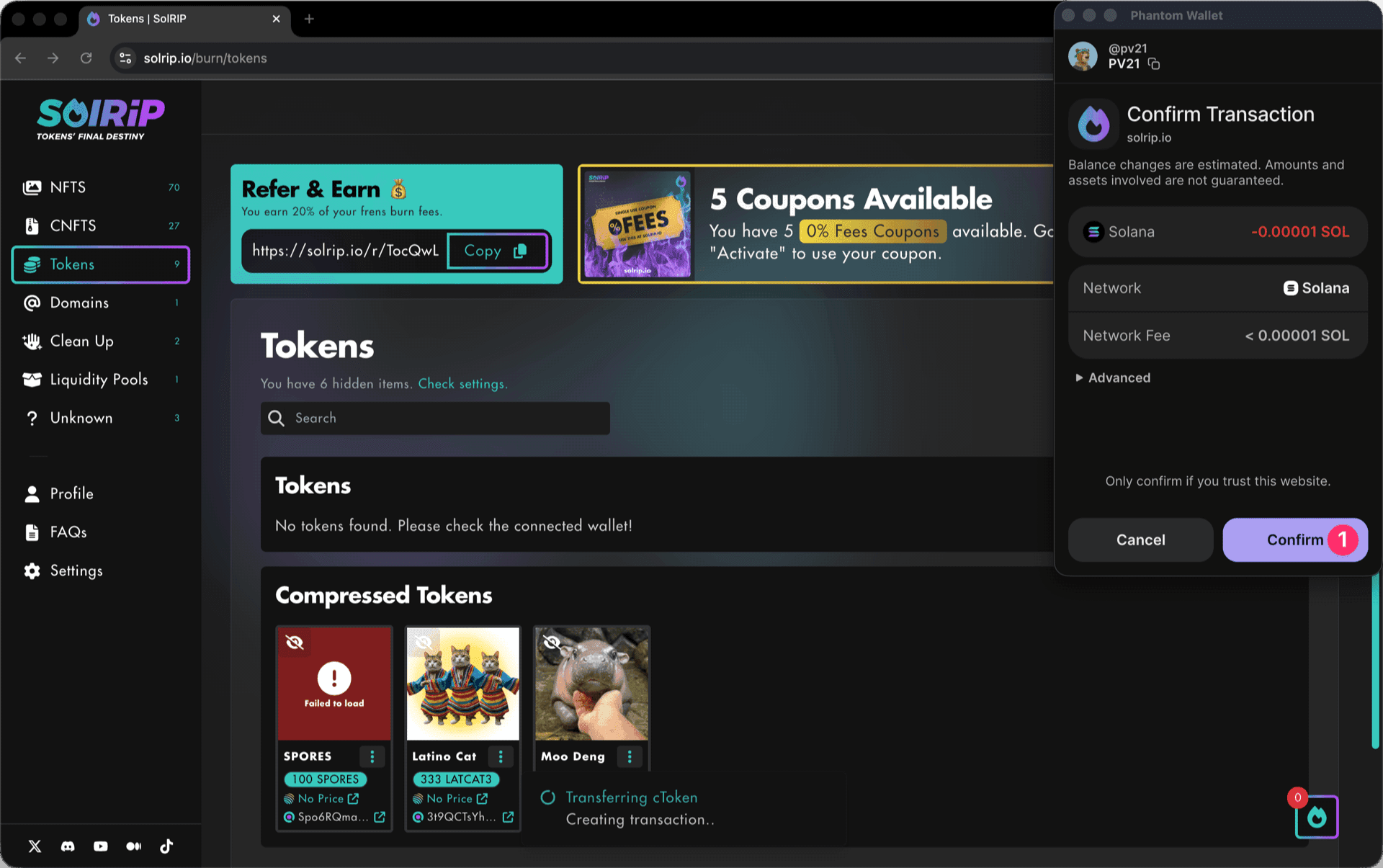
Step 3: Confirm the Transfer on Your Wallet
- Approve the transaction in your wallet, and the transfer will be completed instantly.
What Happens After Transfering?
- The tokens you selected to transfer will be moved to the recipient's wallet.
How to Decompress cTokens?
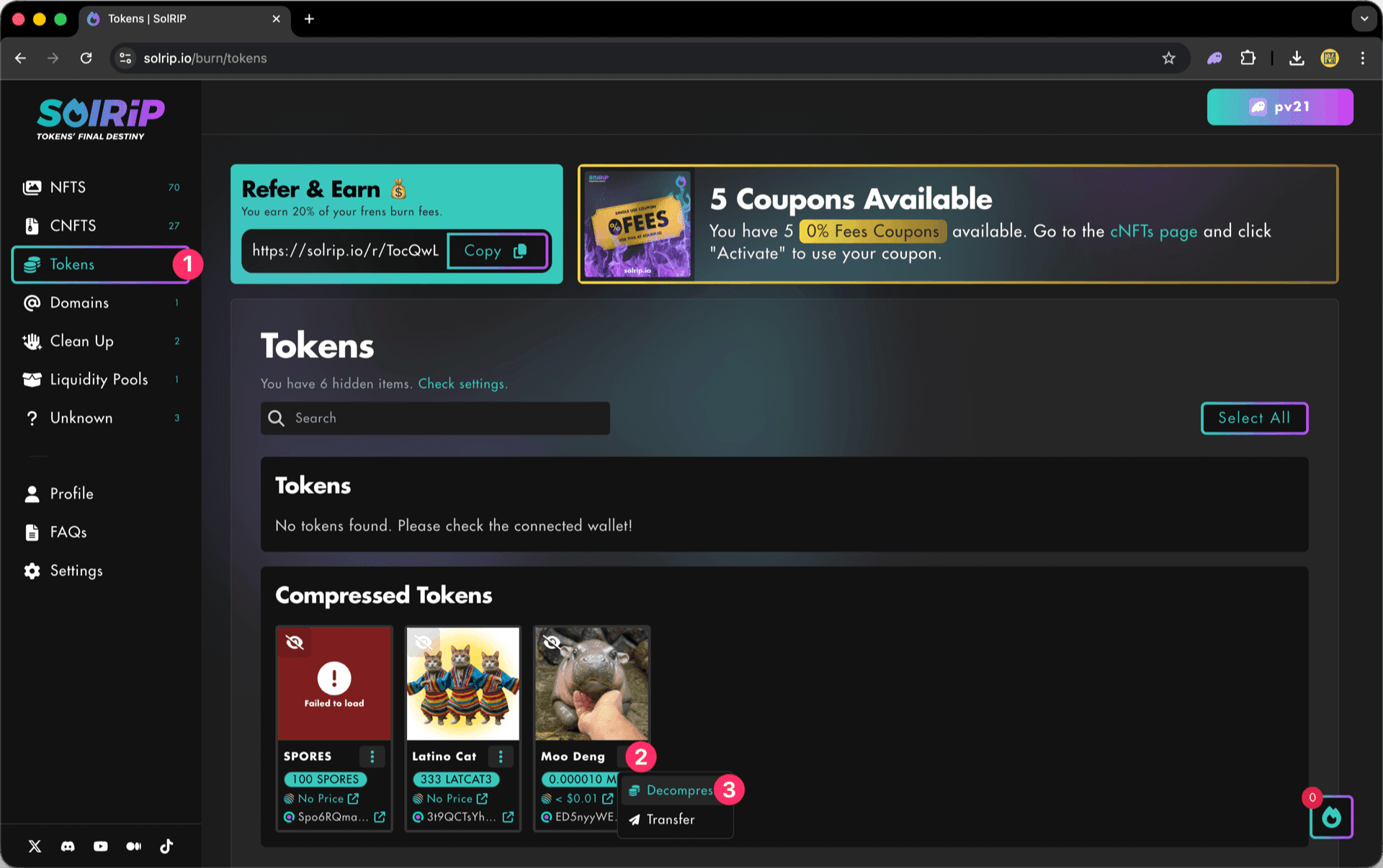
Step 1: Select the cToken you want to decompress
- Navigate to the Tokens page to view your cTokens.
- Click the "3 dots" button to open the dropdown menu.
- Select "Decompress" from the dropdown menu.
Step 2: Decompress your cTokens
- Click the "Decompress" button to decompress your cToken.
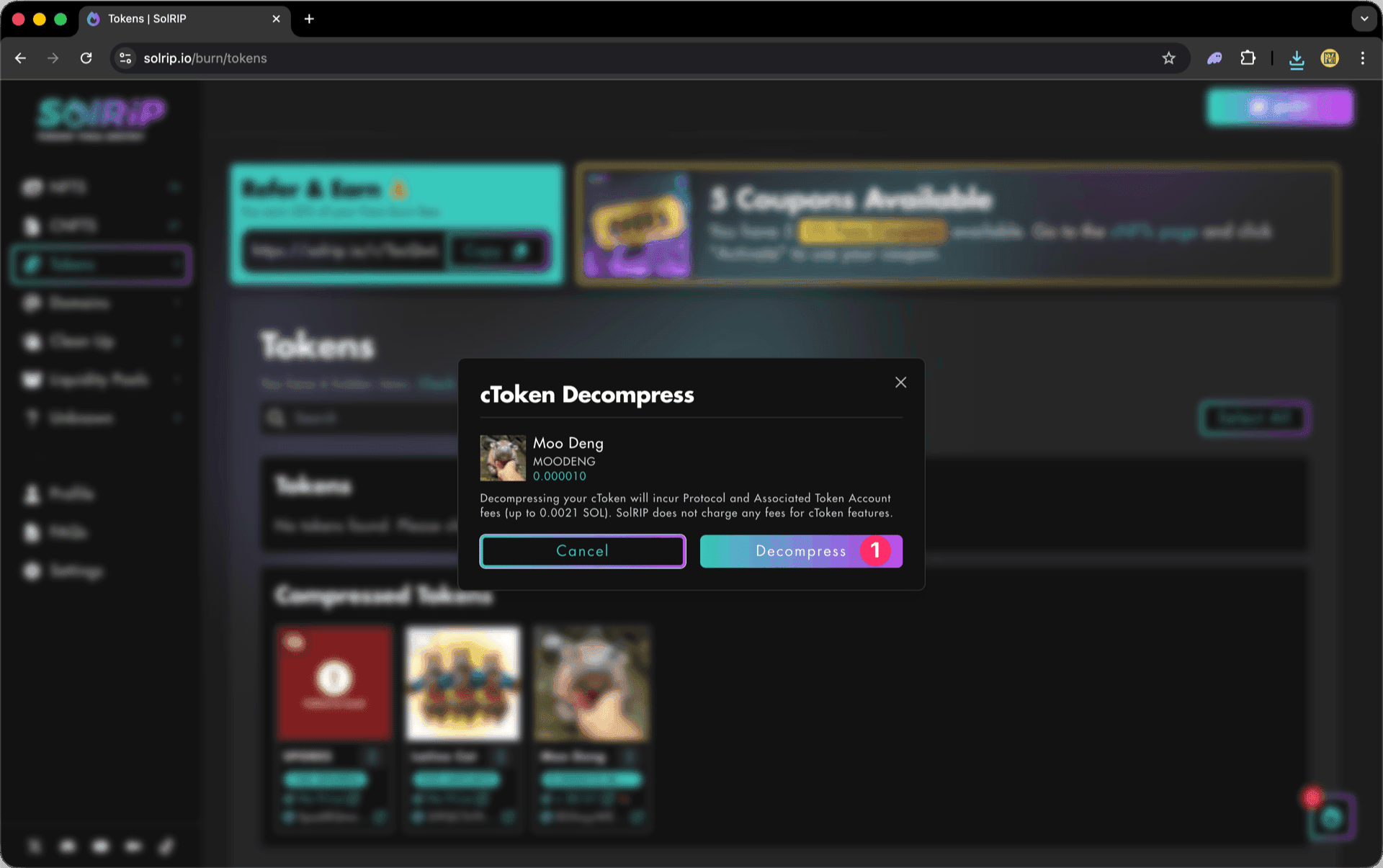
Important:
Decompressing your cToken will incur Protocol and Associated Token Account fees (up to 0.0021 SOL). SolRIP does not charge any fees for cToken features.
Step 3: Confirm the Decompression on Your Wallet
- Approve the transaction in your wallet, and the decompression will be completed instantly.

What Happens After Decompressing?
- The tokens you selected to decompress will be moved to the Tokens tab above.
- If you already have a Token with the same mint address, it will be merged.
- If you don't have a Token with the same mint address, a new Token will be created.
- Now you can see your decompressed Token on your wallet.
Related FAQs
Have more questions? Check the full FAQs page.