
Introduction
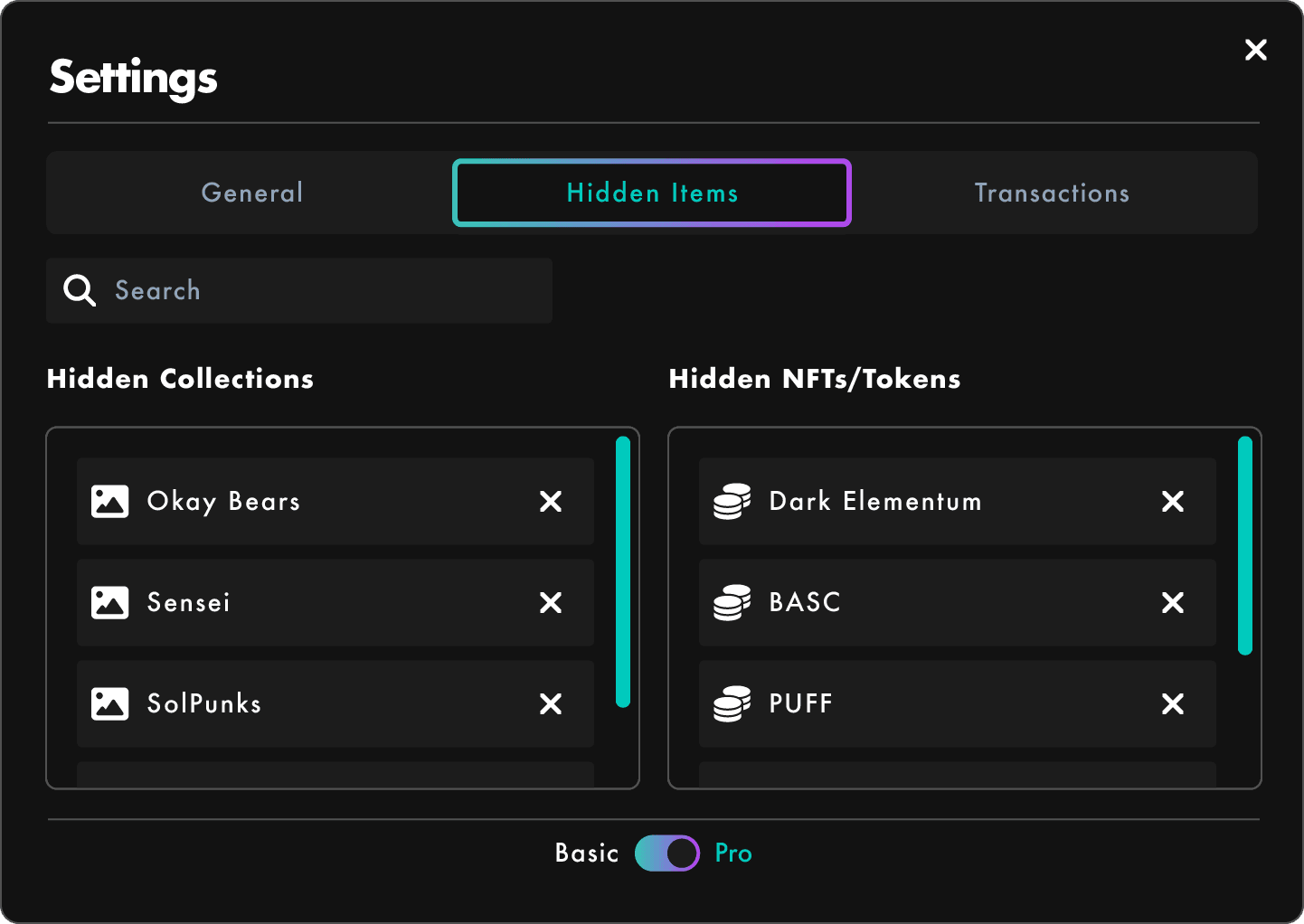
SolRIP allows you to hide tokens, NFTs, or entire collections from the burn interface to protect assets you don't want to accidentally remove. Hidden items are completely safe from burning and can easily be made visible again at any time through the Hidden Items Settings panel.
Pro Tip:
The Basic/Pro Toggle is available on all settings tabs. By default, Basic Mode is active. Switch to Pro Mode to unlock advanced features, including access to the Liquidity Pools and Unknown Items pages.
Why Hide Items?
- 🔒 Prevent Accidental Burns: Hide assets you want to keep, so they don't appear in selection lists.
- 🎯 Stay Focused: Hiding clutter or long-term holds helps you focus on what you actually want to burn.
- 🧼 Clean UI Experience: Declutter your wallet view without permanently removing anything.
How to Hide Items
You can hide items from any asset view (Tokens, NFTs, etc.):
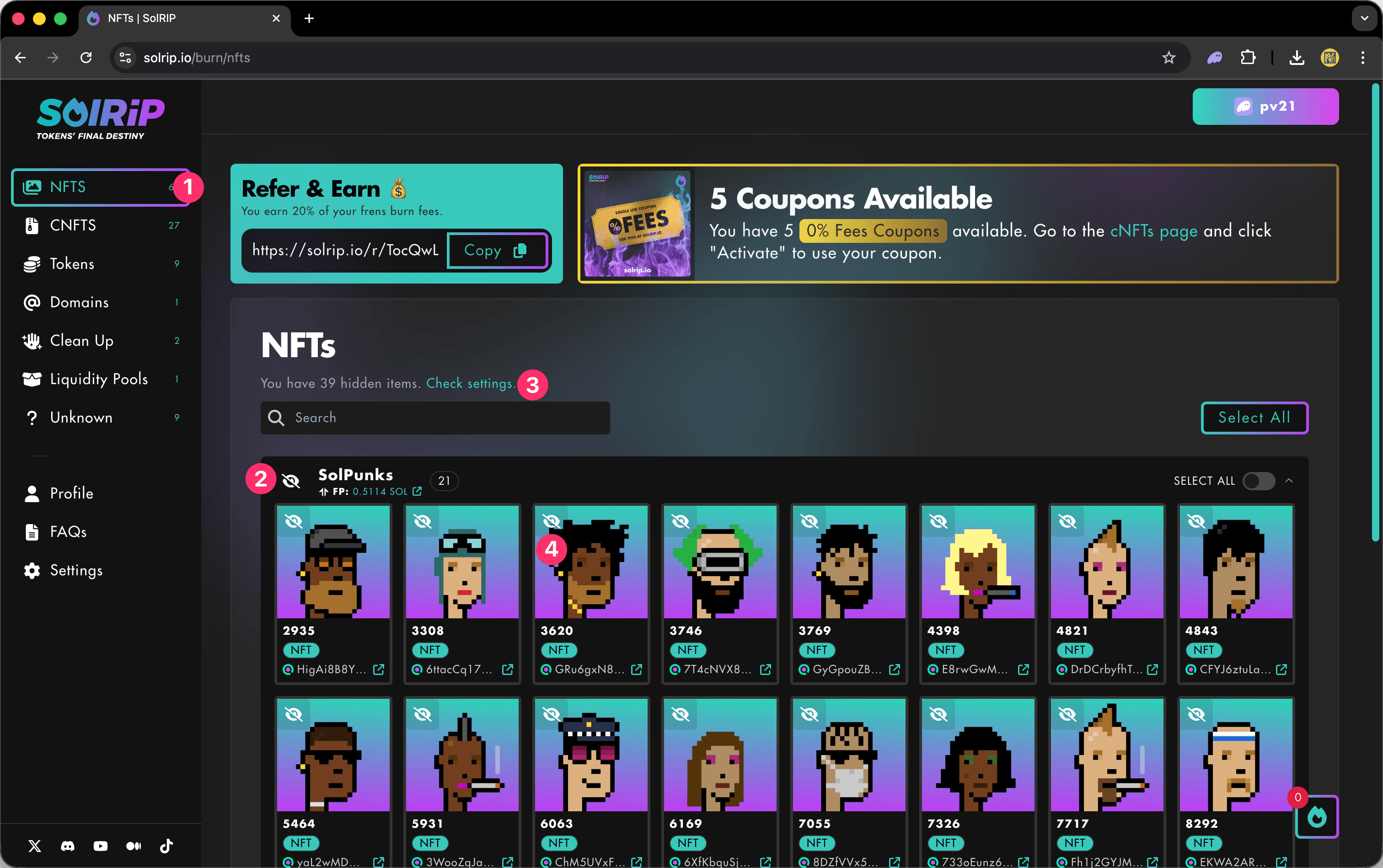
- Go to any page in SolRIP.
- Click the eye icon on the top left of any item to hide it, or in the collection tab on the left to hide the entire collection.
- If you have hidden items, you will get a message on the page with a link to the settings.
How to UnHide Items
To manage your hidden items:
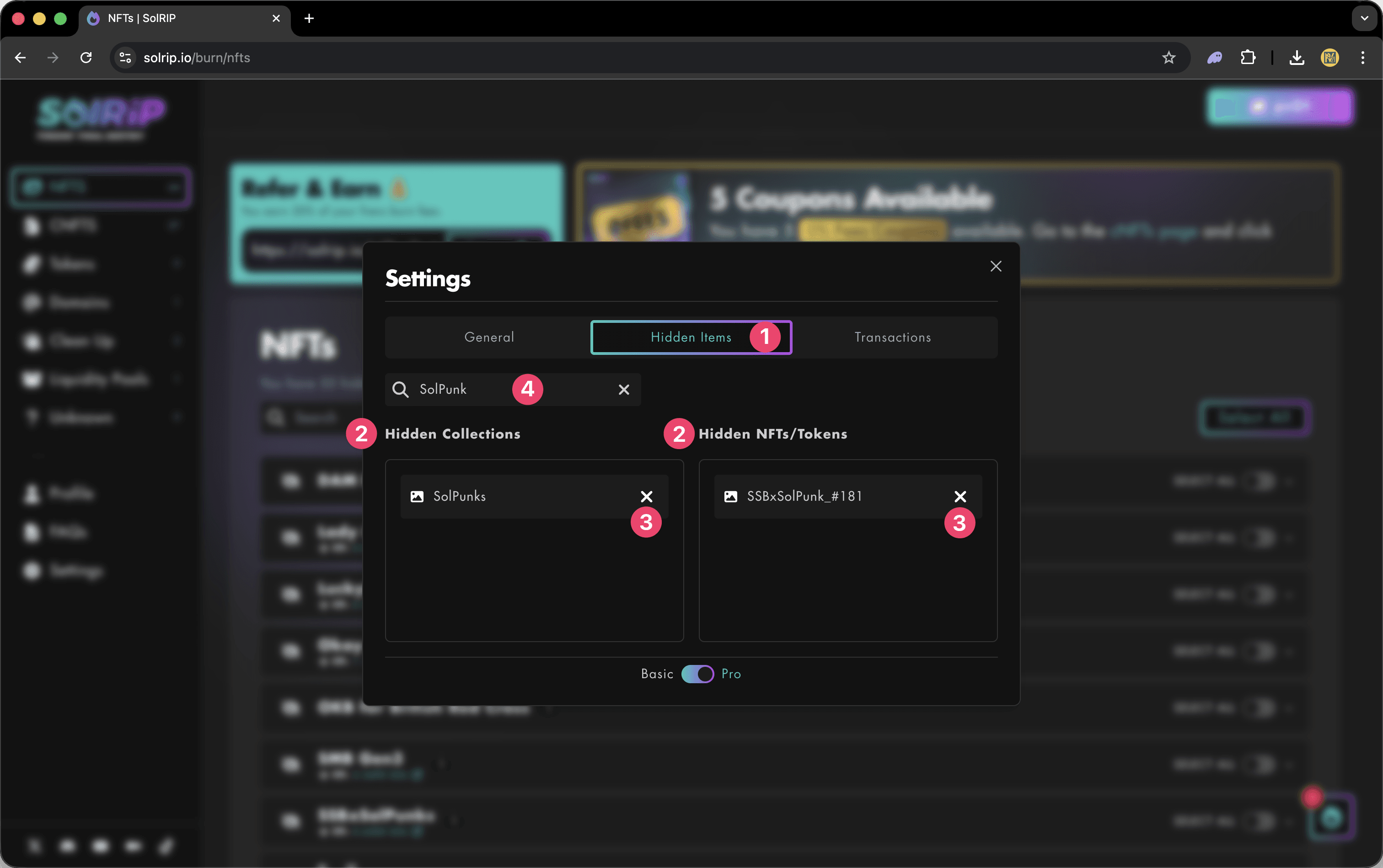
- Go to Settings → Hidden Items
- On the left you'll see all your hidden collections, on the right you'll see all your hidden NFTs / Tokens
- To make any item visible again, simply click the unhide icon next to it.
- You can also search for items to unhide in the search bar at the top.
What Happens to Hidden Items?
- ✅ Hidden items are completely excluded from all burn actions
- ✅ They won't show up in bulk selections like "Select All"
- ✅ You can unhide them anytime, and they'll return to the main burn view
Related FAQs
Have more questions? Check the full FAQs page.