
Introduction
Burning tokens on SolRIP is quick, easy, and can even help you reclaim SOL. Whether you're looking to reduce the supply of a Toke, burn rugged tokens, clean your wallet, or optimize your holdings, SolRIP offers the most advanced token-burning experience on Solana.
Expected SOL:
Each token account you close reclaims about 0.00149 SOL, before SolRIP's 2% fee. Treat that as a floor, not a cap: an account funded before Solana lowered its rent still holds the larger balance, and hands all of it back when it closes.
Why Burn Tokens?
Here are the main reasons users choose to burn their tokens:
- 🔥 Reduce Supply:
Removing Tokens from circulation can increase scarcity, benefiting holders of a Token. - 💰 Make Money:
If a Token price is lower than what you get from burning, you can profit by burning it instead of selling it. - 🧹 Clean Your Wallet:
Get rid of spam, rugged, or unwanted tokens that clutter your wallet. - ⚡ Prevent Scams:
Many airdropped tokens are phishing attempts or scams, burning them keeps your wallet safer. - 💰 Optimize Token Holdings:
Remove tiny balances of tokens with no value and keep your wallet organized.
How to Burn Tokens on SolRIP?
Follow these simple steps to burn your tokens:
Step 1: Connect Your Wallet
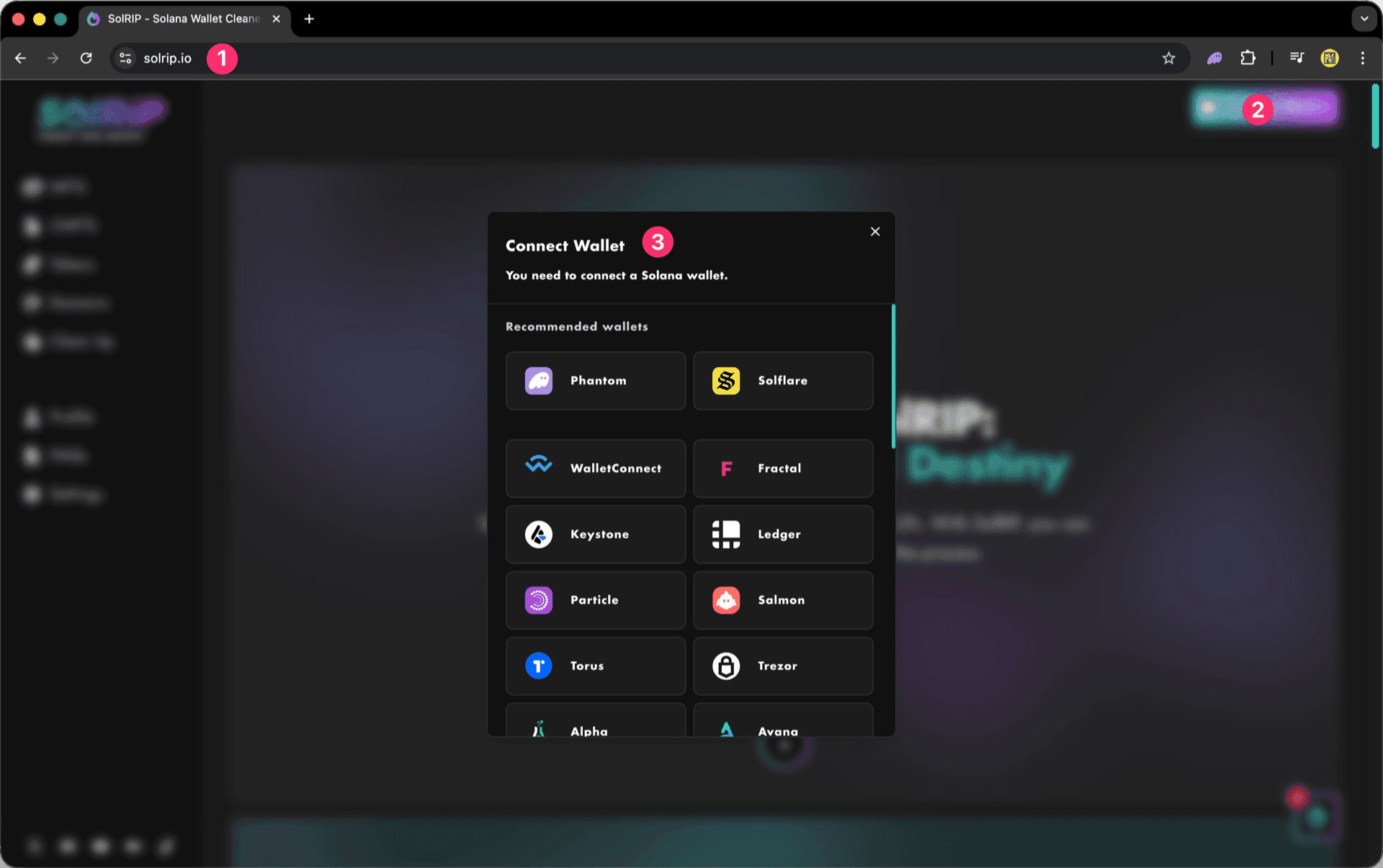
- Visit solrip.io
- Click the "Connect Wallet" button on the top right.
- Choose your preferred Solana wallet.
Step 2: Select what to burn
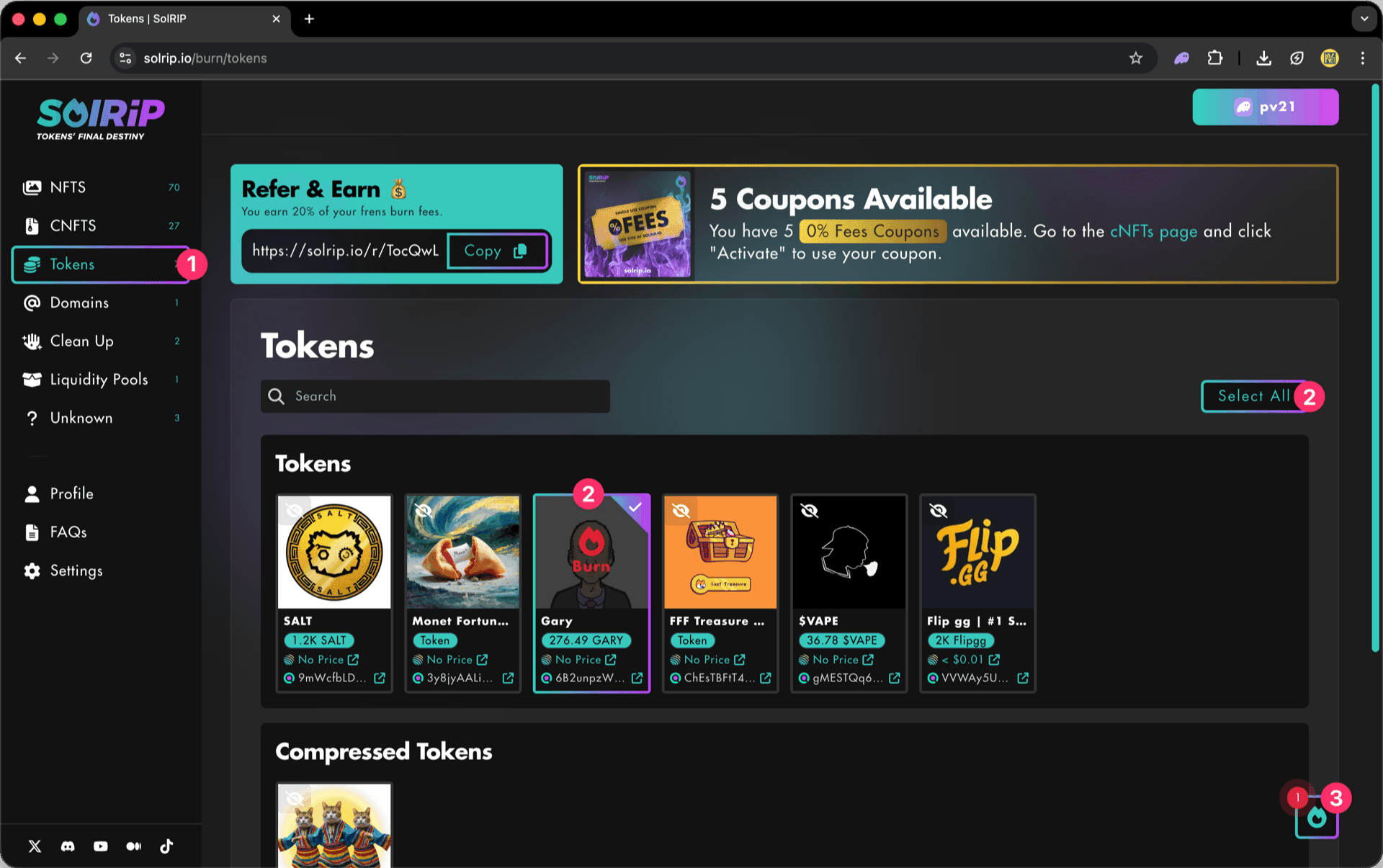
- Navigate to the Tokens page to view all the tokens in your wallet.
- Select multiple tokens by clicking the "Select All" button or Select single Tokens by selecting them individually.
- Click the floating button on the bottom right to review your selected items.
Important:
By default, all Tokens with a total value over $1 are hidden. To see all your Tokens you need to select the "All" option under Show by token total value.
Step 3: Click "Burn Them All" button
- Once satisfied with your selection, hit the "Burn Them All" button.

Step 4: Last Check
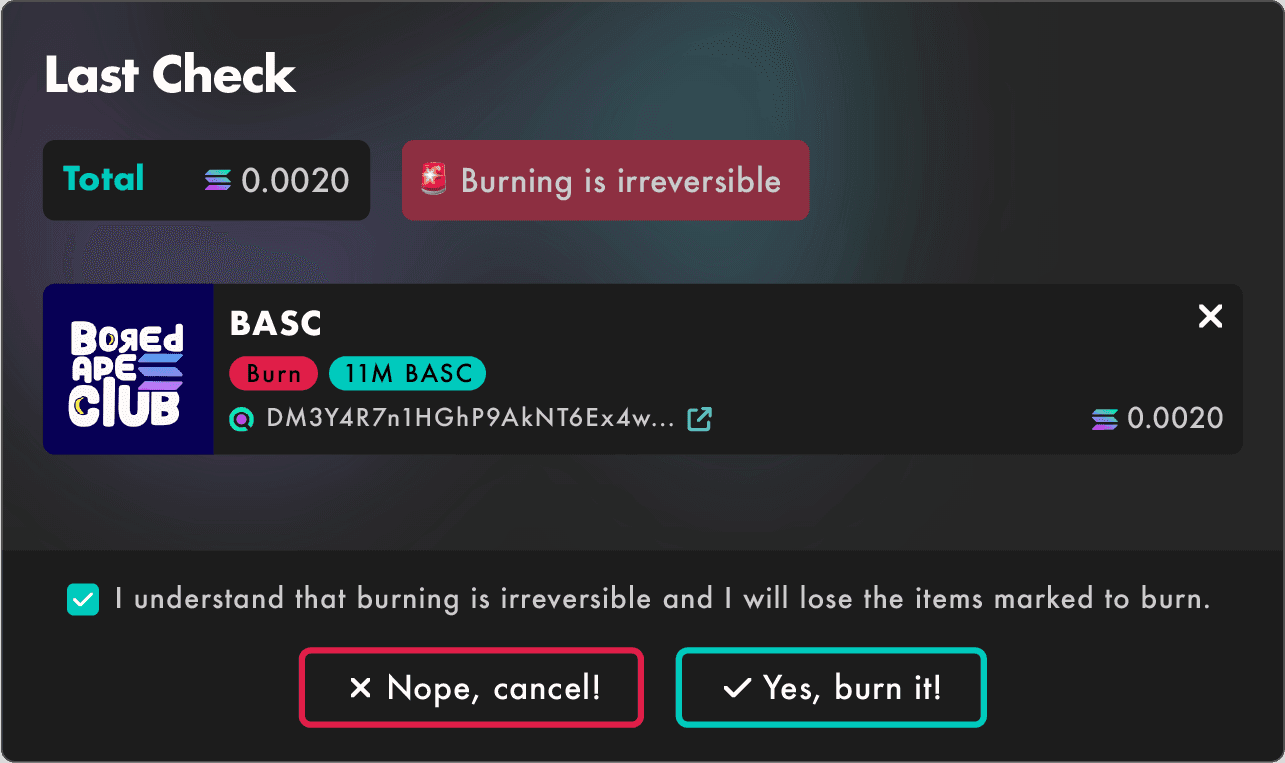
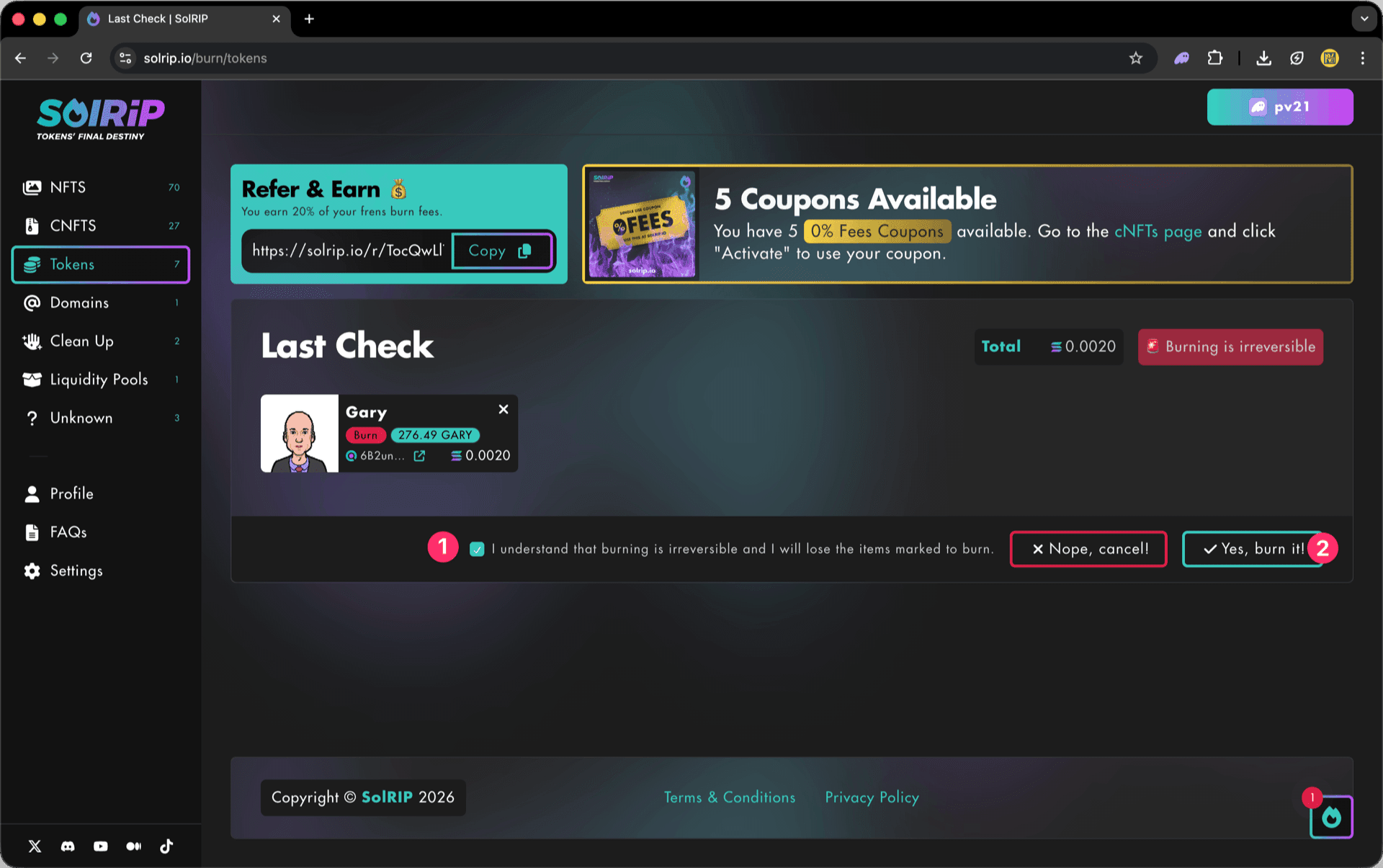
The Last Check page will appear, and this is your final confirmation step. Please make sure everything looks good before proceeding:
- If everything looks good, accept the disclaimer.
- Click the "Yes, Burn It" button to proceed.
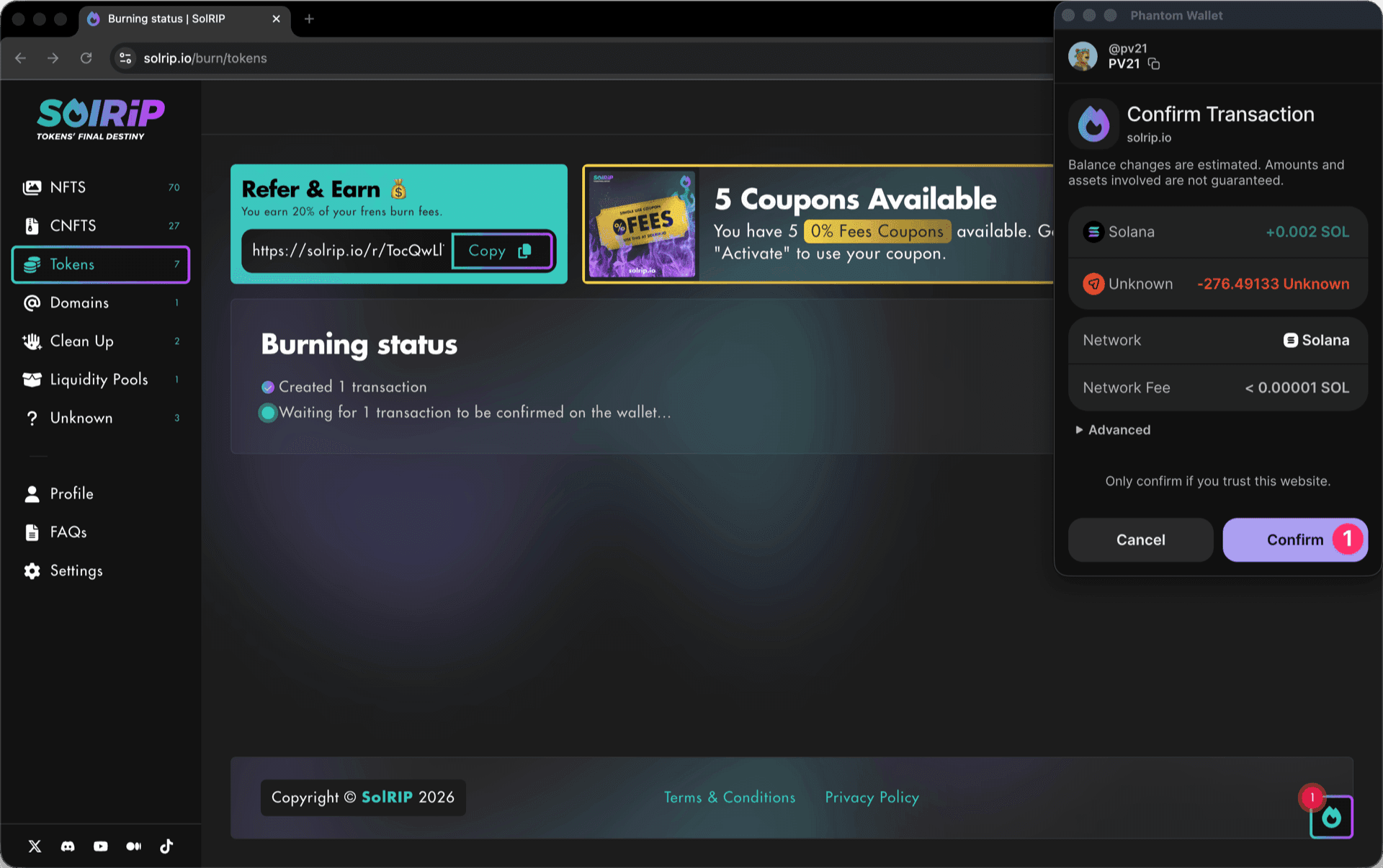
Step 5: Confirm the Burn on Your Wallet
- Approve the transaction in your wallet, and the burn will be completed instantly.
What Happens After Burning?
- The tokens you selected are permanently removed from circulation.
- You will receive SOL back from storage fees.
- Your wallet stays clean and free of unwanted tokens.
Related FAQs
Have more questions? Check the full FAQs page.