
Introduction
Unknown Items are assets in your wallet that don't fit into standard categories like tokens, NFTs, or liquidity pool assets. These may be tokens or NFTs that lack metadata or proper classification. SolRIP makes it easy to burn these items, keeping your wallet clean and free from clutter.
Expected SOL:
Each unknown item you burn reclaims about 0.00597 SOL, before SolRIP's 5% fee. An unknown item is usually an NFT whose metadata failed to load, so it is priced like one.
💡 Why are some items classified as Unknown?
- The asset has incomplete or missing metadata, making it hard to categorize.
- The token/NFT is from a new or unsupported project that isn't yet recognized.
- The item is an unverified or spam asset sent to your wallet.
Why Burn Unknown Items?
Here are the main reasons users choose to burn their tokens:
- 🔥 Remove Suspicious or Spam Assets:
Many unknown items are airdropped scam tokens or low-quality assets. - 🧹 Clean Your Wallet:
Unknown items may be unnecessary assets that clutter your wallet. - ⚡ Reduce Risk:
Some unknown assets may have malicious intent—burning them prevents unwanted interactions. - 💰 Optimize Storage:
Burning unknown items may help you reclaim SOL from storage fees.
How to Burn Unknown Items on SolRIP?
Follow these simple steps to burn your unknown tokens or NFTs:
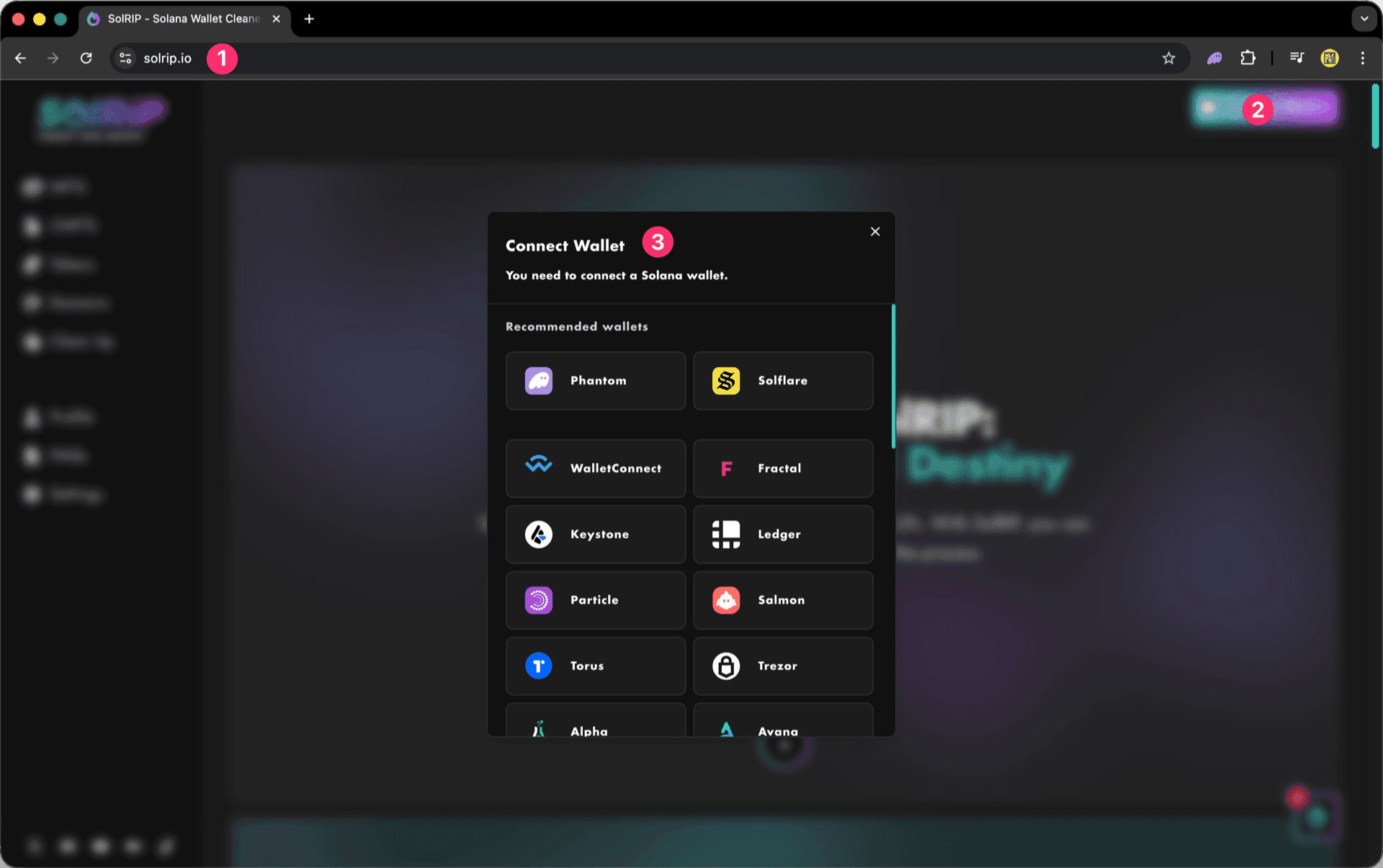
Step 1: Connect Your Wallet
- Visit solrip.io
- Click the "Connect Wallet" button on the top right.
- Choose your preferred Solana wallet.
Step 2: Select Unknown Items to Burn
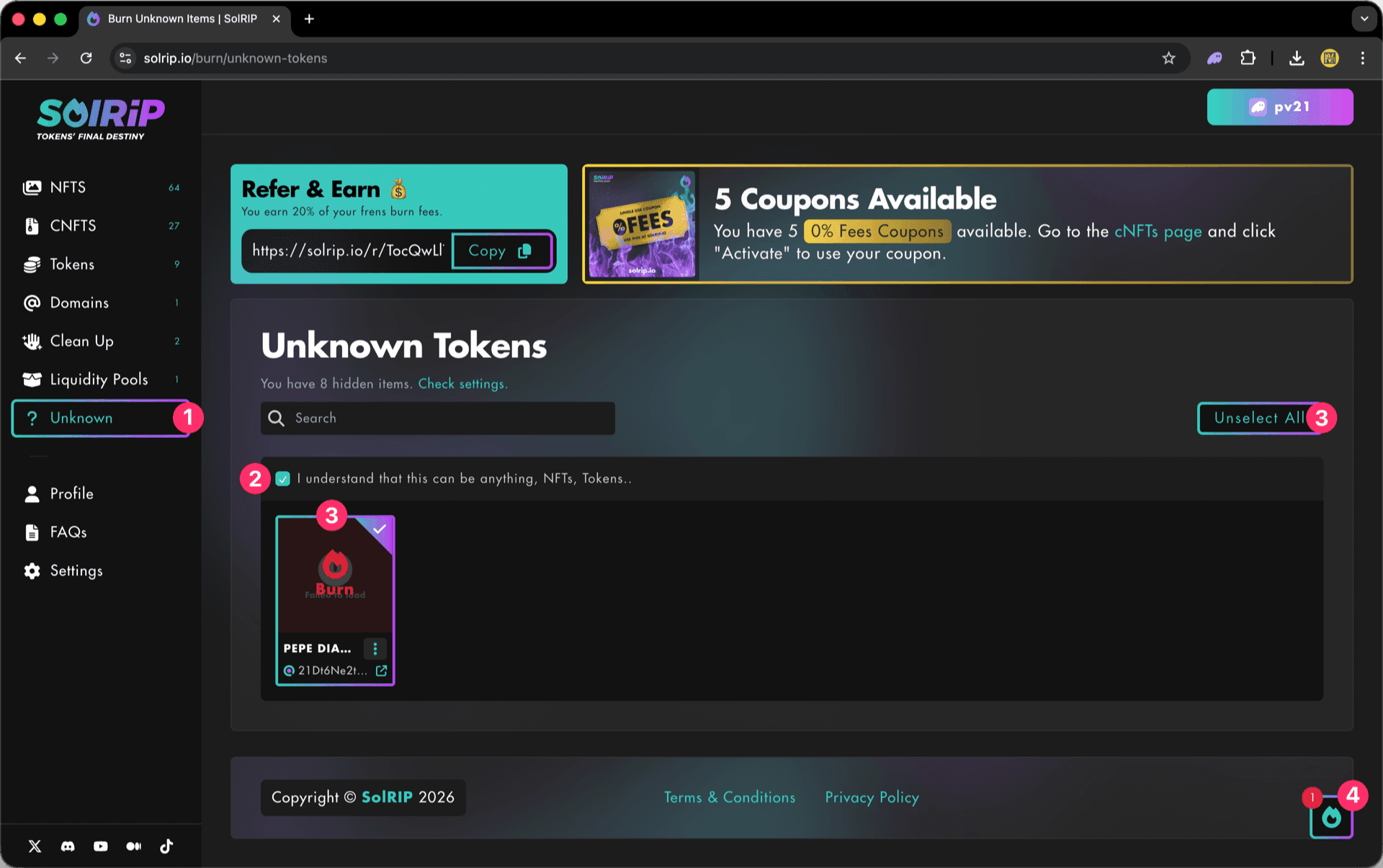
- Navigate to the "Unknown Items" page.
- Select multiple items by clicking "Select All" button, or select individual unknown items.
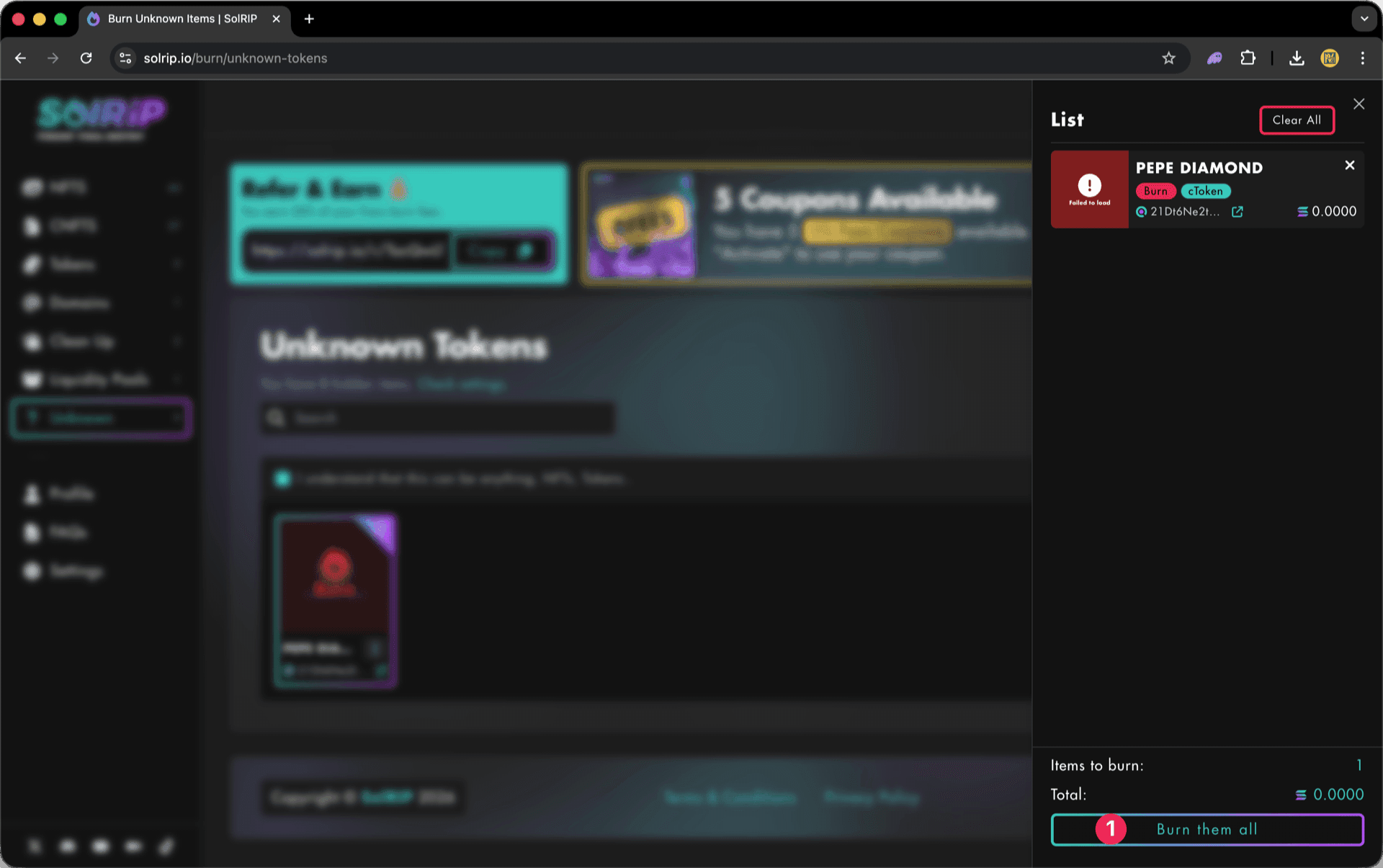
- Click the floating button on the bottom right to review your selected items.
Important:
Burning Unknown Items is a PRO Feature. To access the page, you need to enable PRO on Settings.
Step 3: Click "Burn Them All" Button
- Once satisfied with your selection, hit the "Burn Them All" button.
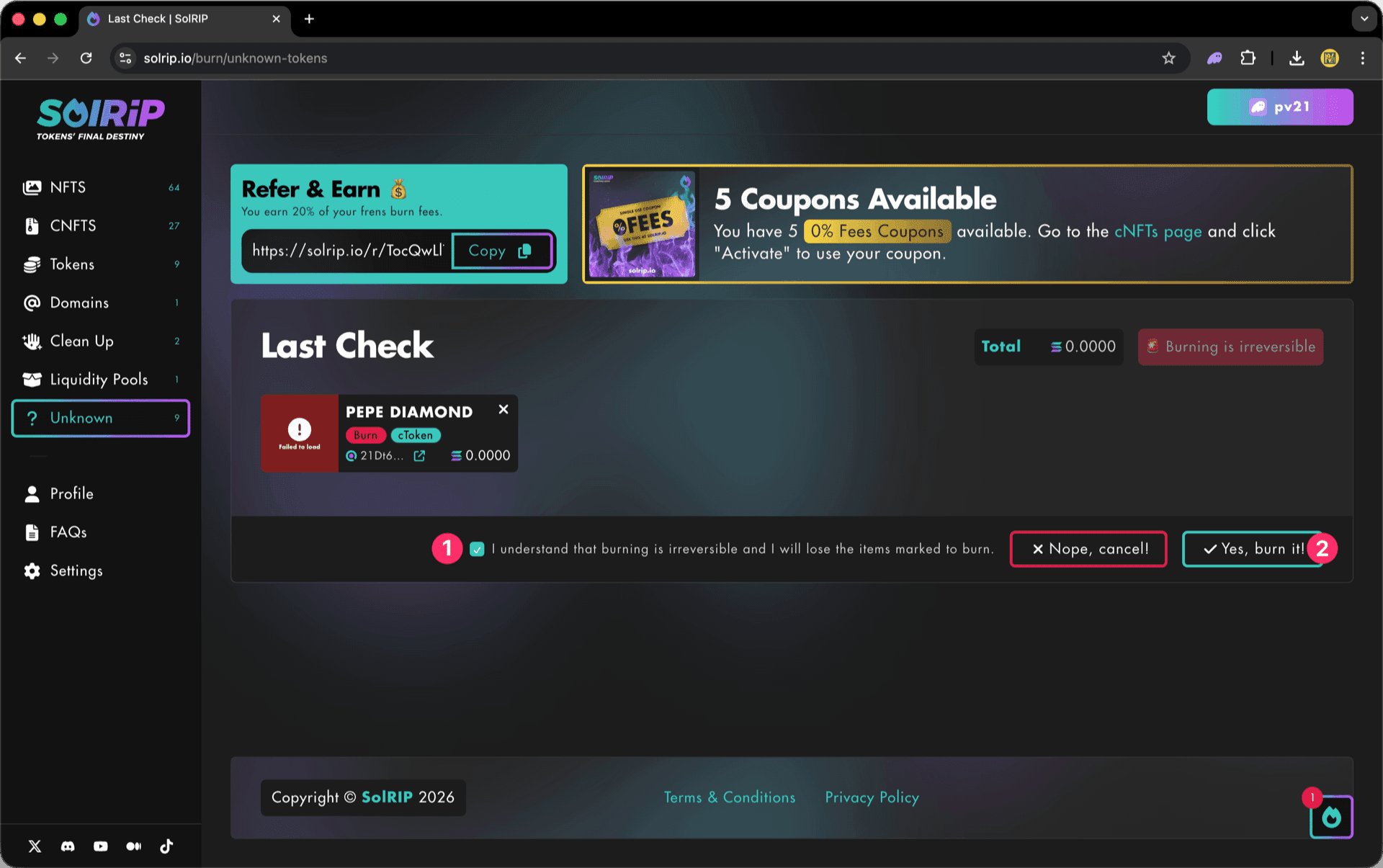
Step 4: Last Check
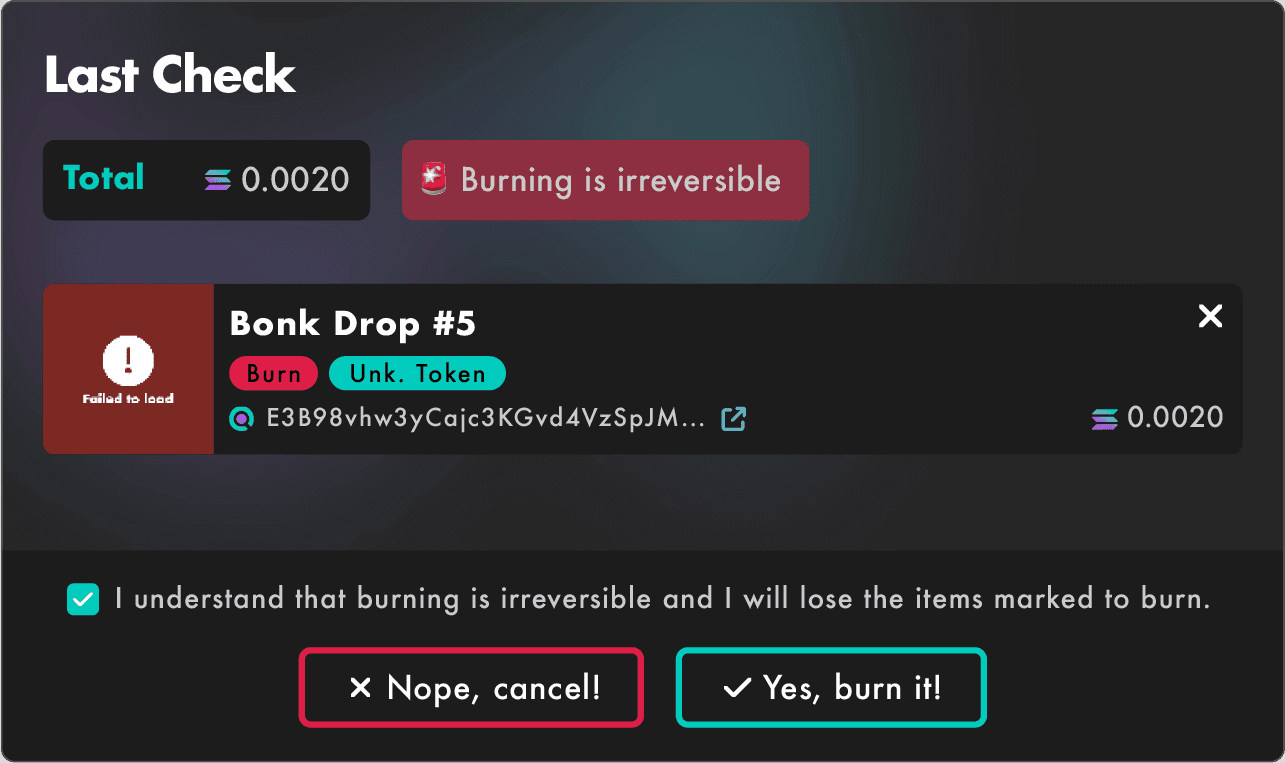
The Last Check page will appear, and this is your final confirmation step. Please make sure everything looks good before proceeding:
- If everything looks good, accept the disclaimer.
- Click the "Yes, Burn It" button to proceed.
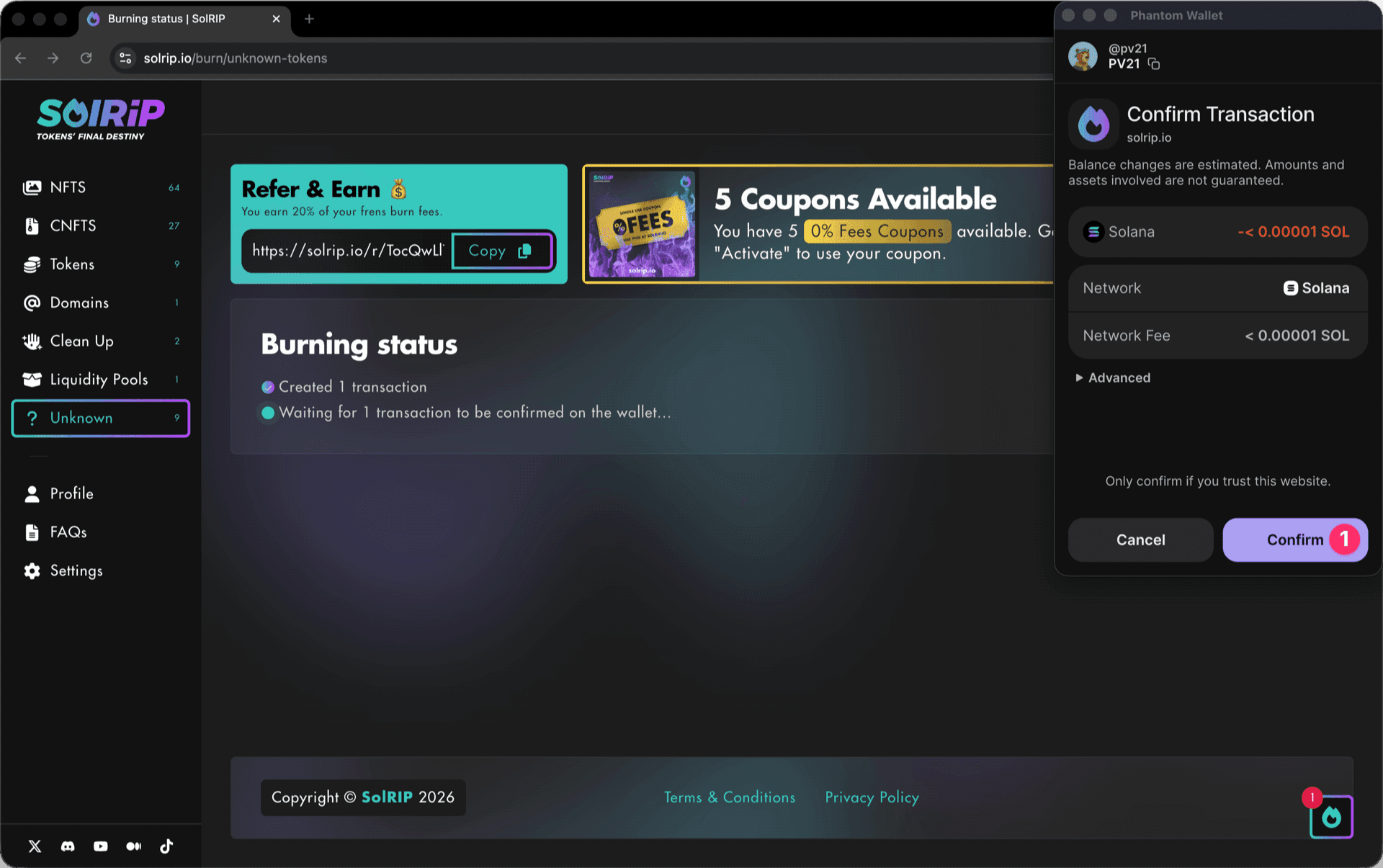
Step 5: Confirm the Burn on Your Wallet
- Approve the transaction in your wallet, and the burn will be completed instantly.
What Happens After Burning?
- Unknown items are permanently removed from your wallet.
- You avoid potential scams or risky assets by removing unverified tokens or NFTs.
- Your wallet stays optimized and clutter-free, making it easier to manage assets.
- Reclaim SOL from storage fees for each Unknown Item you burn.
Related FAQs
Have more questions? Check the full FAQs page.