
Introduction
Every time you sell or transfer an NFT or Token, you create an empty account on Solana. These Empty accounts contain SOL. SolRIP allows you to burn them easily, helping you reclaim that SOL and keep your wallet clean.
Expected SOL:
Each empty account you close reclaims about 0.00149 SOL, before SolRIP's 2% fee. Accounts funded before Solana lowered its rent hold more, and hand all of it back.
Important:
Empty Accounts are 100% safe to burn. You won't lose any of your NFTs or Tokens by burning Empty Accounts.
Why Burn Empty Accounts?
Here are the main reasons users burn their empty accounts:
- 💰 Reclaim SOL:
Empty Accounts still hold SOL, which you can recover by burning them. - 🧹 Clean Your Wallet:
Over time, wallets accumulate empty accounts from previous transactions. Burning them helps declutter your wallet. - ⚡ Optimize Storage:
Removing unnecessary accounts improves wallet efficiency and reduces blockchain bloat.
How to Burn Empty Accounts on SolRIP?
Follow these simple steps to burn your empty accounts and reclaim SOL:
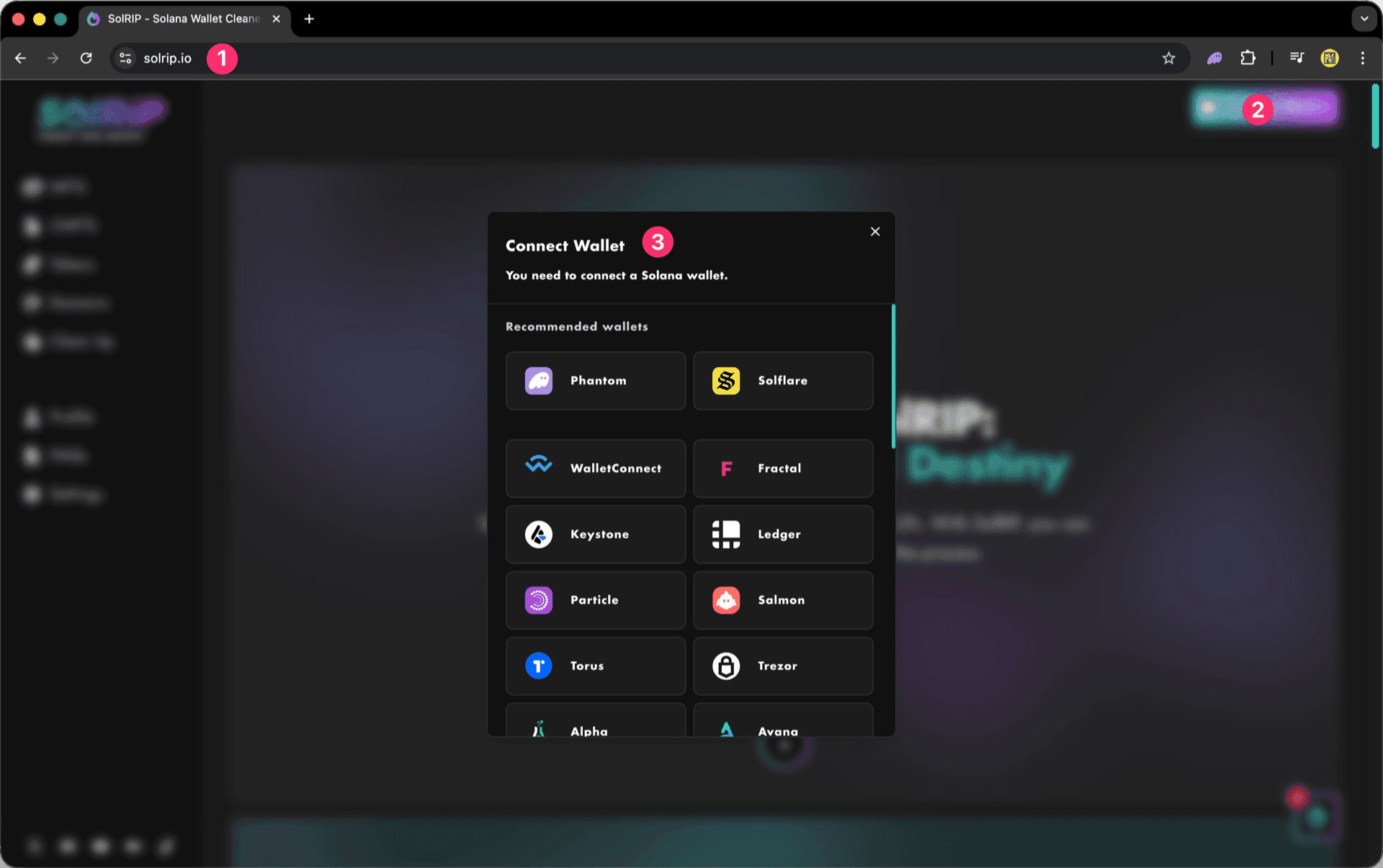
Step 1: Connect Your Wallet
- Visit solrip.io
- Click the "Connect Wallet" button on the top right.
- Choose your preferred Solana wallet.
Step 2: Burn all your Empty Accounts
There are two ways to select empty accounts for burning:
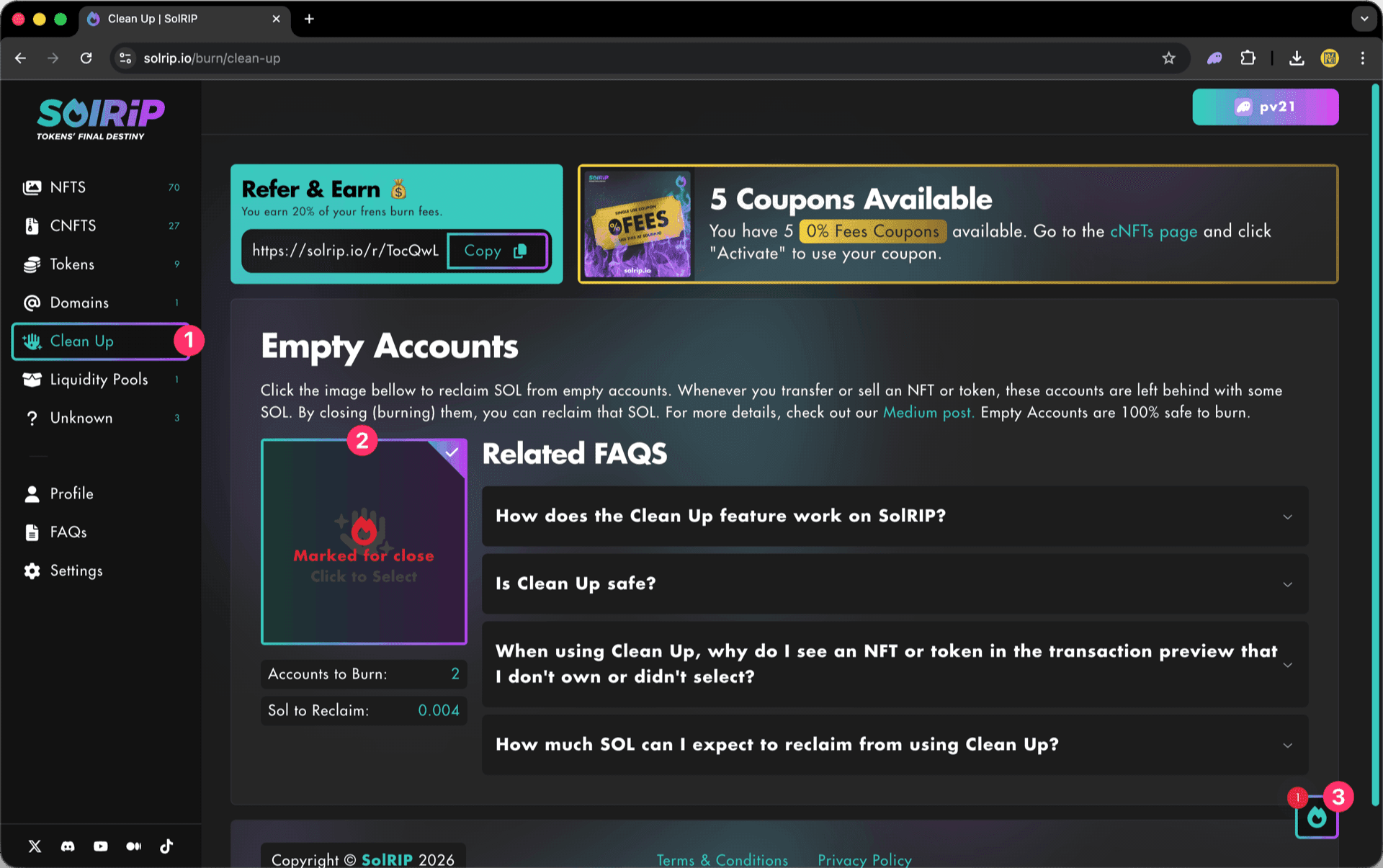
✅ Default View (Recommended) – Burn all empty accounts at once
- Navigate to the "Clean Up" page.
- Click the "Click to Select" image to choose all empty accounts automatically
- Click the floating button on the bottom right to review your selection and continue.
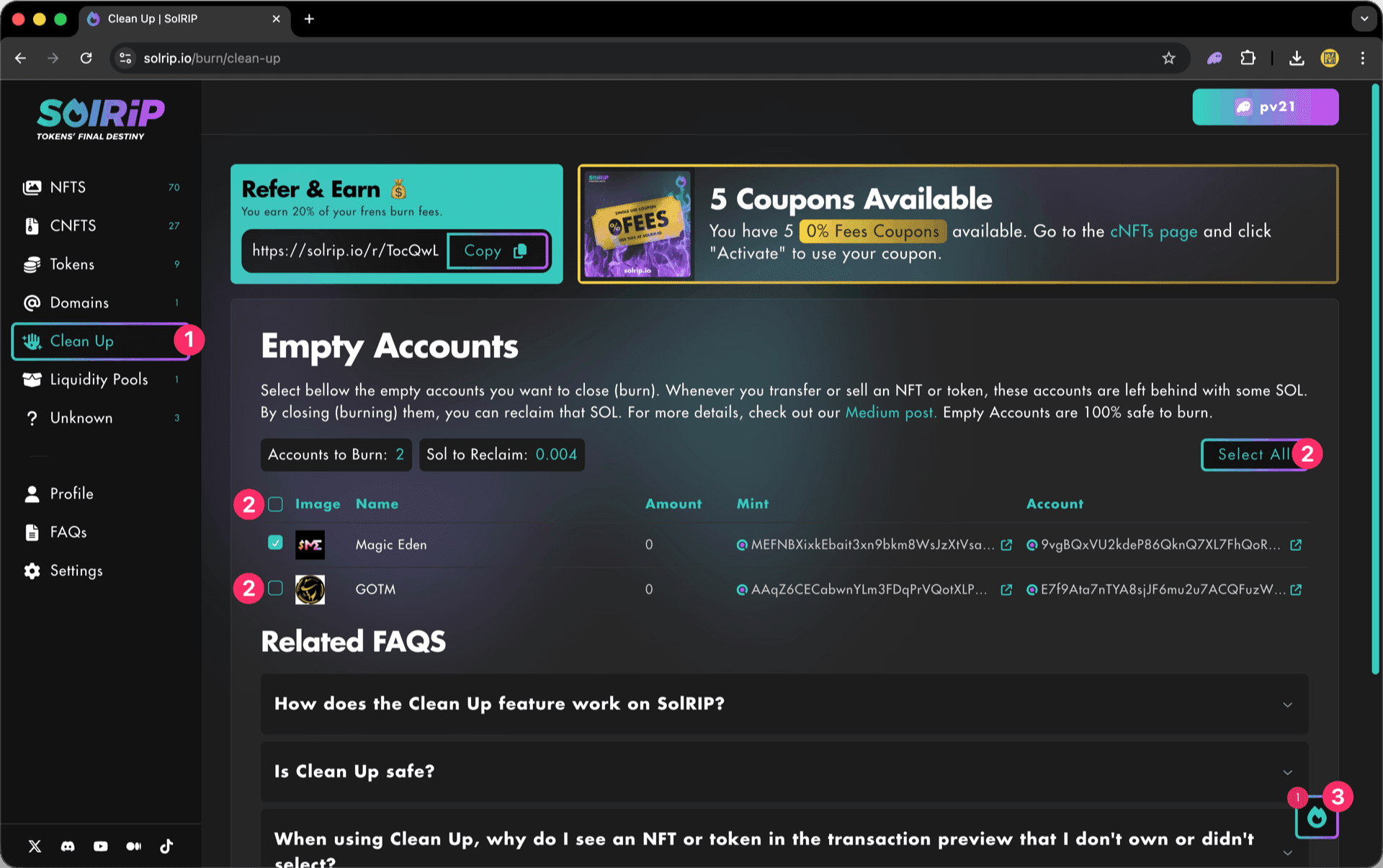
⚙️ Alternative View (Enable in Settings) – Select individual empty accounts
- Navigate to the "Clean Up" page.
- Click the "Select All" button to select everything in one go, or select single Empty Accounts individually.
- Click the floating button on the bottom right to review your selection and continue.
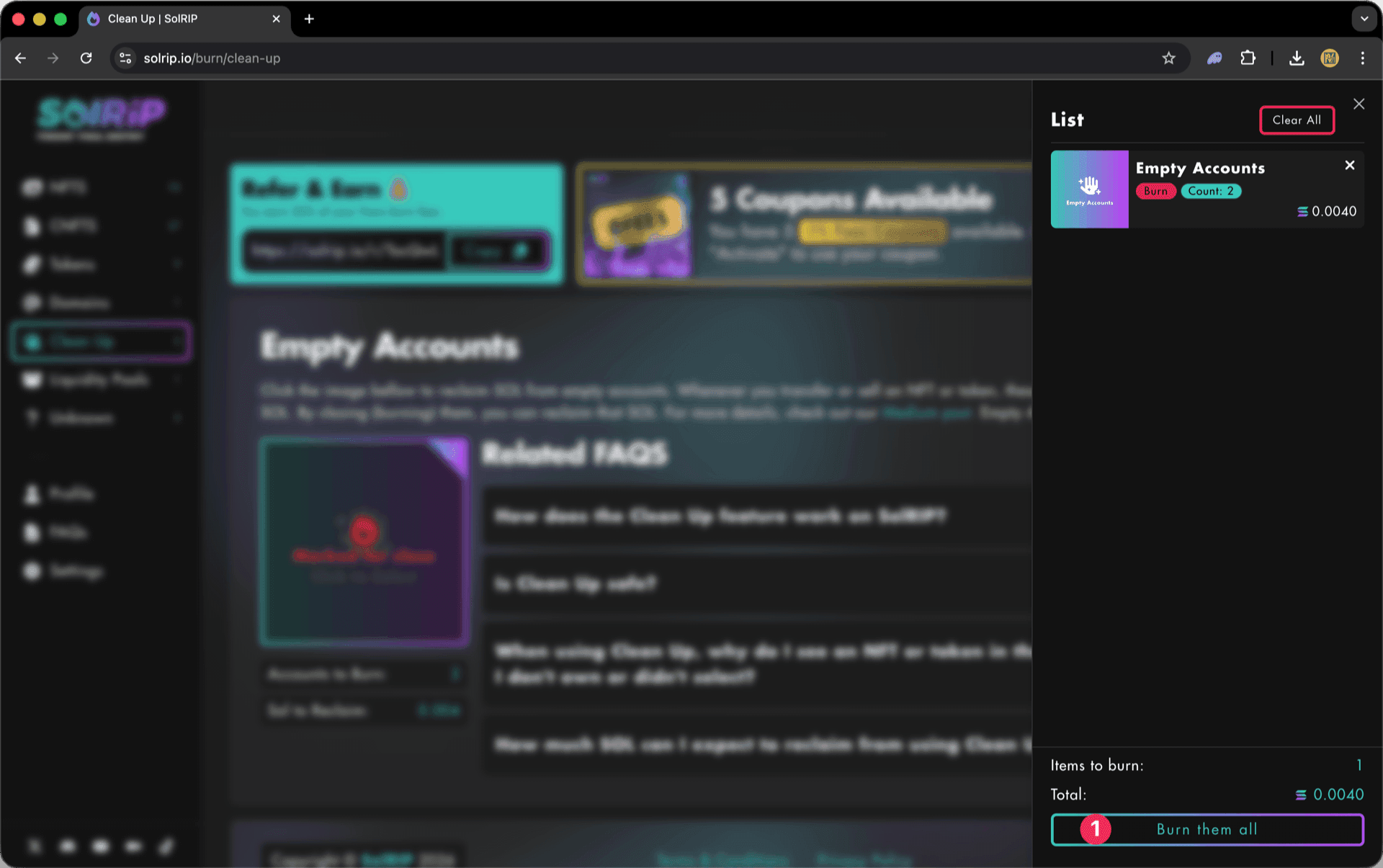
Step 3: Click "Burn Them All" button
- Once satisfied with your selection, hit the "Burn Them All" button.
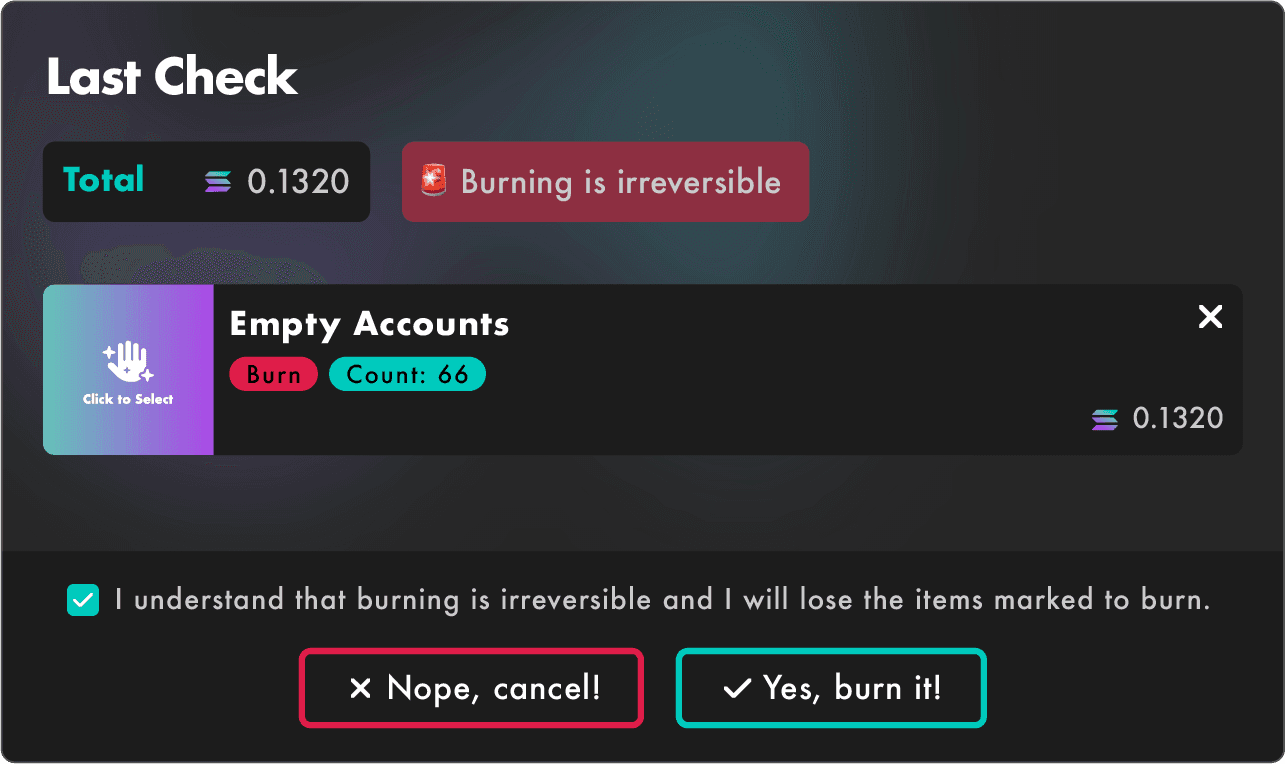
Step 4: Last Check
The Last Check page will appear, and this is your final confirmation step. Please make sure everything looks good before proceeding:
- If everything looks good, accept the disclaimer.
- Click the "Yes, Burn It" button to proceed.

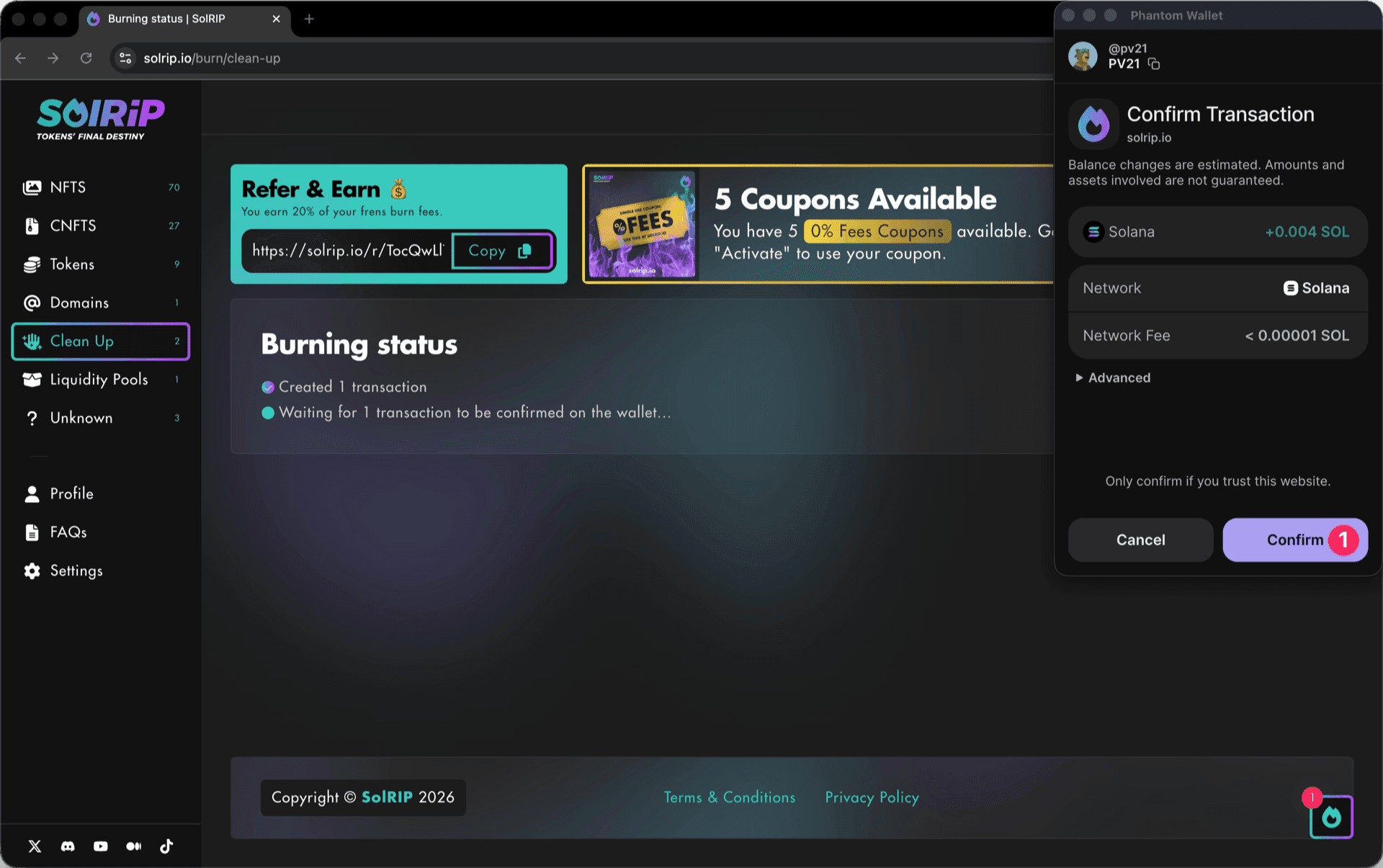
Step 5: Confirm the Burn on Your Wallet
- Approve the transaction in your wallet, and the burn will be completed instantly.
What Happens After Burning Empty Accounts?
- The empty accounts are burned/closed.
- You reclaim SOL for each empty account burn, which is sent directly to your wallet.
- Your wallet stays clean, optimized, and free of clutter.
Related FAQs
Have more questions? Check the full FAQs page.