
Introduction
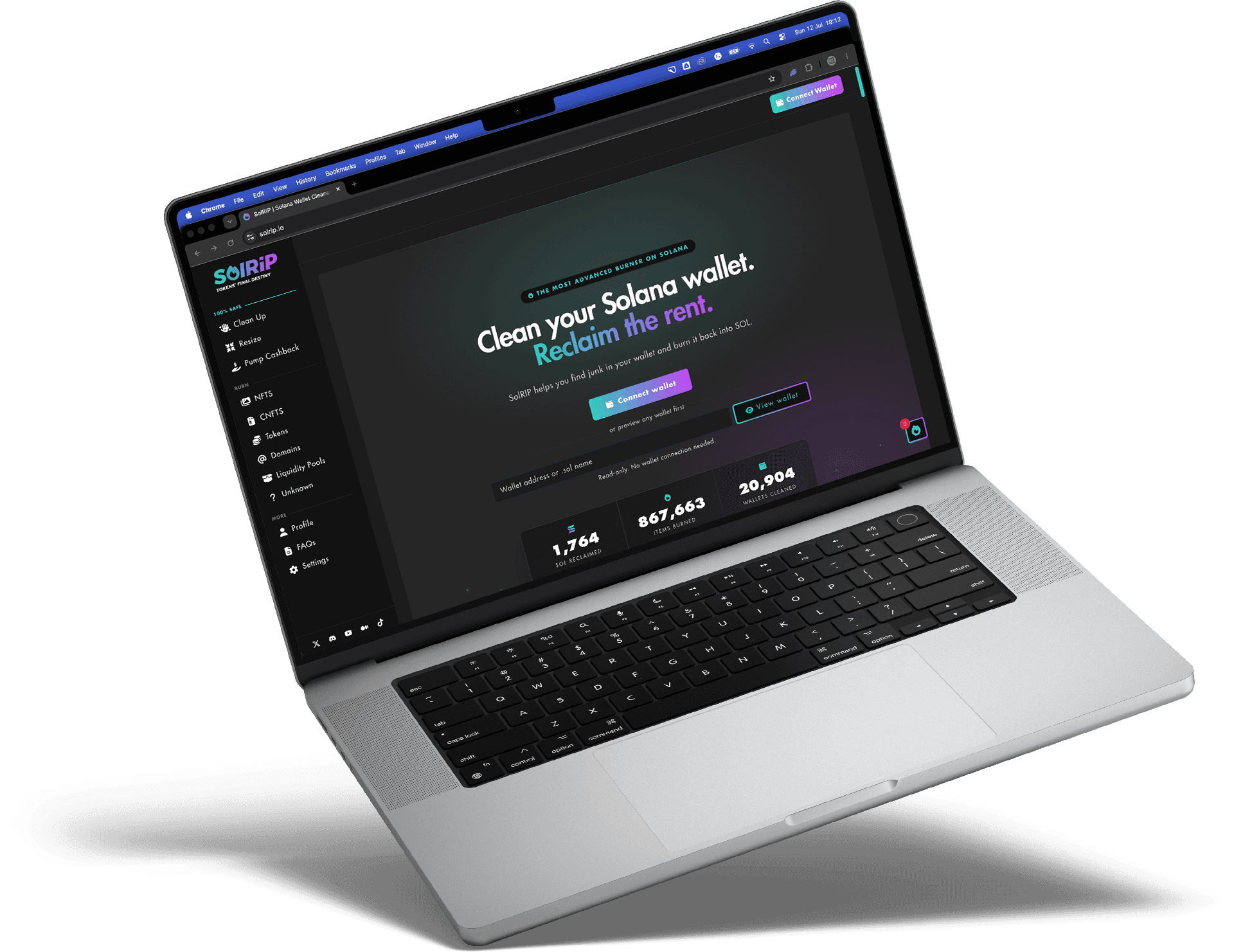
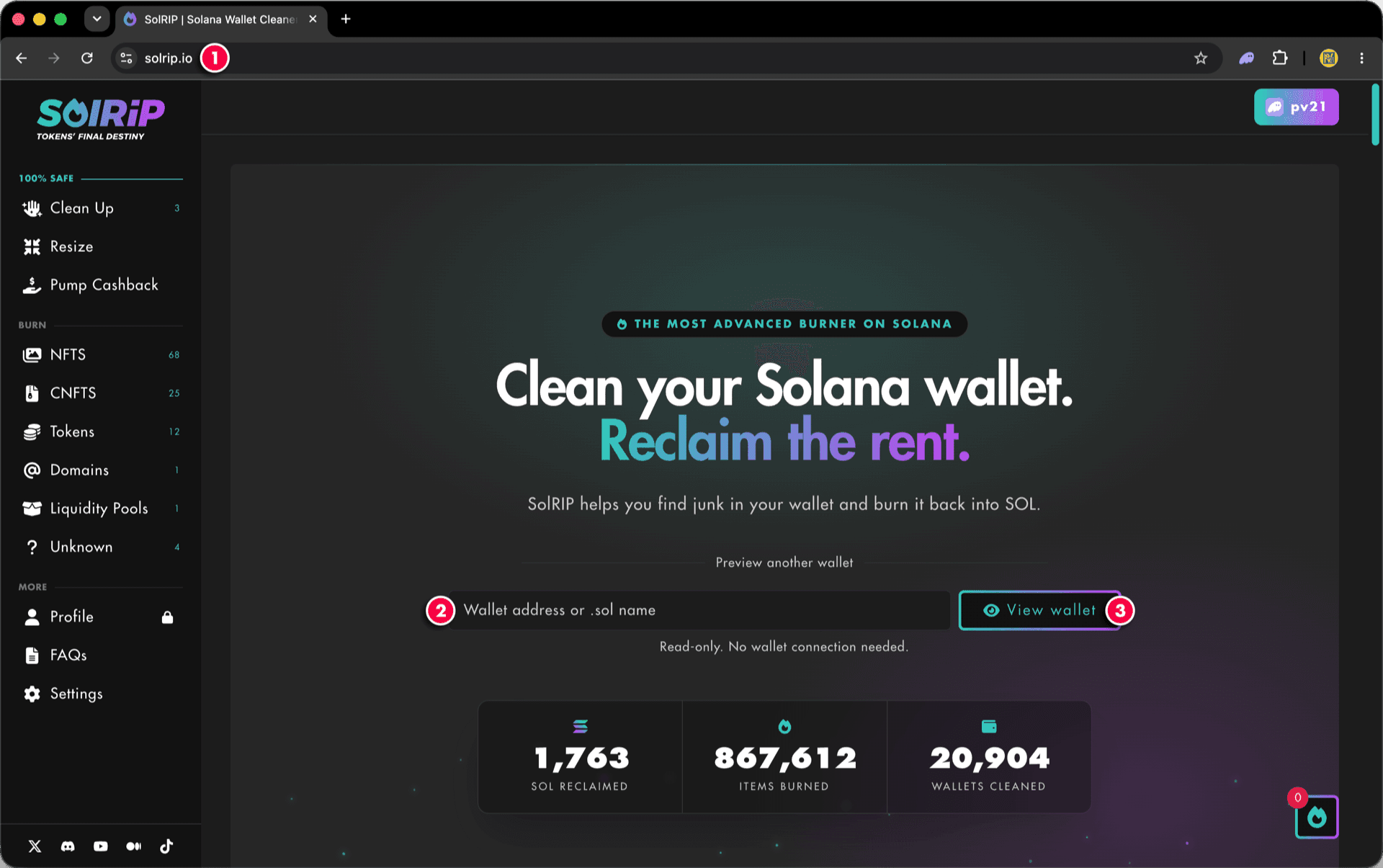
The Wallet Checker lets you preview any Solana wallet on solrip.io without connecting it. Just paste a wallet address or a .sol name into the input on the homepage and click "View Wallet". SolRIP loads a read-only view of that wallet, exactly as if it were connected.
Read-only:
The Wallet Checker never asks for a wallet connection, signature, or approval. It only reads public on-chain data, so it's 100% safe, for your wallet or anyone else's.
Why Use the Wallet Checker?
- 🔍 Preview Before You Connect:
See exactly what's in a wallet, and how much SOL you could reclaim, before connecting anything. - 🔒 Zero Risk:
No connection, no signatures, no approvals. It's a read-only view of public blockchain data. - 👀 Check Any Wallet:
Curious about another wallet? Paste any address or .sol name to inspect how much SOL this wallet has to claim.
How to Check a Wallet on SolRIP?
Step 1: Open the Wallet Checker
- Go to solrip.io, no wallet connection needed.
- Paste any Solana wallet address or .sol name into the wallet checker input on the homepage.
- Click the "View Wallet" button.
Or Start from Any Feature Page
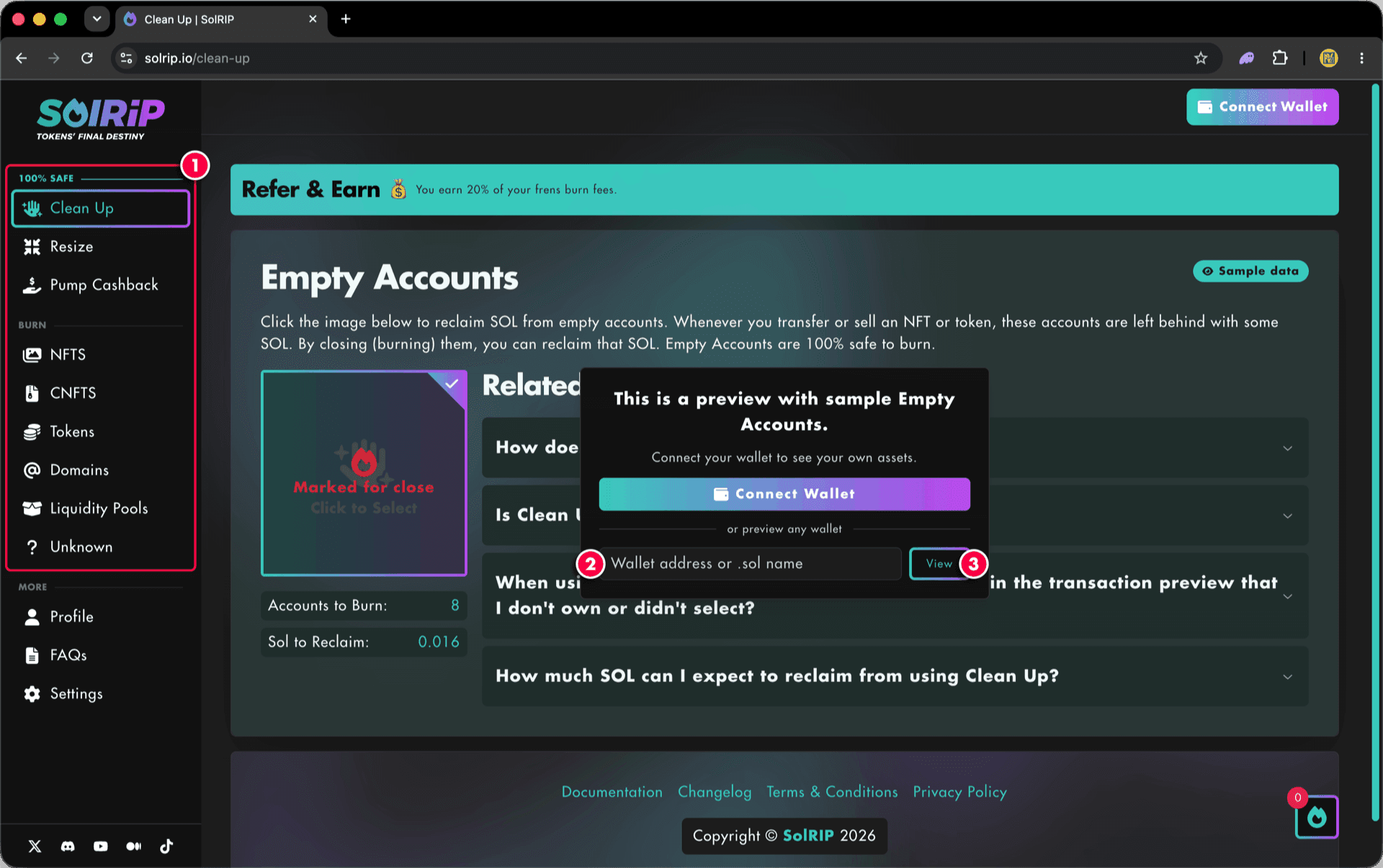
You can also open the Wallet Checker from any feature page. Without a connected wallet, pages show sample data along with the same input:
- Navigate to any feature page.
- Enter a wallet address or .sol name in the preview dialog.
- Click the "View" button to load that wallet instead of the sample data.
Step 2: Browse in Read-Only Mode
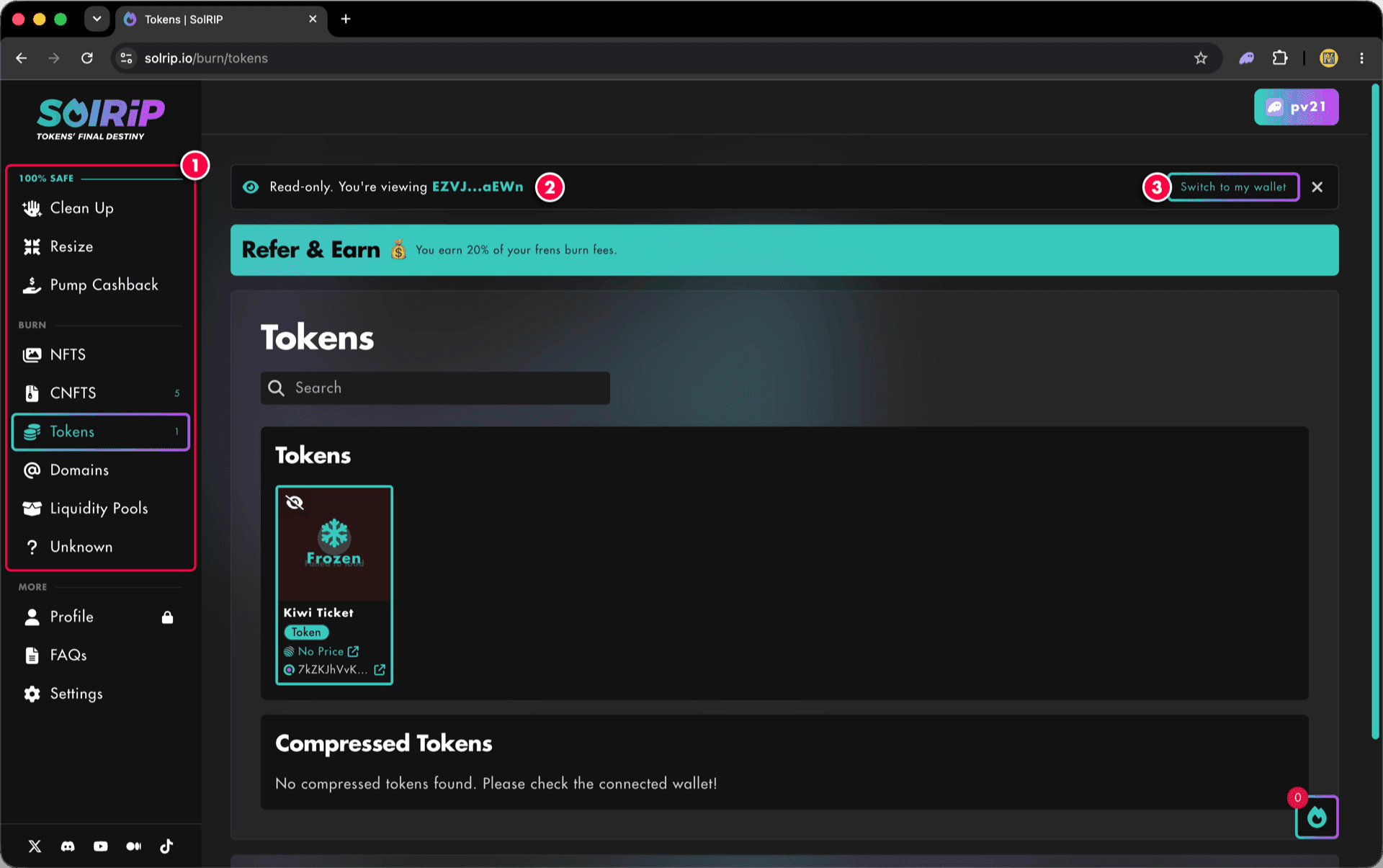
Browse the wallet freely, nothing can be burned or moved in read-only mode.
- Visit any page on our app to see how much SOL could be reclaimed.
- The banner at the top shows which wallet you're viewing.
- When you're ready to act, click "Switch to my wallet" to connect your own.
Ready to Burn?
The Wallet Checker is view-only. When you're ready to actually burn assets or reclaim SOL, connect the wallet you own and follow any of our feature guides, everything you previewed will be right where you left it.
Related FAQs
Have more questions? Check the full FAQs page.