
Introduction
SolRIP gives you full control over how your transactions are processed on the Solana network. In the Transaction Settings you can optimize for speed, efficiency, and flexibility by adjusting options like priority fees and dynamic fee behavior.
Pro Tip:
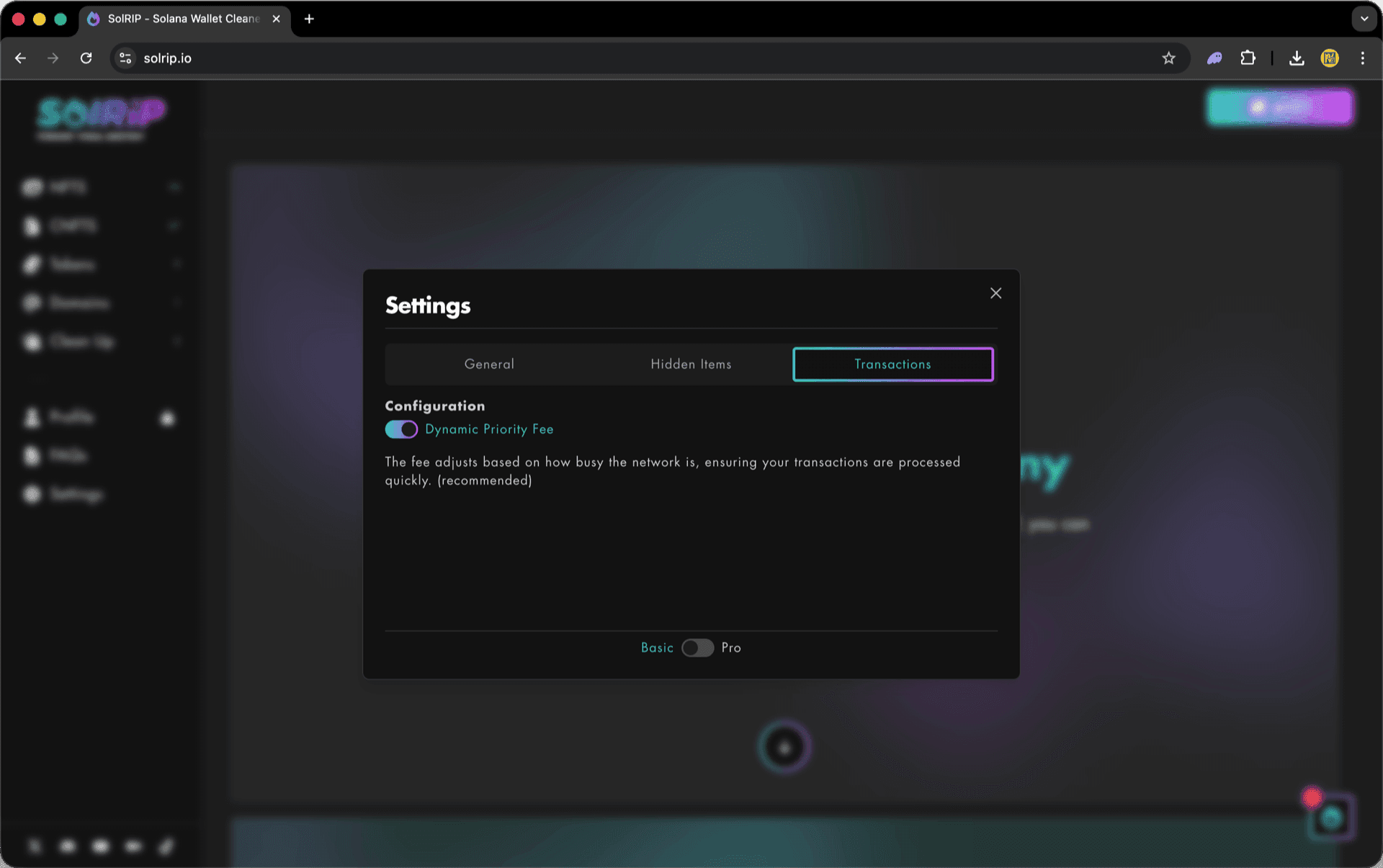
The Basic/Pro Toggle is available on all settings tabs. By default, Basic Mode is active. Switch to Pro Mode to unlock advanced features, including access to the Liquidity Pools and Unknown Items pages.
Dynamic Priority Fee
By default, SolRIP uses a Dynamic Priority Fee system that automatically adjusts your priority fees based on current network conditions.
🔧 Options Available:
- Enable Dynamic Priority Fee (default): Recommended for most users.
- Disable Dynamic Priority Fee: When disabled, manual priority fee options will appear.
Manual Priority Fee (if Dynamic is Disabled)
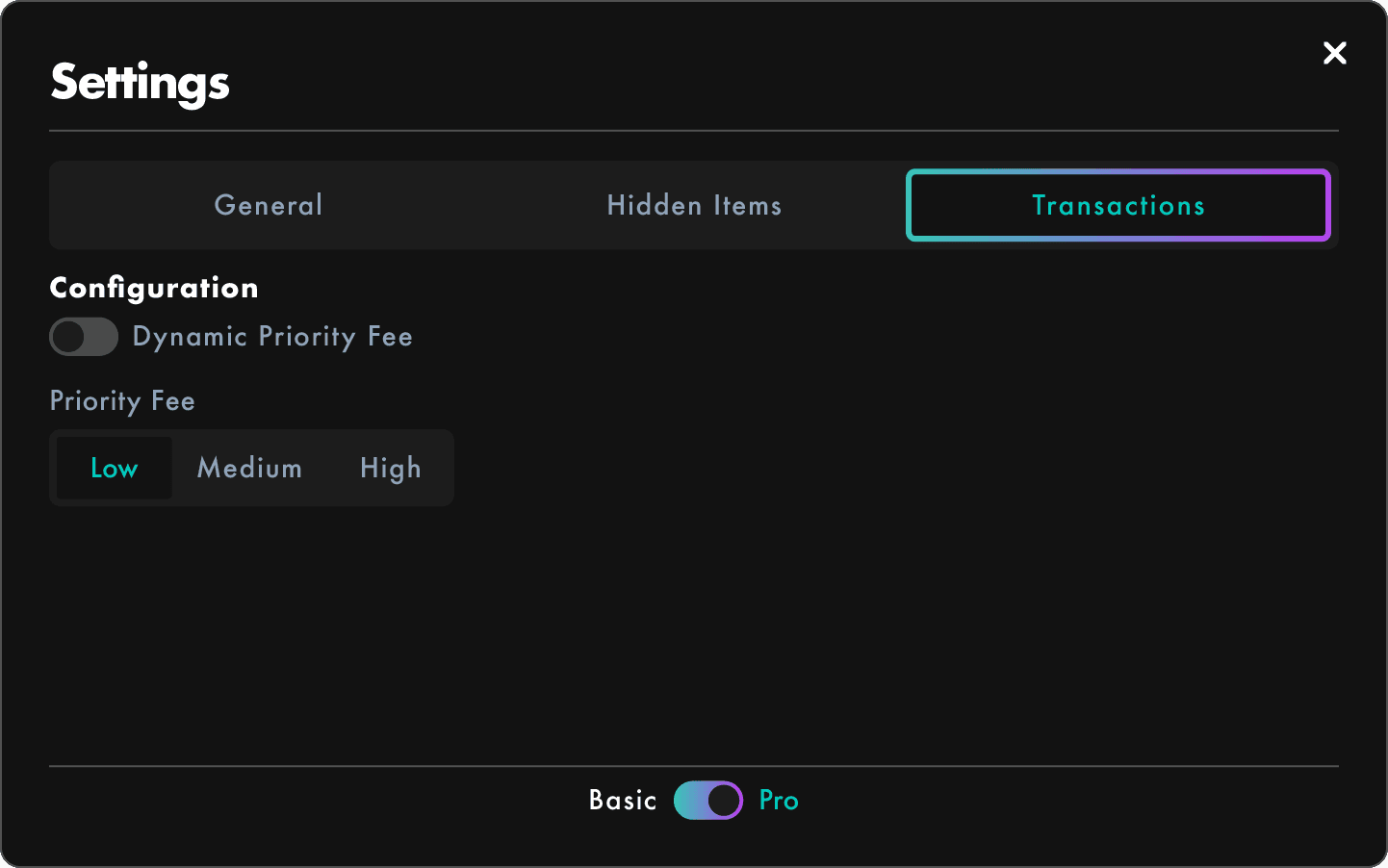
If you disable the Dynamic Priority Fee setting, you'll be able to choose your own fixed priority fee level.
🔧 Options Available:
- To see the Manual Priority Fees, you need to first disable the Dynamic Priority Fee option.
- Manual Priority Fees Levels:
- Low
- Medium
- High

Note:
Lower fees may result in slower confirmations, especially during high network congestion.
Use Case Examples
- 🧘 Prefer control over automation? → Disable Dynamic Priority Fee and set your own level manually
- ⚙️ Looking for balance? → Keep Dynamic Priority Fee enabled and let SolRIP handle it for you