Introduction
Burning NFTs on SolRIP is fast, easy, and can even be profitable. Whether you're looking to reduce the supply of a collection, reclaim SOL, or clean up your wallet, SolRIP provides the most advanced burning experience on Solana.
Expected SOL:
Print editions are priced on their own. A print edition reclaims around 0.00609 SOL, and SolRIP reads the edition marker before quoting, so the last print of an edition is priced for what it actually closes instead of being lumped in with the rest.
Why Burn NFTs?
There are several reasons why users choose to burn their NFTs:
- 🔥 Reduce Supply:
Removing NFTs from circulation can increase scarcity, benefiting holders of a collection. - 💰 Make Money:
If an NFT's floor price is lower than what you get from burning, you can profit by burning it instead of selling it. - 🧹 Clean Your Wallet:
Get rid of unwanted, worthless, or spam NFTs to keep your wallet organized. - 🔄 Participation in Events:
Some projects may require burning an NFT to claim a new one or participate in special events.
How to Burn NFTs on SolRIP?
Follow these simple steps to burn your NFTs:
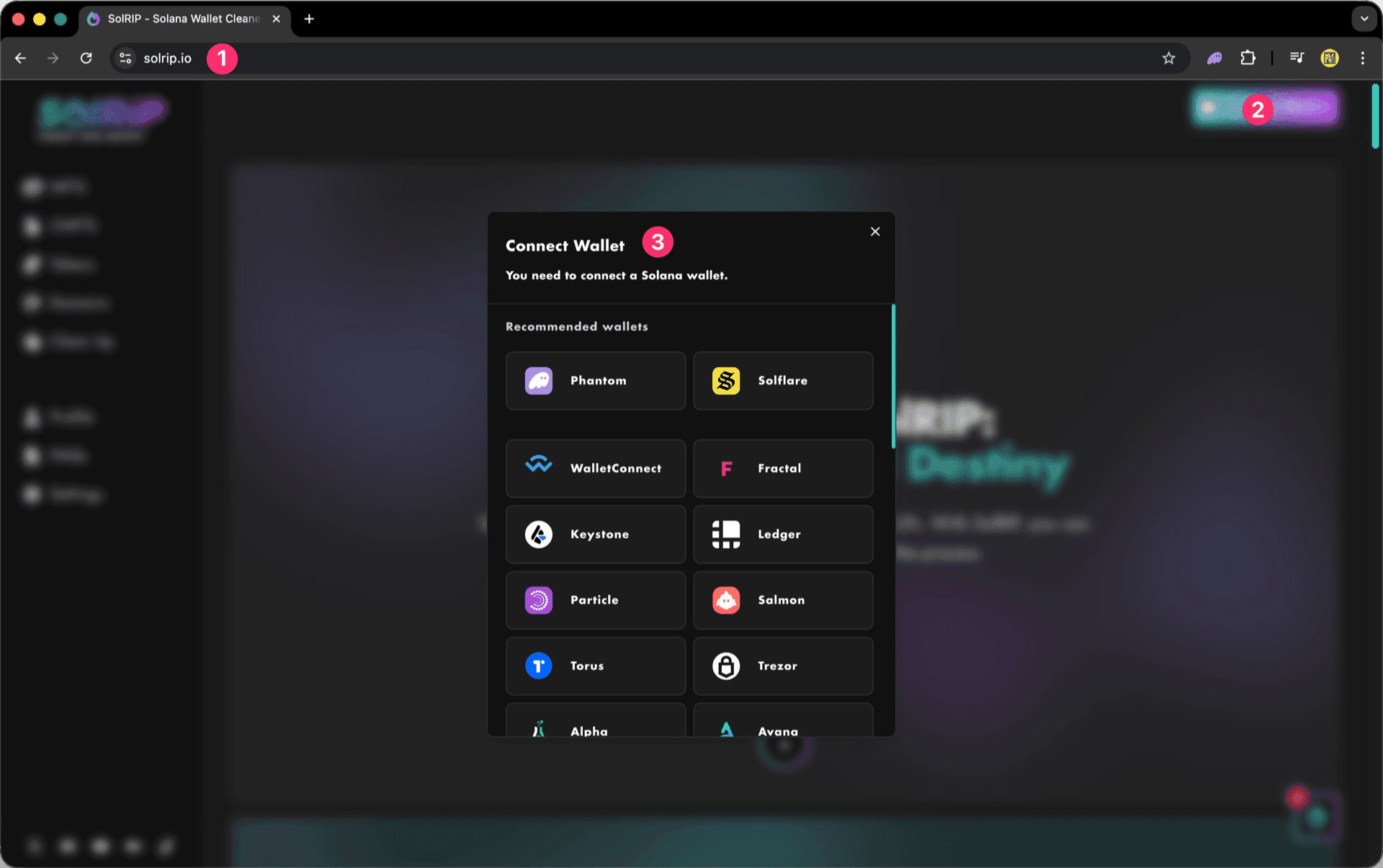
Step 1: Connect Your Wallet
- Visit solrip.io
- Click the "Connect Wallet" button on the top right.
- Choose your preferred Solana wallet.
Step 2: Select what to burn
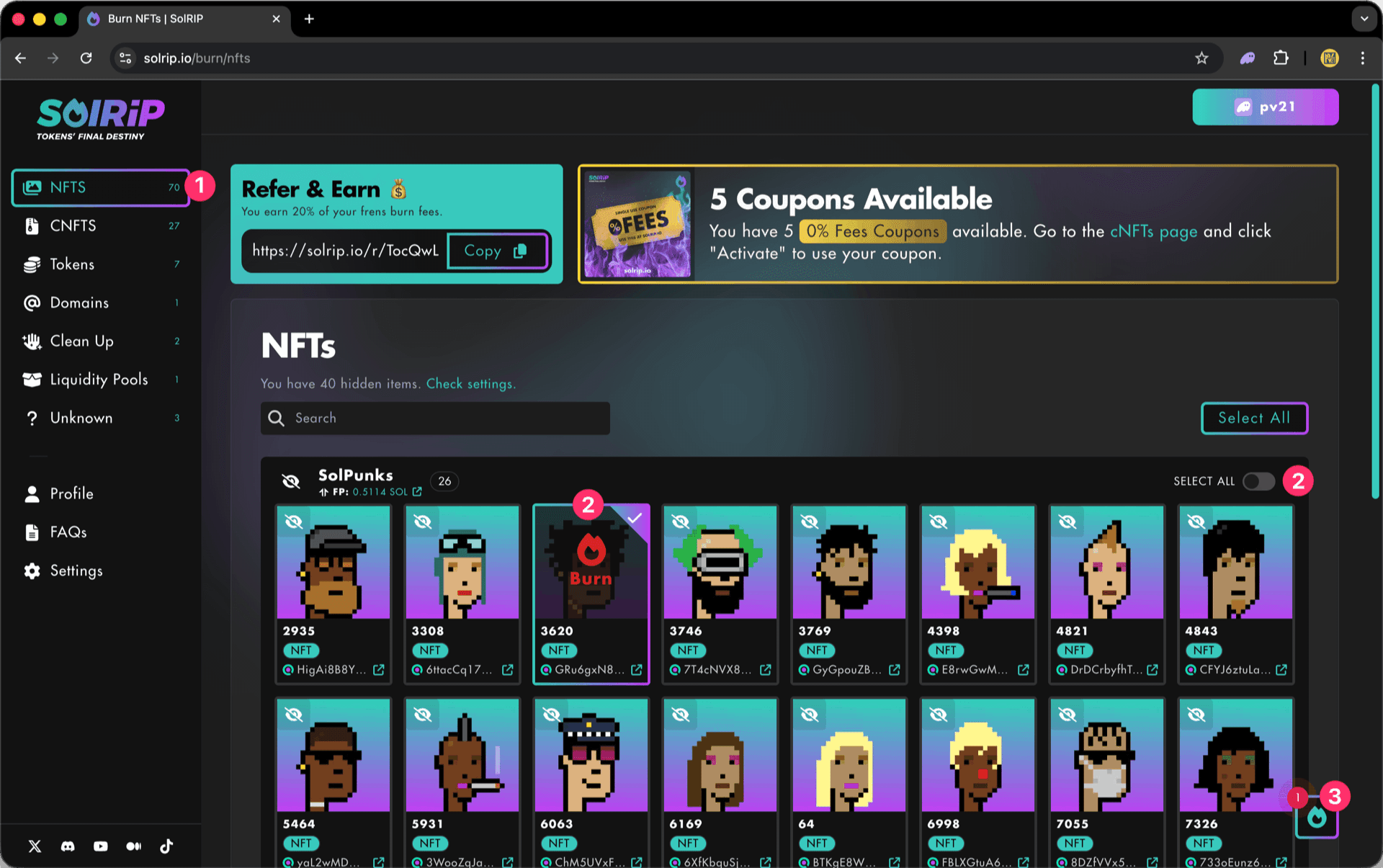
- Navigate to the NFTs page to view all the NFTs in your wallet.
- Select an entire collection by clicking the "Select All" toggle or Select single NFTs by selecting them individually.
- Click the floating button on the bottom right to review your selected items.
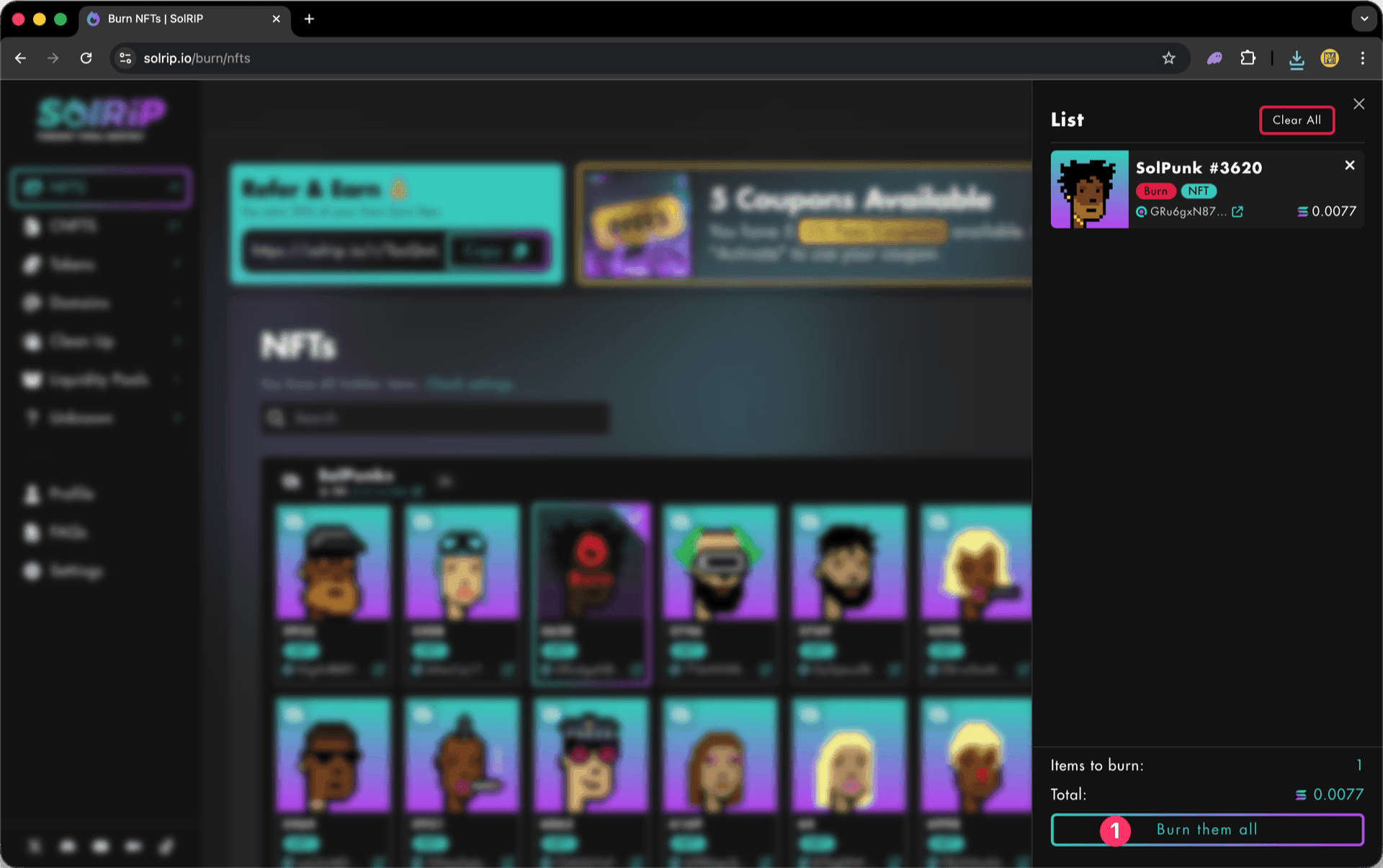
Step 3: Click "Burn Them All" button
- Once satisfied with your selection, hit the "Burn Them All" button.
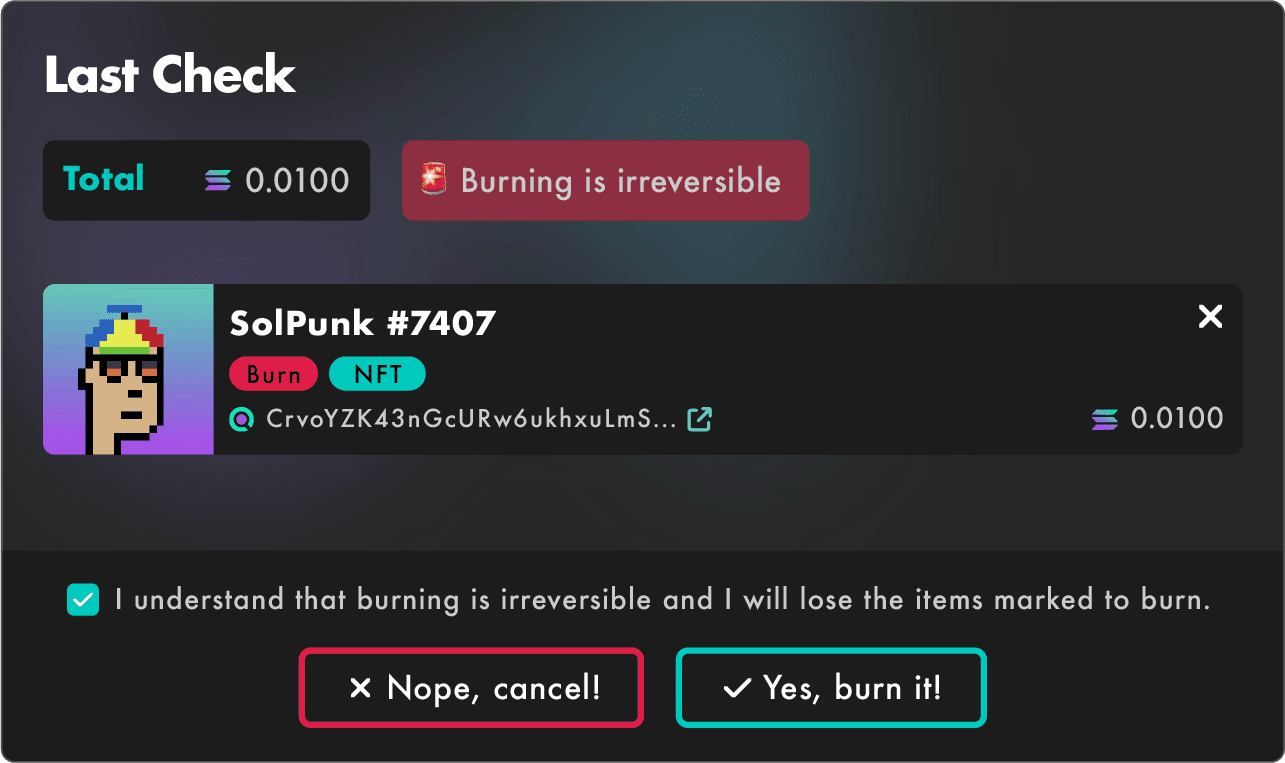
Step 4: Last Check
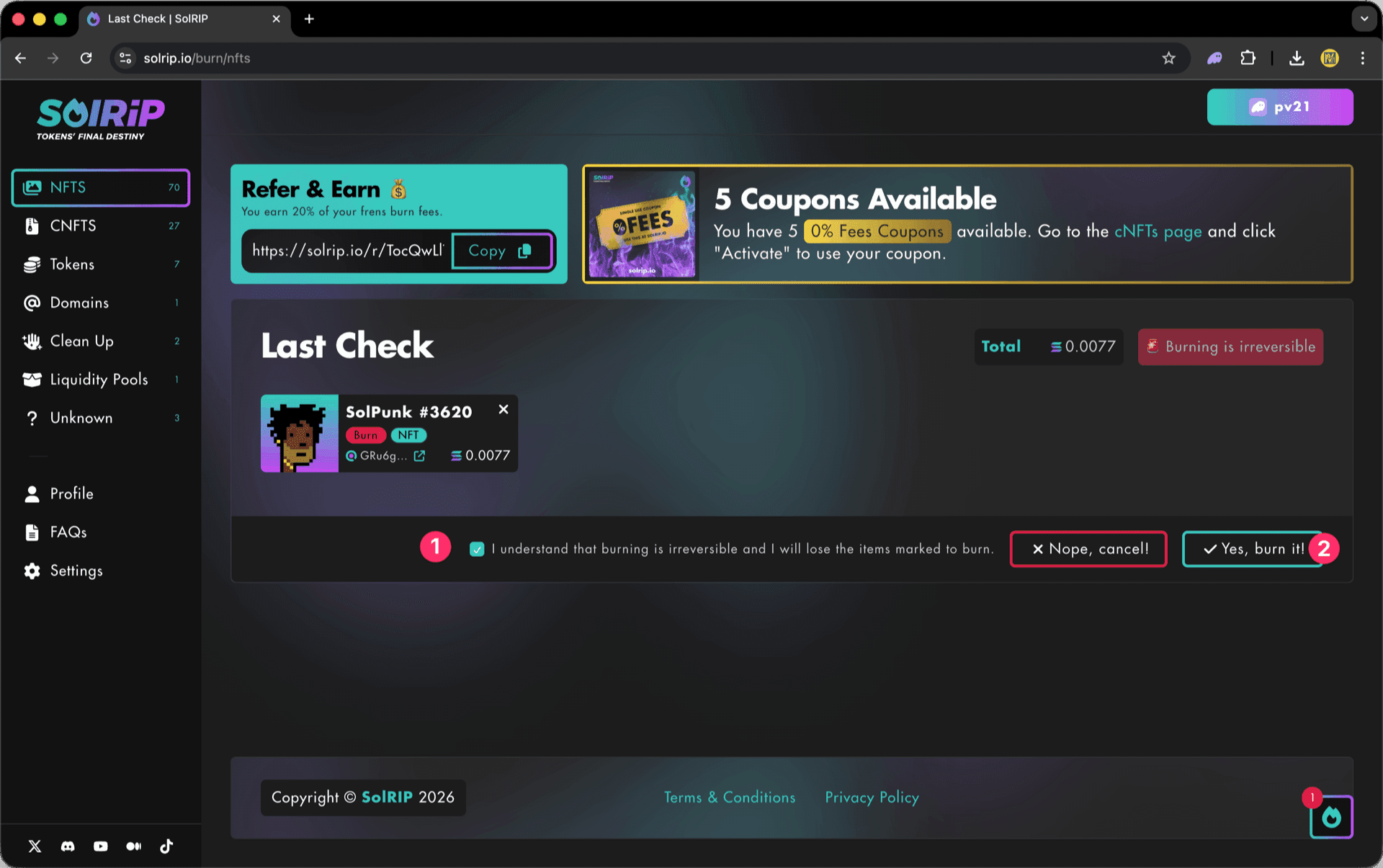
The Last Check page will appear, and this is your final confirmation step. Please make sure everything looks good before proceeding:
- If everything looks good, accept the disclaimer.
- Click the "Yes, Burn It" button to proceed.
Step 5: Confirm the Burn on Your Wallet
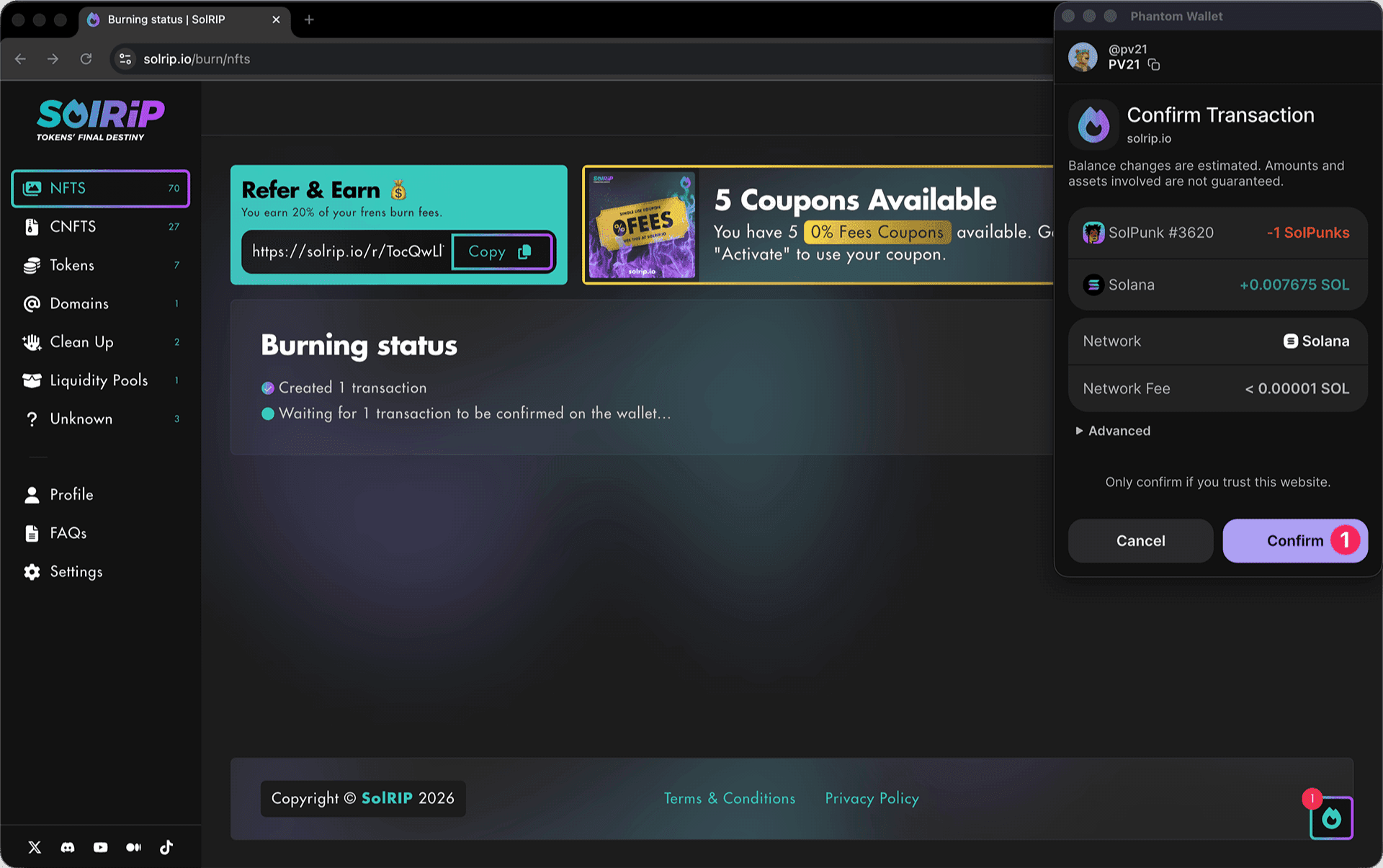
- Approve the transaction in your wallet, and the burn will be completed instantly.
What Happens After Burning?
- The NFTs you selected are permanently removed from circulation.
- If applicable, you receive SOL back into your wallet.
- Your wallet stays clean and optimized for future transactions.
Related FAQs
Have more questions? Check the full FAQs page.