
Introduction
Classic SPL token accounts sometimes hold more SOL than the rent reserve they need (about 0.00204 SOL). Resizing withdraws only that surplus back to your wallet. The account stays open and your tokens don't move, nothing is burned or closed.
Expected SOL:
You get the excess above the rent reserve of each account, minus the 5% SolRIP fee on the recovered amount. The page shows the net total before you confirm.
Important:
Resizing is 100% safe. It never closes the account and never touches your tokens. It only moves the SOL sitting above the rent reserve, and the account keeps exactly the reserve it needs to stay rent exempt.
Why Resize Token Accounts?
Here are the main reasons users resize their token accounts:
- 💰 Reclaim SOL:
Some token accounts hold more SOL than they need. Resizing recovers that surplus and sends it straight to your wallet. - 🔒 Keep Your Tokens:
Unlike burning, resizing keeps the account open and your tokens untouched. Nothing is closed, nothing is lost. - ⚡ Free Hidden Value:
That surplus SOL just sits there until you reclaim it. Resizing puts it back to work in your wallet.
Why Do Some Token Accounts Hold Extra SOL?
Usually someone sent SOL straight to the token account by mistake, or an app funded it with more than the reserve when it was created. That surplus just sits there until you reclaim it.
How to Resize Token Accounts on SolRIP?
Follow these simple steps to resize your token accounts and reclaim the excess SOL:
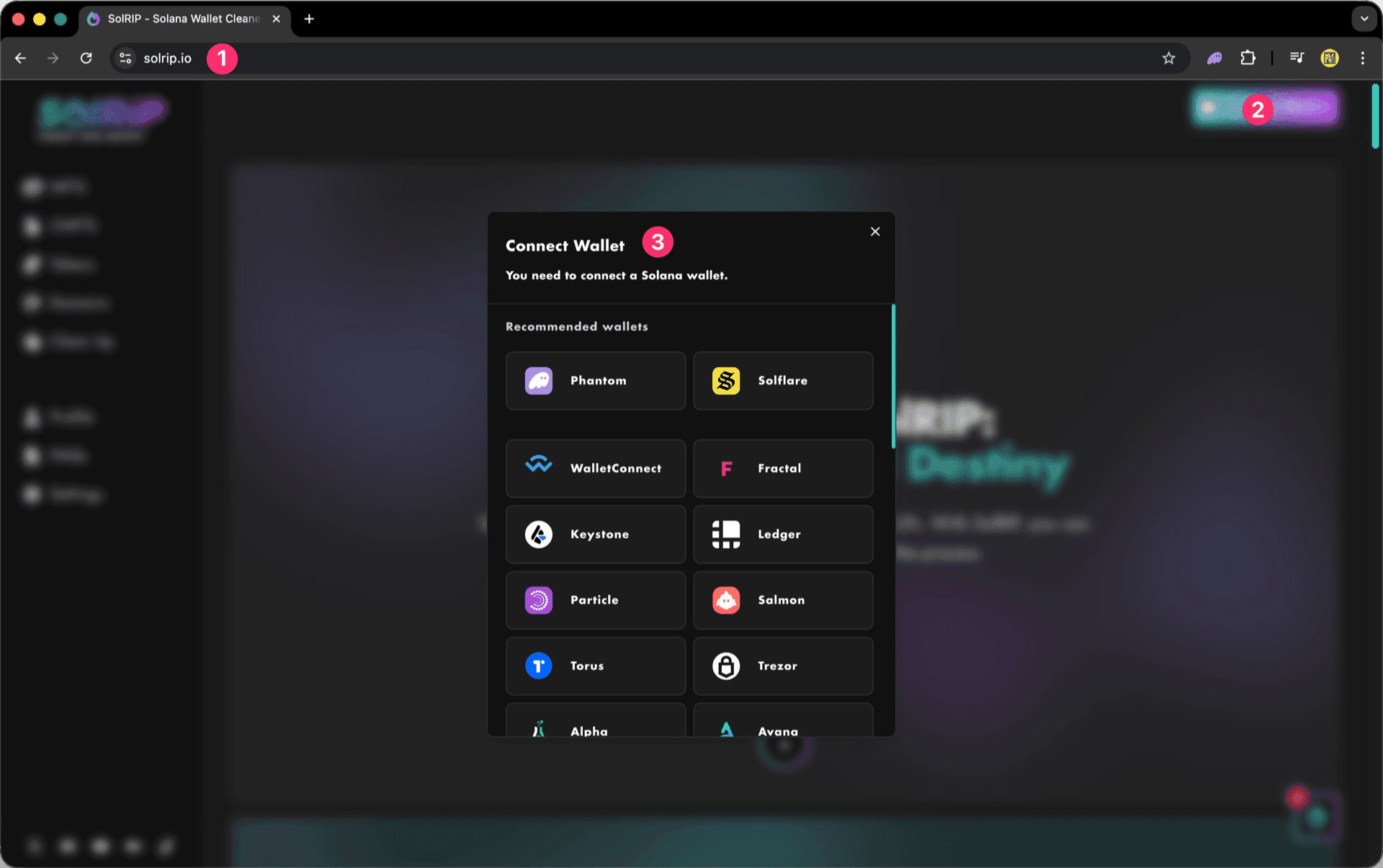
Step 1: Connect Your Wallet
- Visit solrip.io
- Click the "Connect Wallet" button on the top right.
- Choose your preferred Solana wallet.
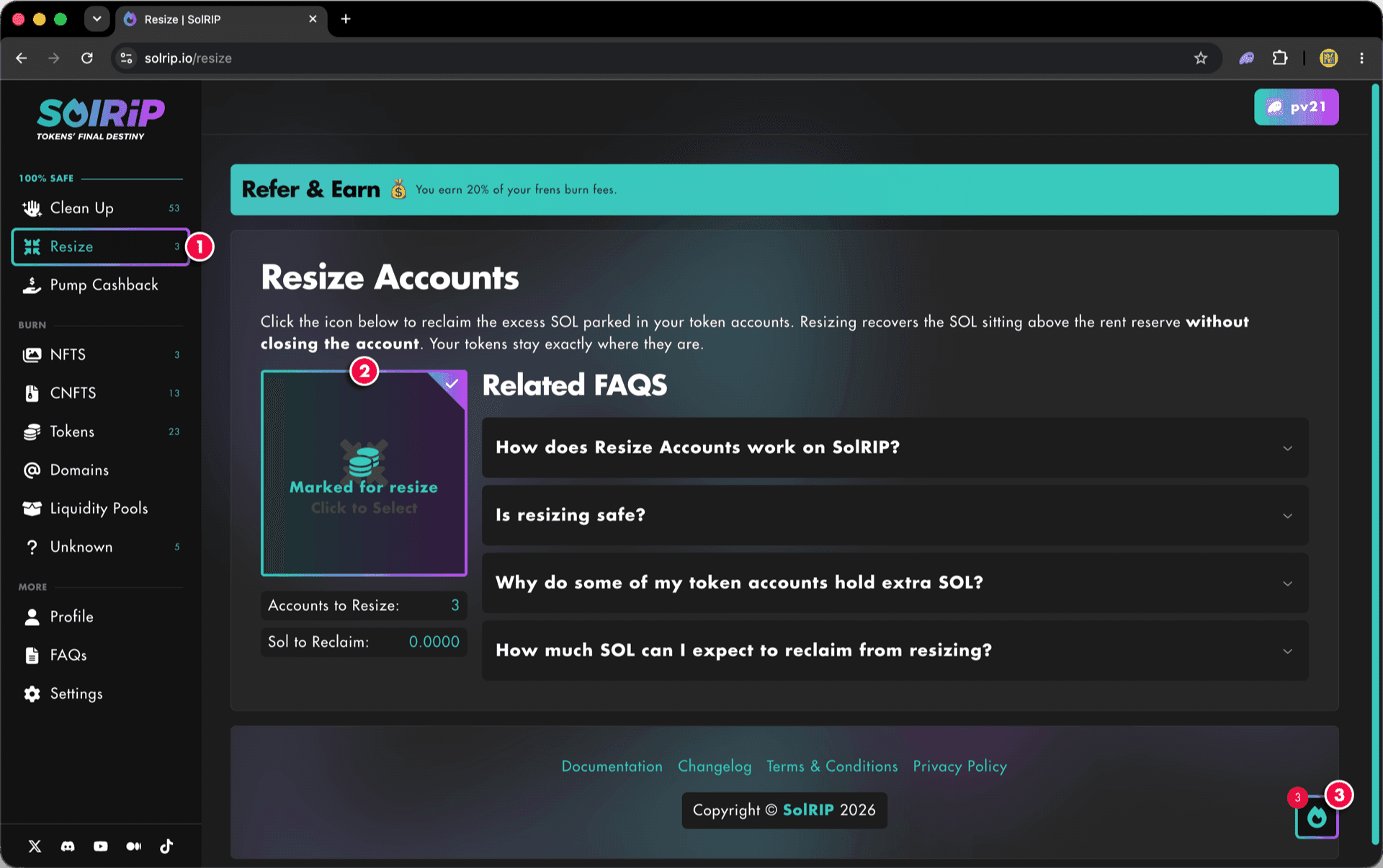
Step 2: Select the Accounts to Resize
- Navigate to the "Resize" page.
- Click the "Click to Select" image to mark all your resizable accounts, the accounts to resize and the SOL to reclaim are shown right below it.
- Click the floating button on the bottom right to review your selection and continue.
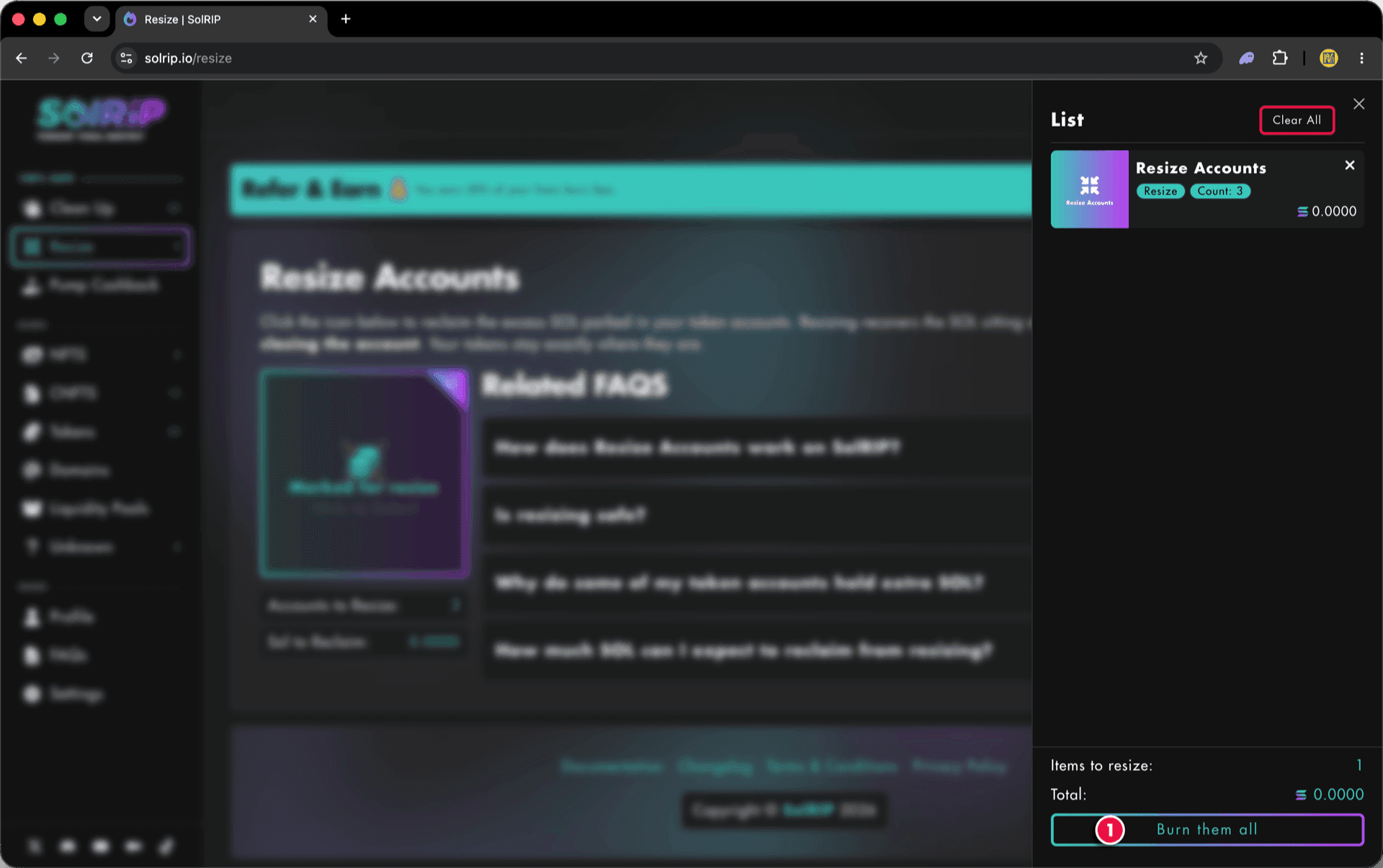
Step 3: Click the "Burn them all" button
- Review your selection in the list, you can remove items or clear everything.
- Once satisfied, hit the "Burn them all" button. Despite the name, resizing burns nothing: it only withdraws the excess SOL, and your accounts and tokens stay untouched.
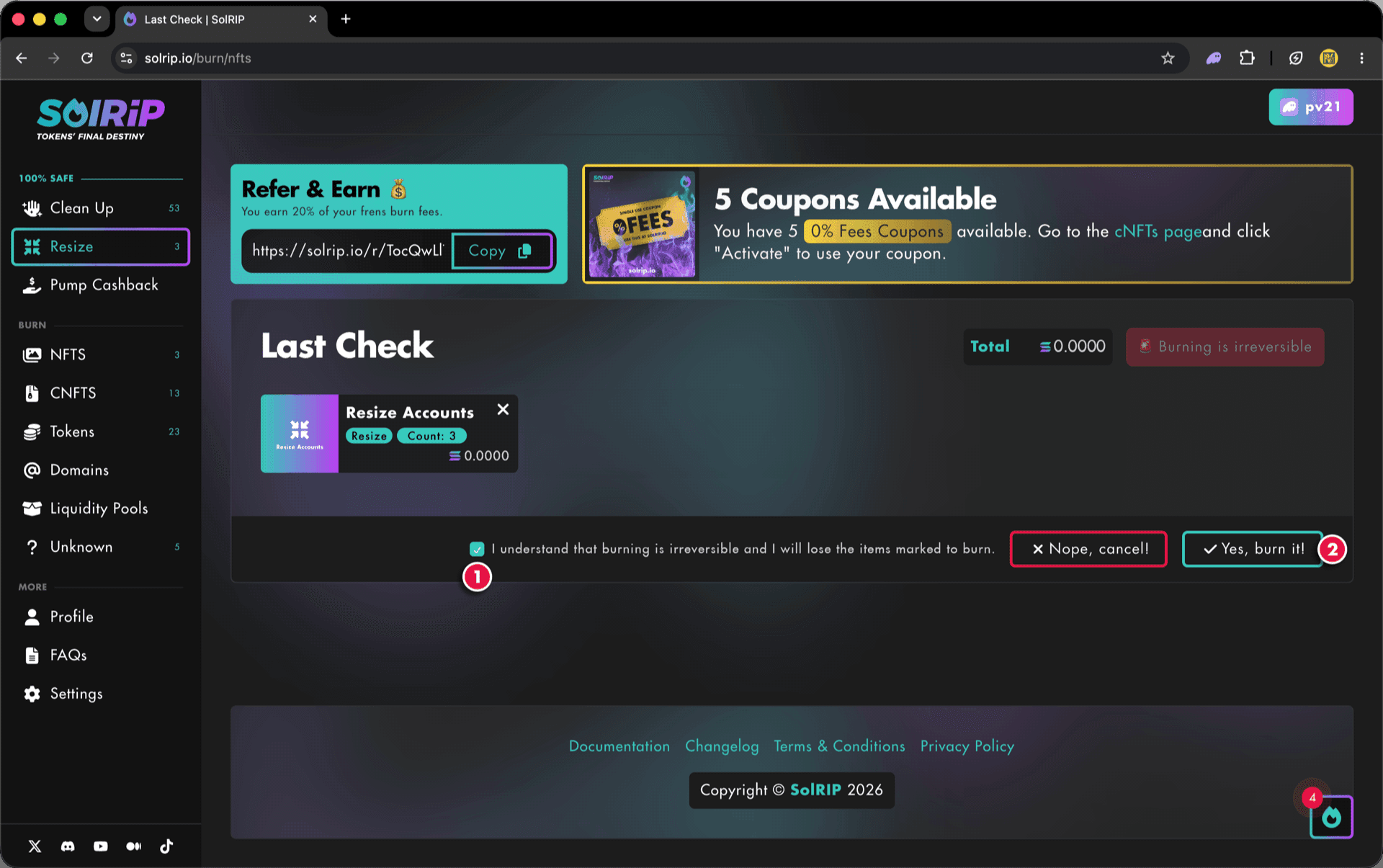
Step 4: Last Check
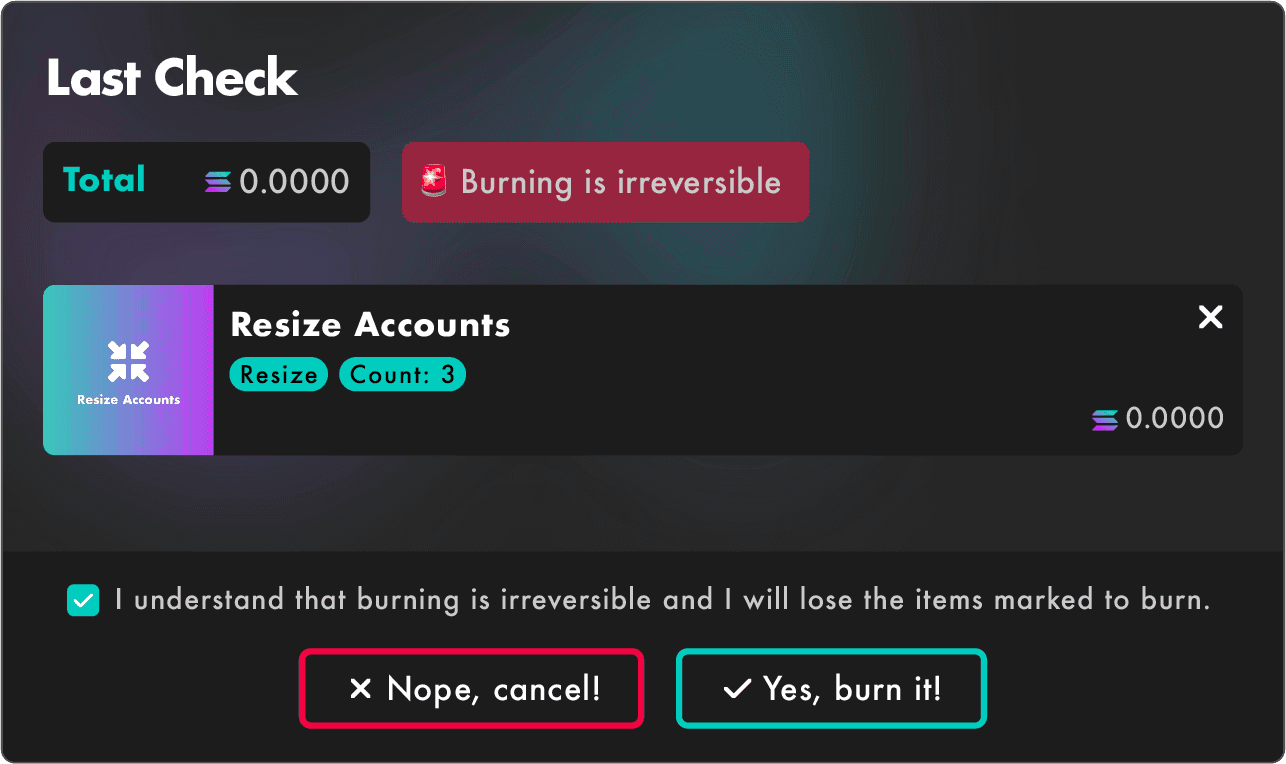
The Last Check page will appear, and this is your final confirmation step. Please make sure everything looks good before proceeding:
- If everything looks good, accept the disclaimer.
- Click the "Yes, burn it!" button to proceed.
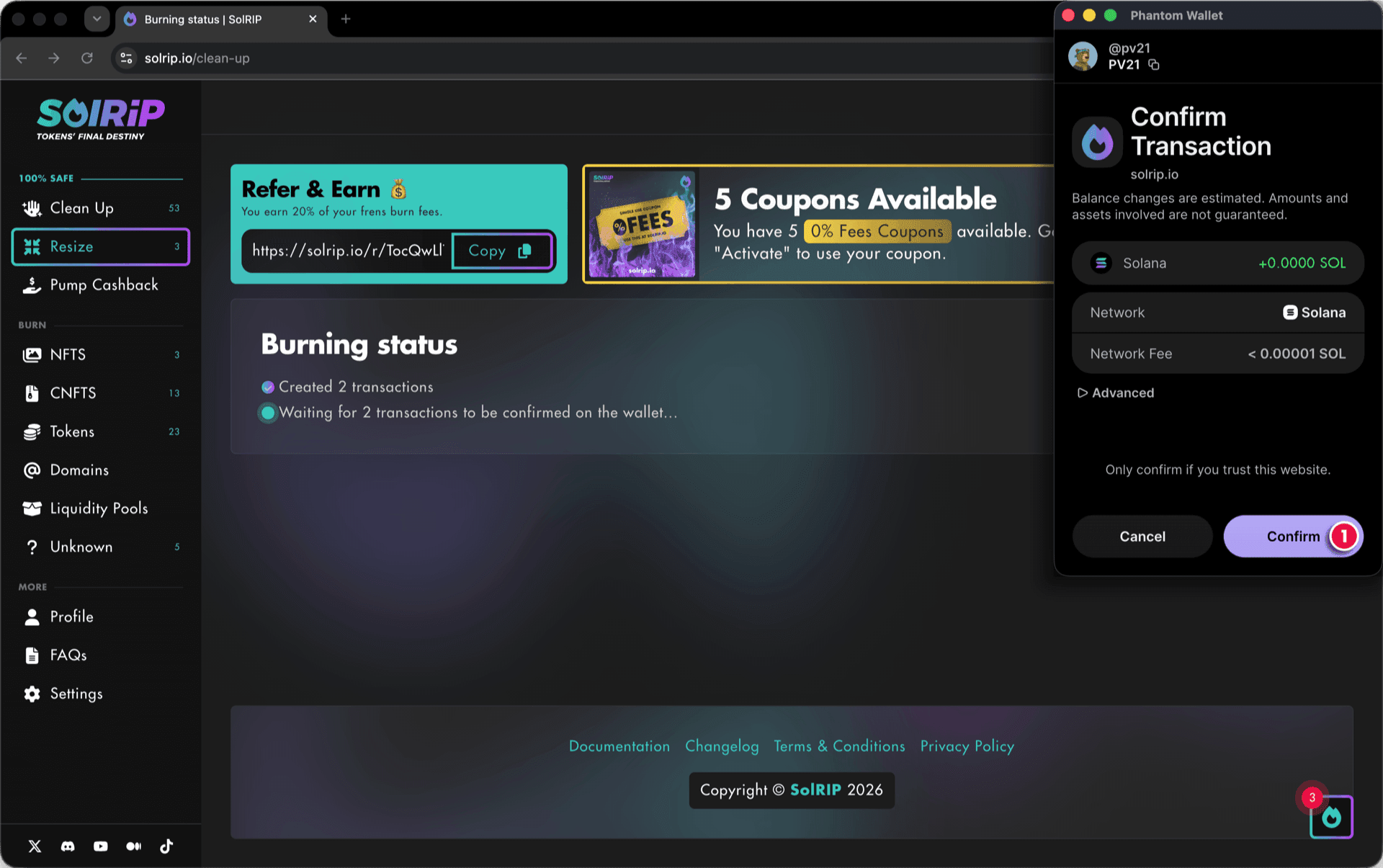
Step 5: Confirm the Resize on Your Wallet
- Approve the transaction in your wallet, and the resize will be completed instantly.
What Happens After Resizing Token Accounts?
- The excess SOL is withdrawn and sent directly to your wallet (minus the 5% SolRIP fee).
- Your accounts stay open and keep exactly the reserve they need to remain rent exempt.
- Your tokens stay exactly where they are, nothing is burned or closed.
Related FAQs
Have more questions? Check the full FAQs page.