Introduction
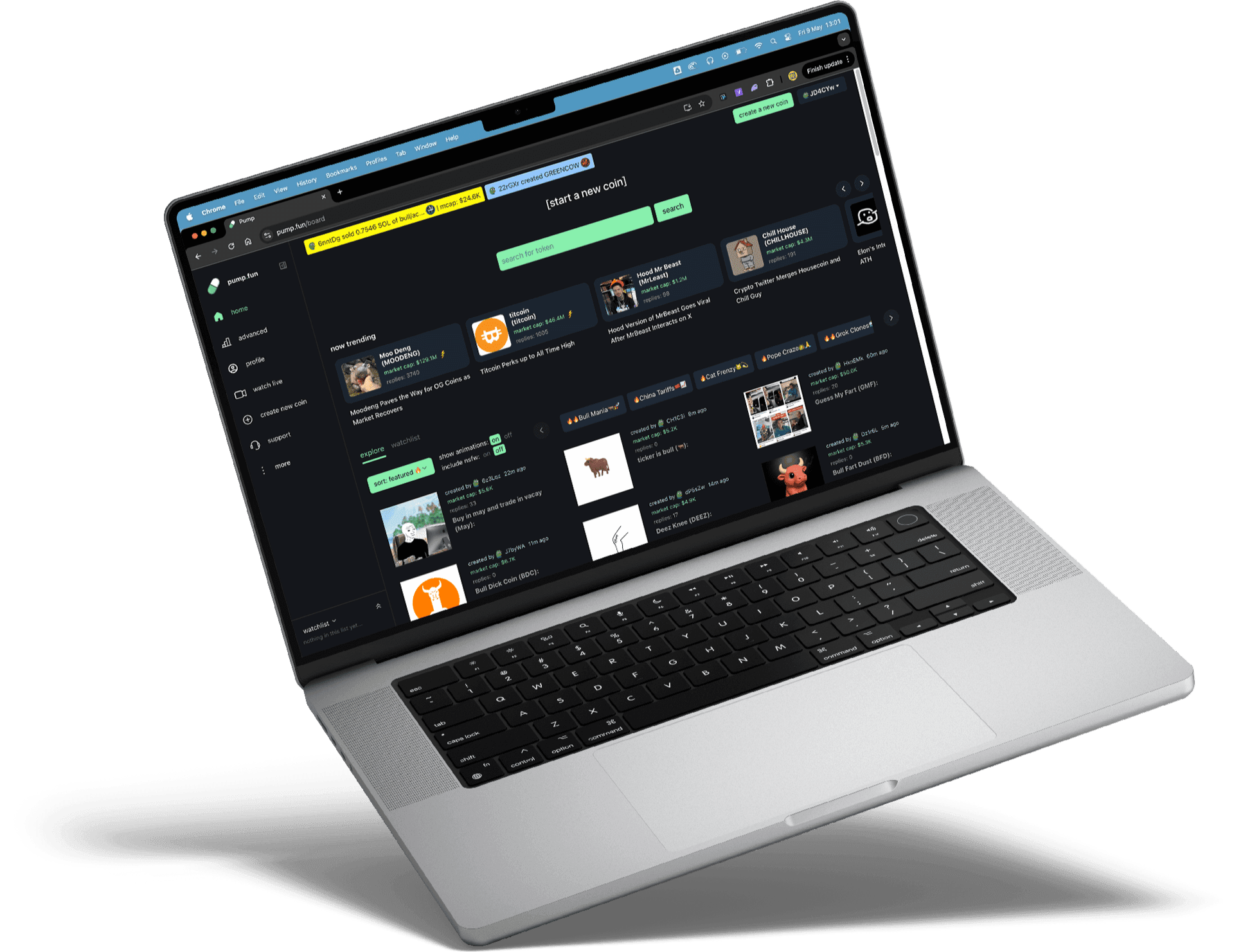
Pump.fun lets you easily buy and launch tokens on Solana, but all that trading can leave your wallet full of empty token accounts, each holding a small amount of locked SOL.
If you signed up using your Solana wallet, you're good to go, just head to SolRIP and start cleaning.
But if you created your Pump.fun account using an email, a custom wallet was generated for you. This guide shows how to export that wallet, import it into Phantom, and use SolRIP to reclaim your SOL.
Step-by-Step Guide to Reclaim Your SOL
If You Signed Up with Your Solana Wallet:
✅ You can skip to Step 3 below and start using SolRIP right away! If you used email, continue to Step 1.
Step 1: Login and export your Wallet from Pump.fun
- Login to Pump.fun and click on your profile icon in the top right corner
- Click the "View Wallet" link
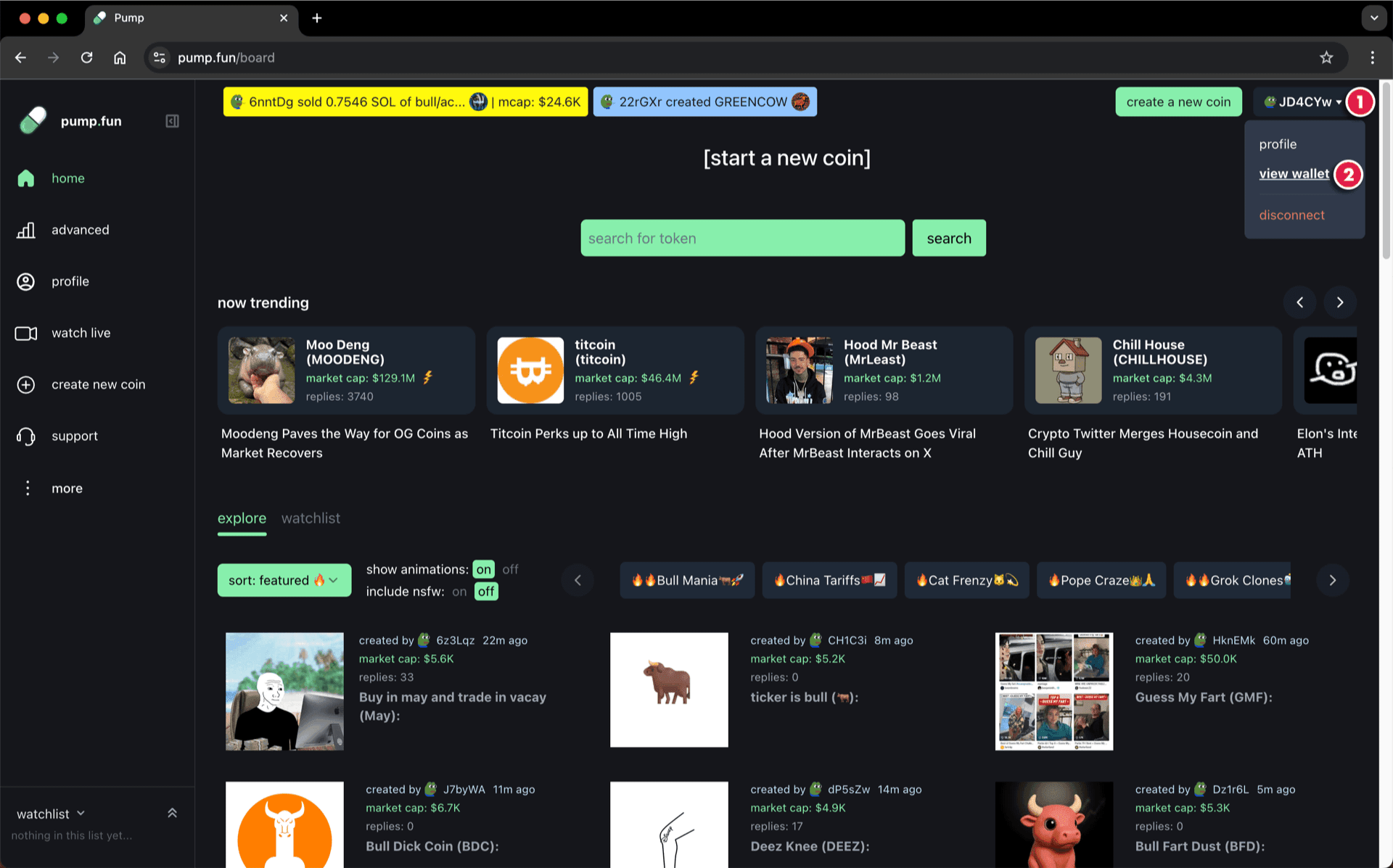
- In the popup, click the "Export Wallet" button
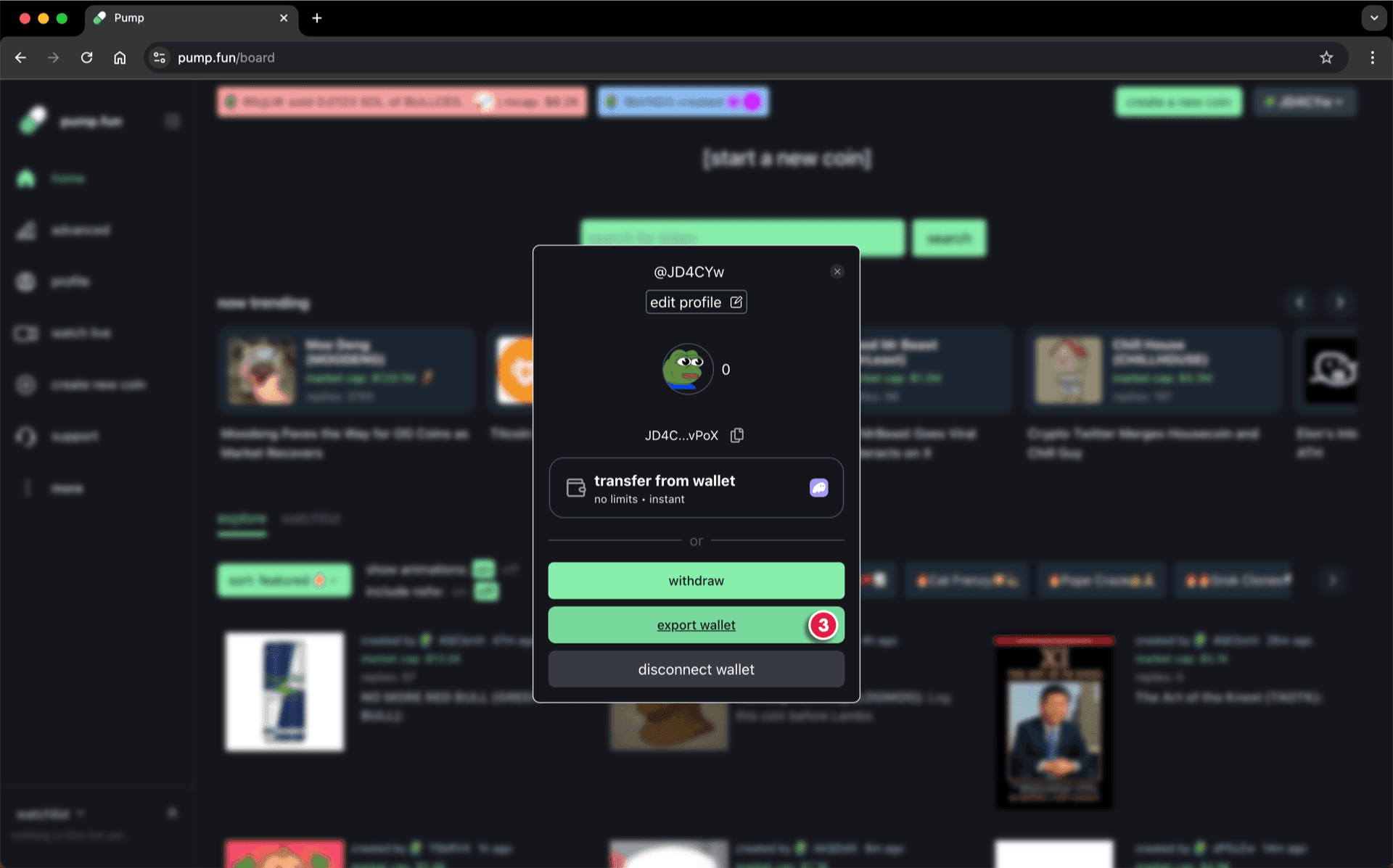
- Drag the button to the end to reveal your private key
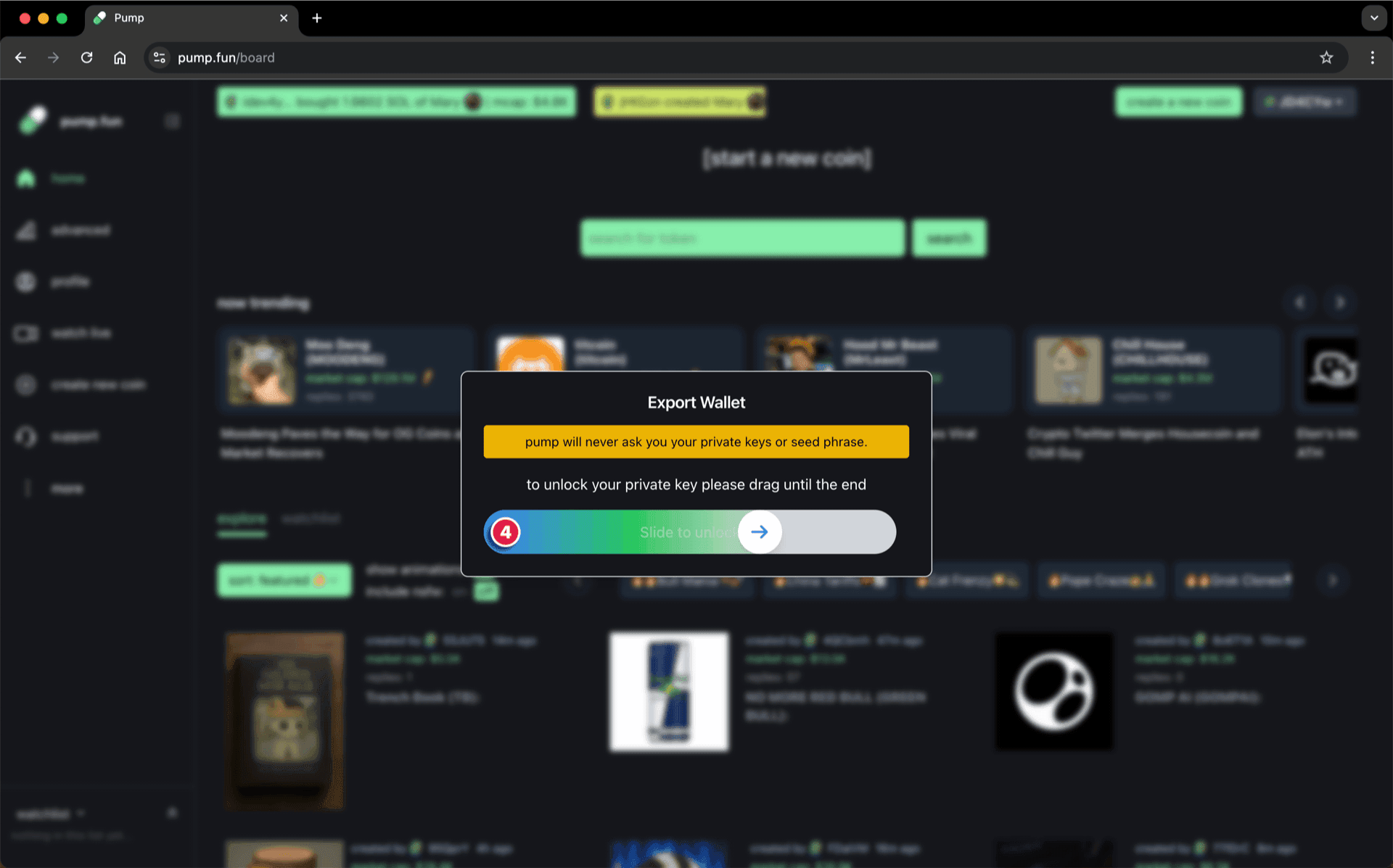
- Click "Copy Key" to copy your private key to clipboard

Important:
Step 2: Import the Wallet in Phantom
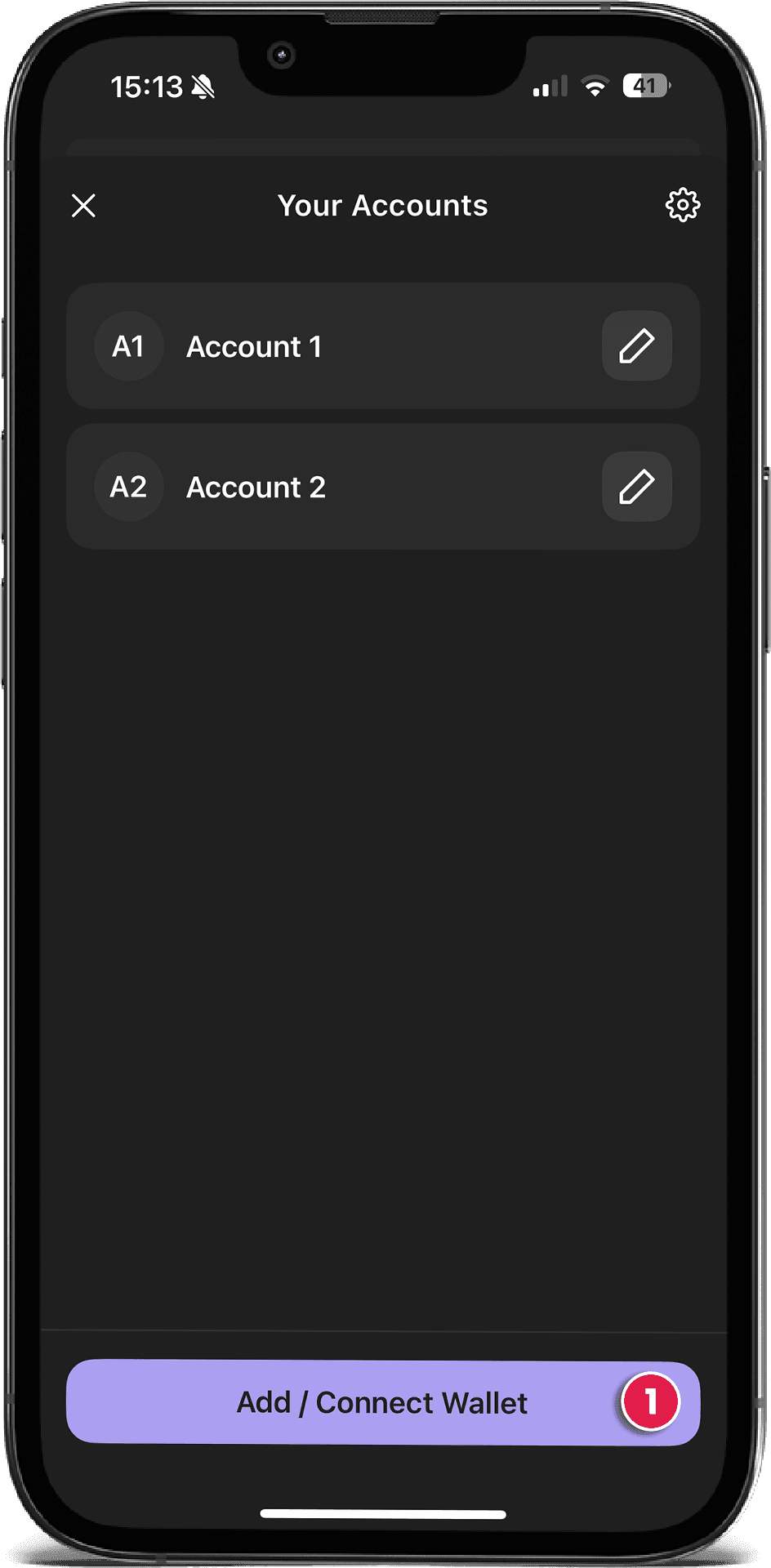
Open your Phantom wallet app on your phone and tap the menu icon in the upper-left corner. To import your wallet, follow these steps:
- Tap "Add / Connect Wallet"
- Choose "Import Private Key" and paste the Private Key from Pump.fun.
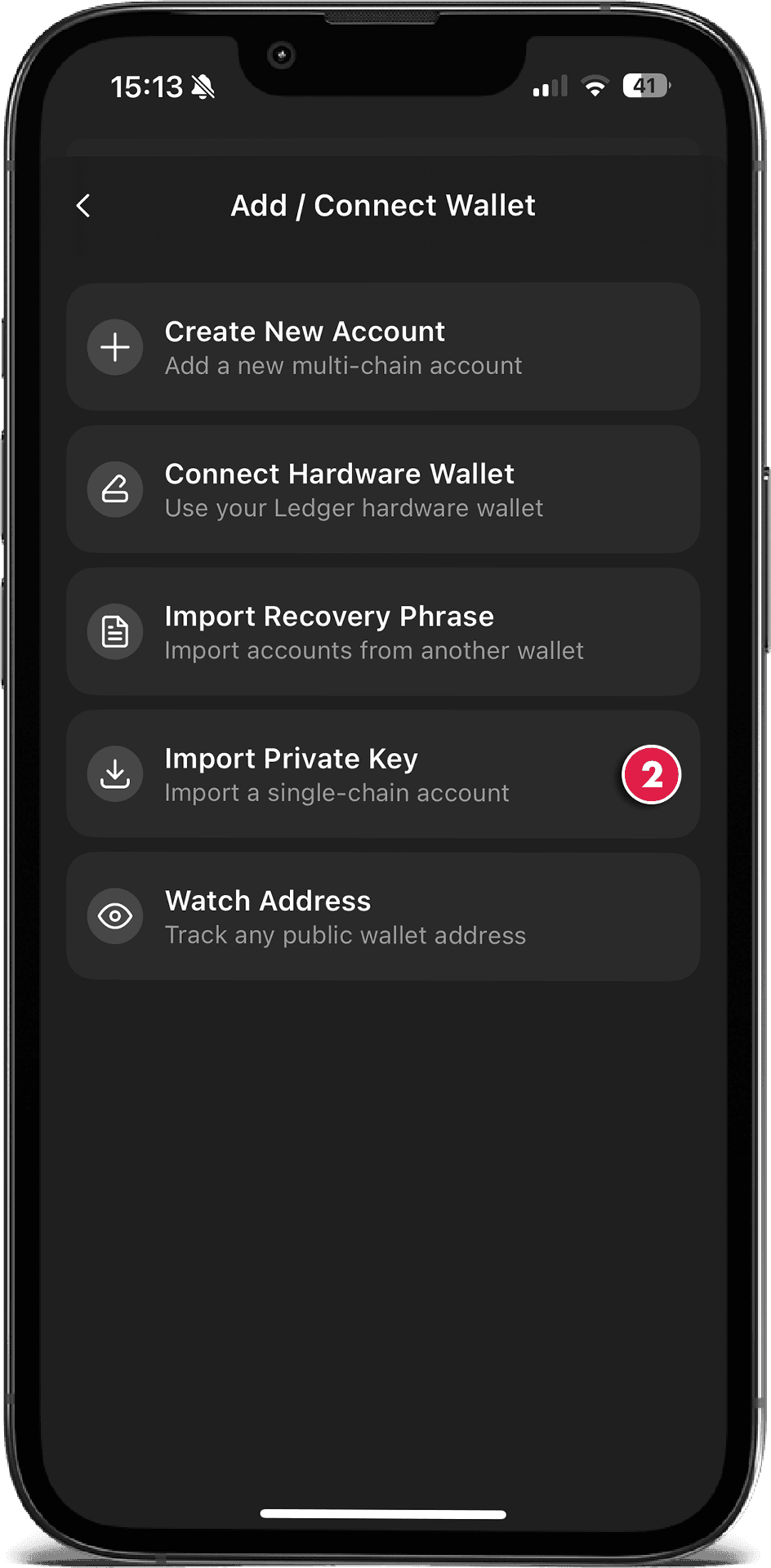
Mobile or Desktop:
Step 3: Use SolRIP to Reclaim SOL
Now that your Pump.fun wallet is accessible in Phantom:
- Go to solrip.io
- Connect the imported wallet
- Navigate to the "Clean Up" page
- Click "Select All" image to select all empty token accounts
- Burn them to reclaim SOL instantly!
✅ Congratulations!
You've just recovered SOL from your Pump.fun trading activity and cleaned up your wallet. SolRIP helps you turn leftover accounts into free SOL in seconds. 🔥
Related FAQs
Have more questions? Check the full FAQs page.