
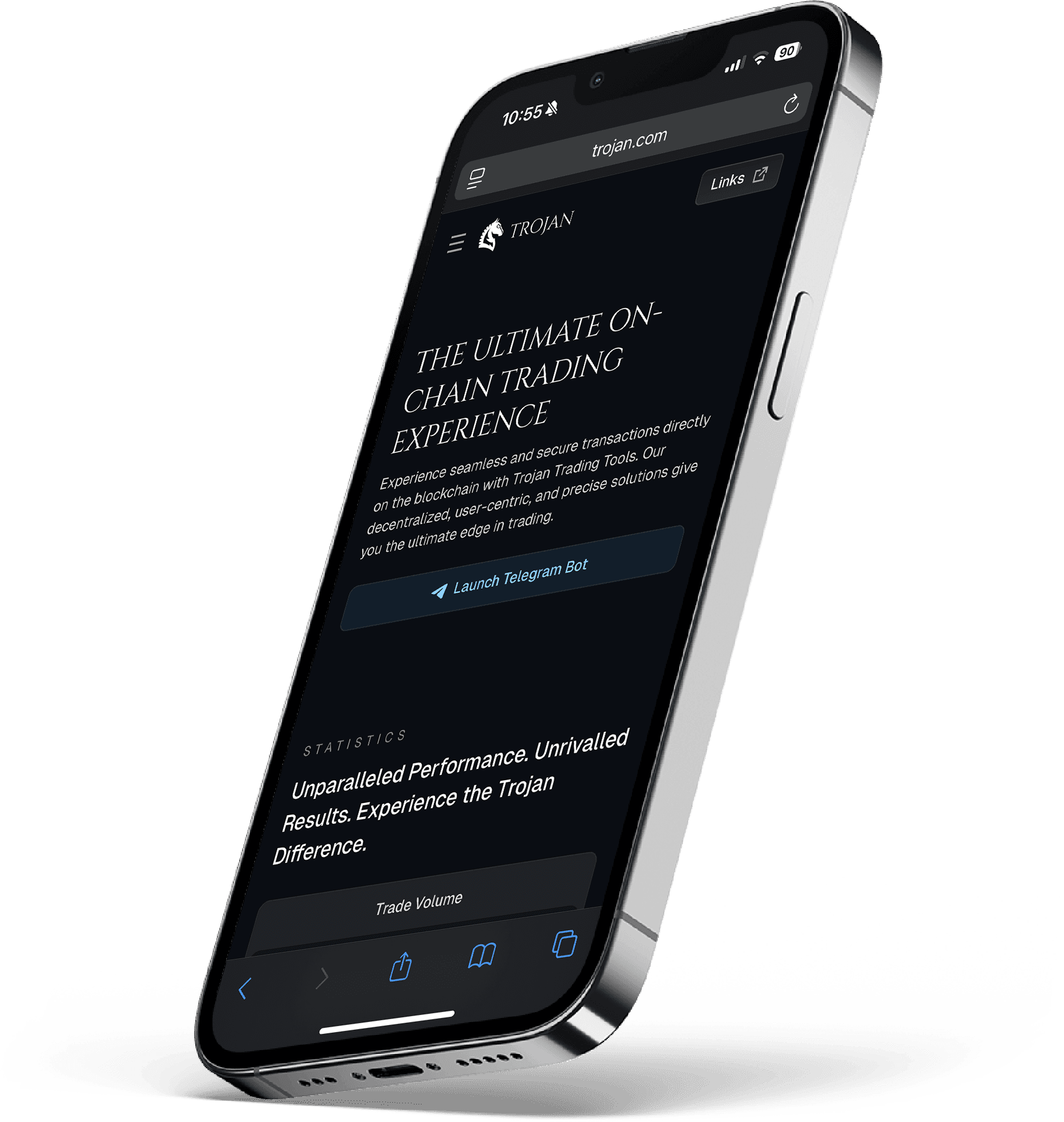
Introduction
Trojan Bot is a Telegram-based trading bot used by many Solana users to buy and sell tokens quickly. But like other trading bots, it leaves behind empty token accounts, each holding a bit of locked SOL after multiple trades.
With SolRIP, you can recover that lost SOL in minutes. This guide will walk you through how to access your Trojan Bot wallet and burn empty accounts to reclaim your SOL.
Step-by-Step Guide to Reclaim Your SOL
Step 1: Start the Trojan Bot
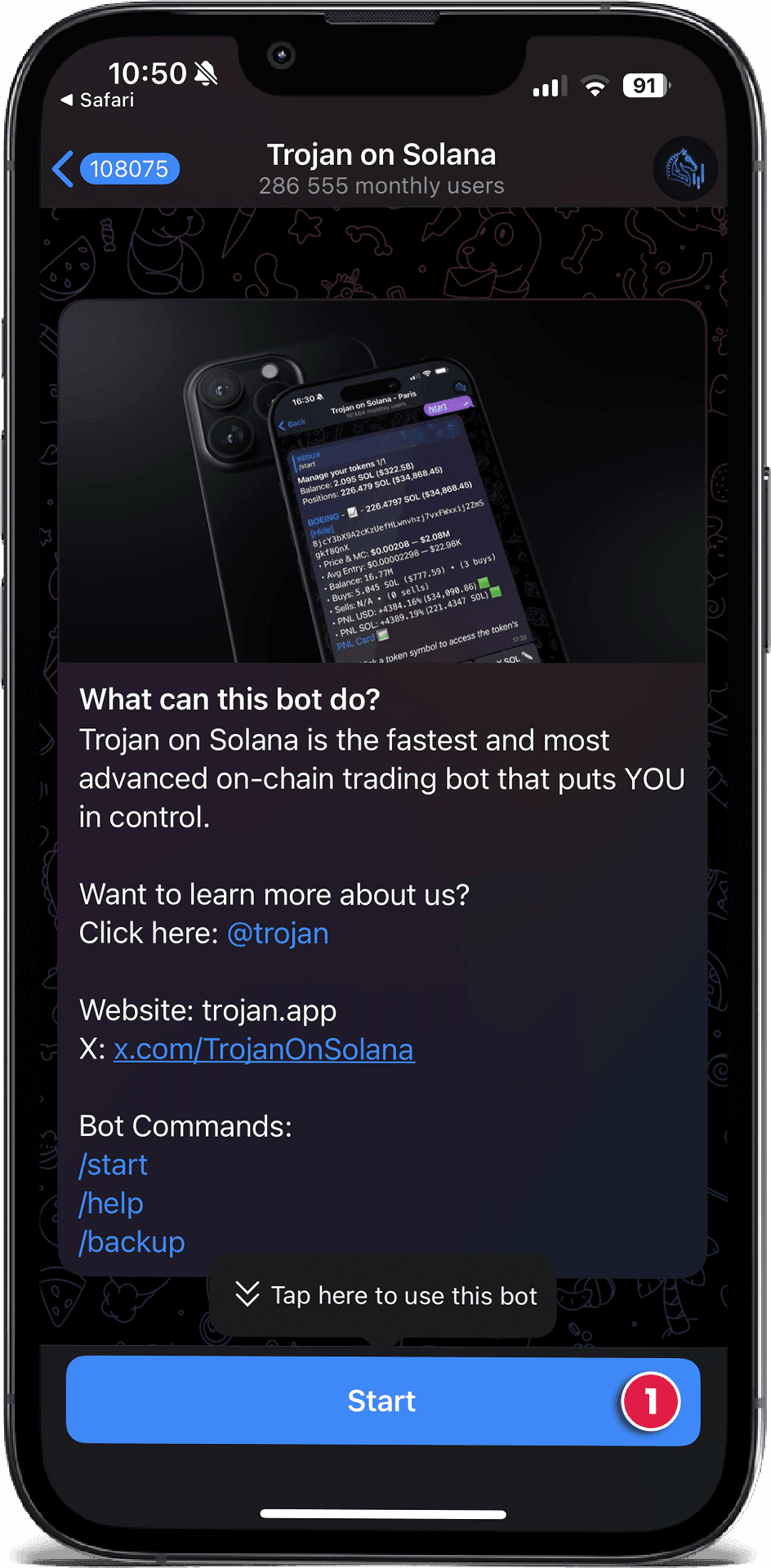
To get started, go to Trojan Bot and do the following:
- Click the "Start" button
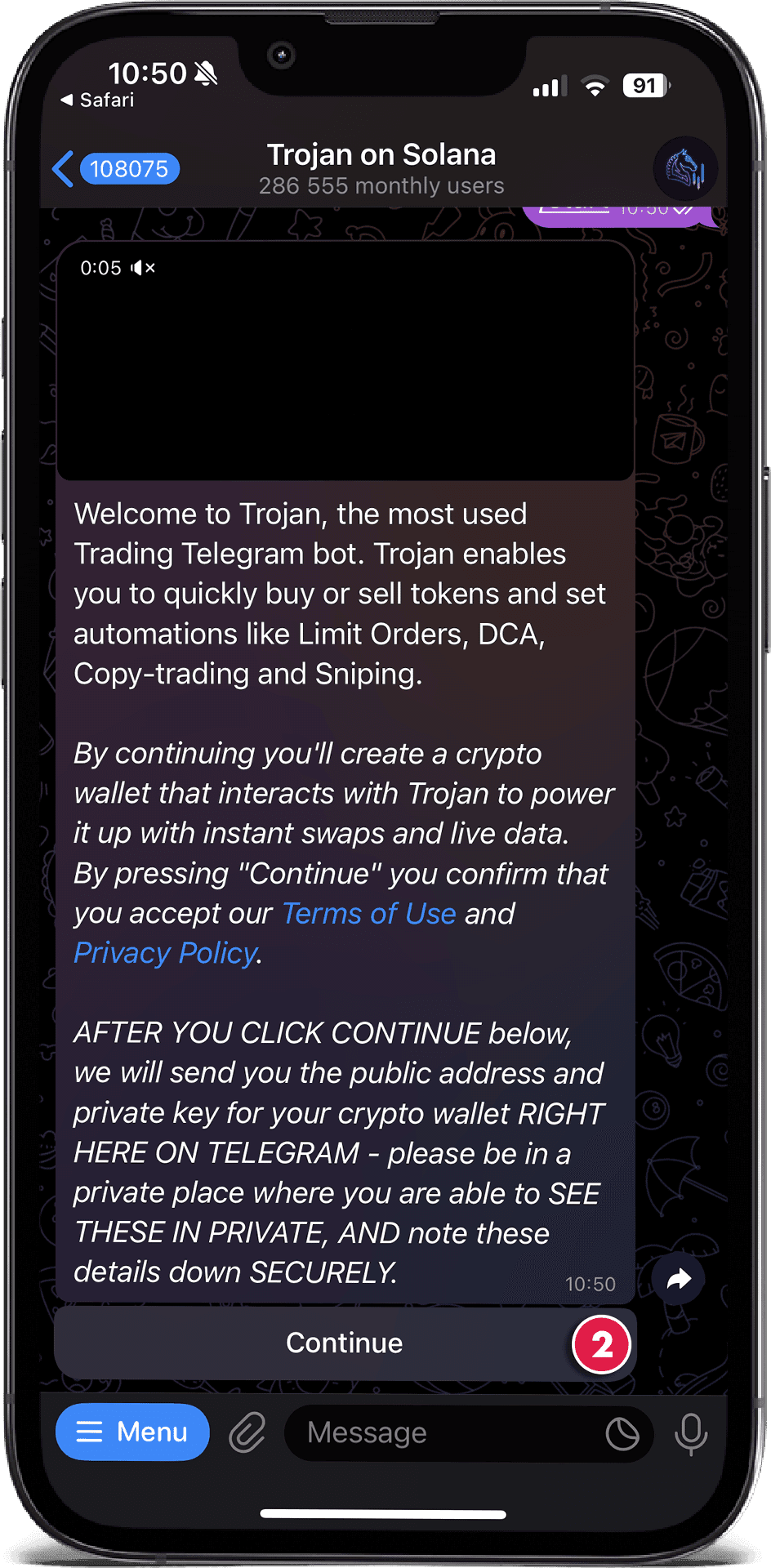
- Click "Continue"
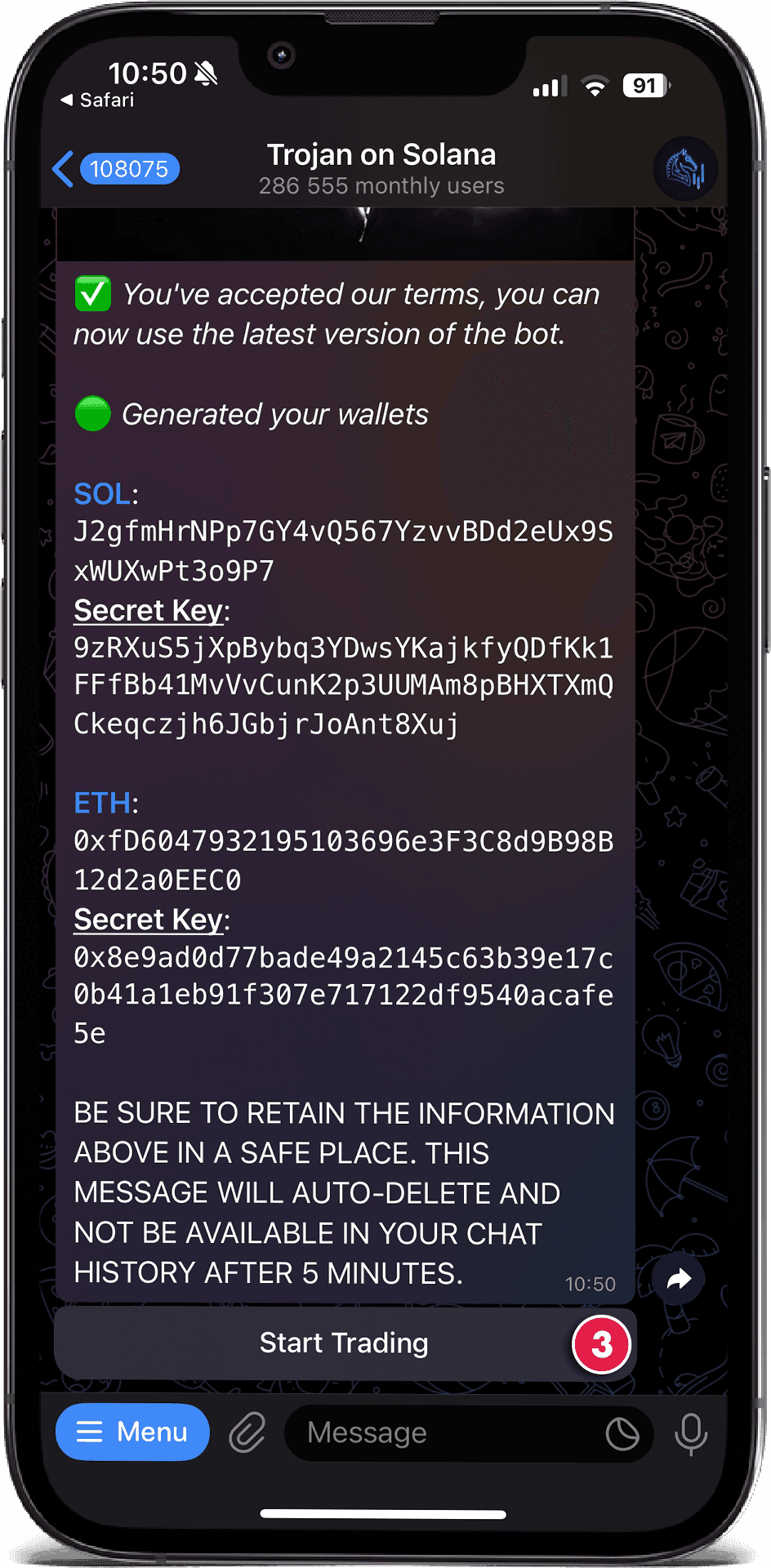
- Then click "Start Trading"
Step 2: Copy your Wallet Private Key
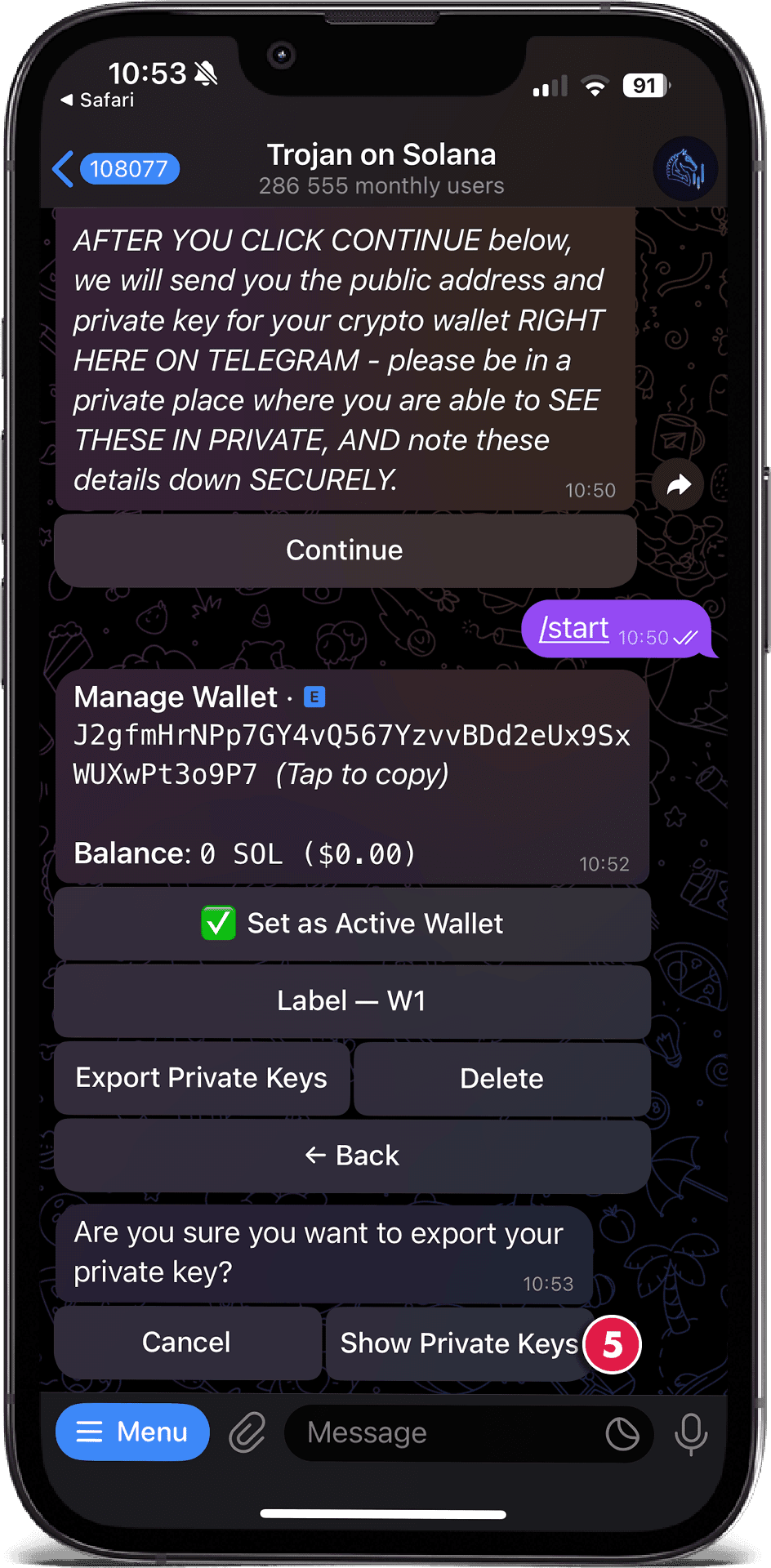
You'll need to export your wallet key to access it in Phantom. Here's how:
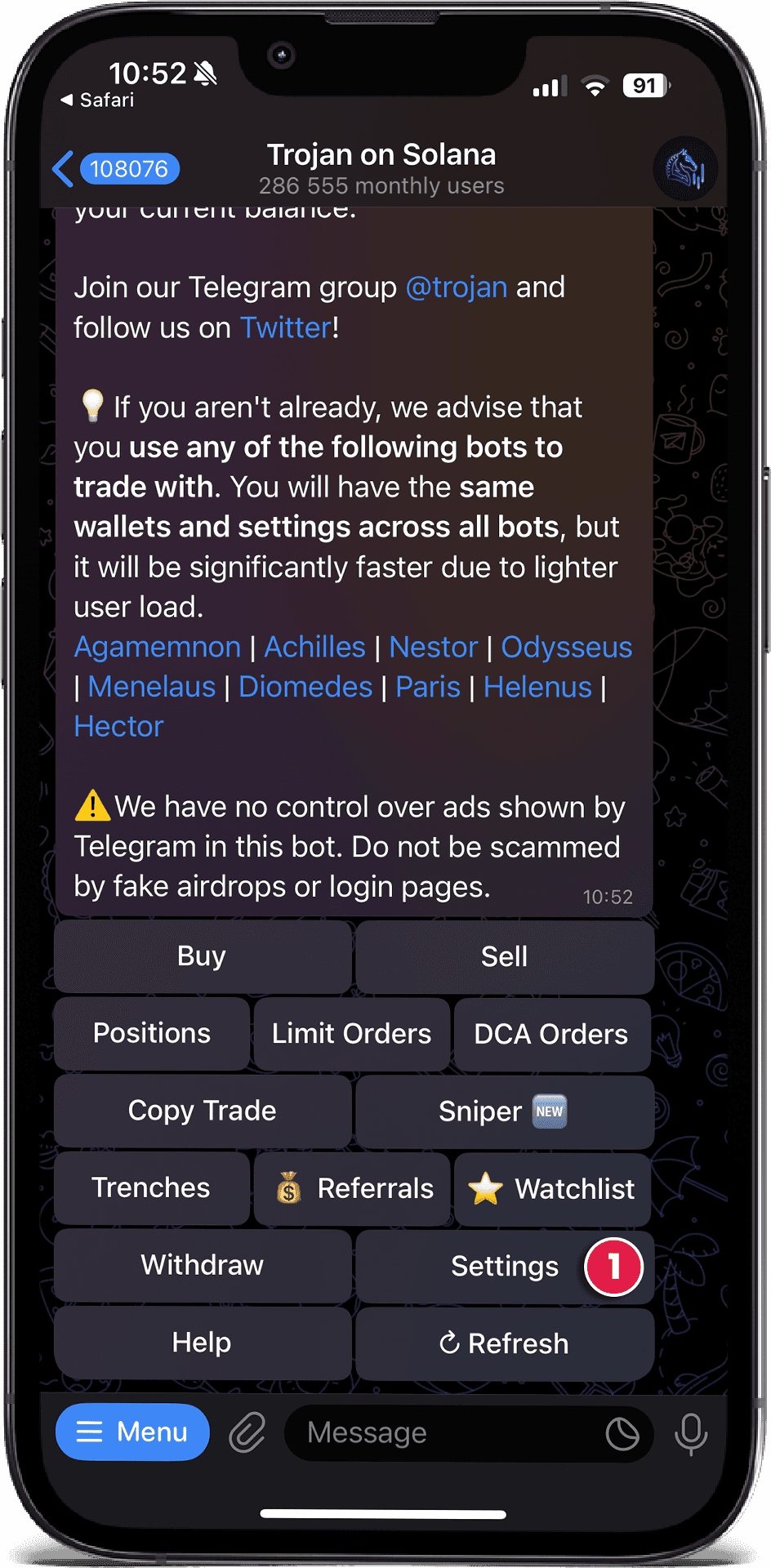
- Tap the "Settings" button in the Trojan Bot menu
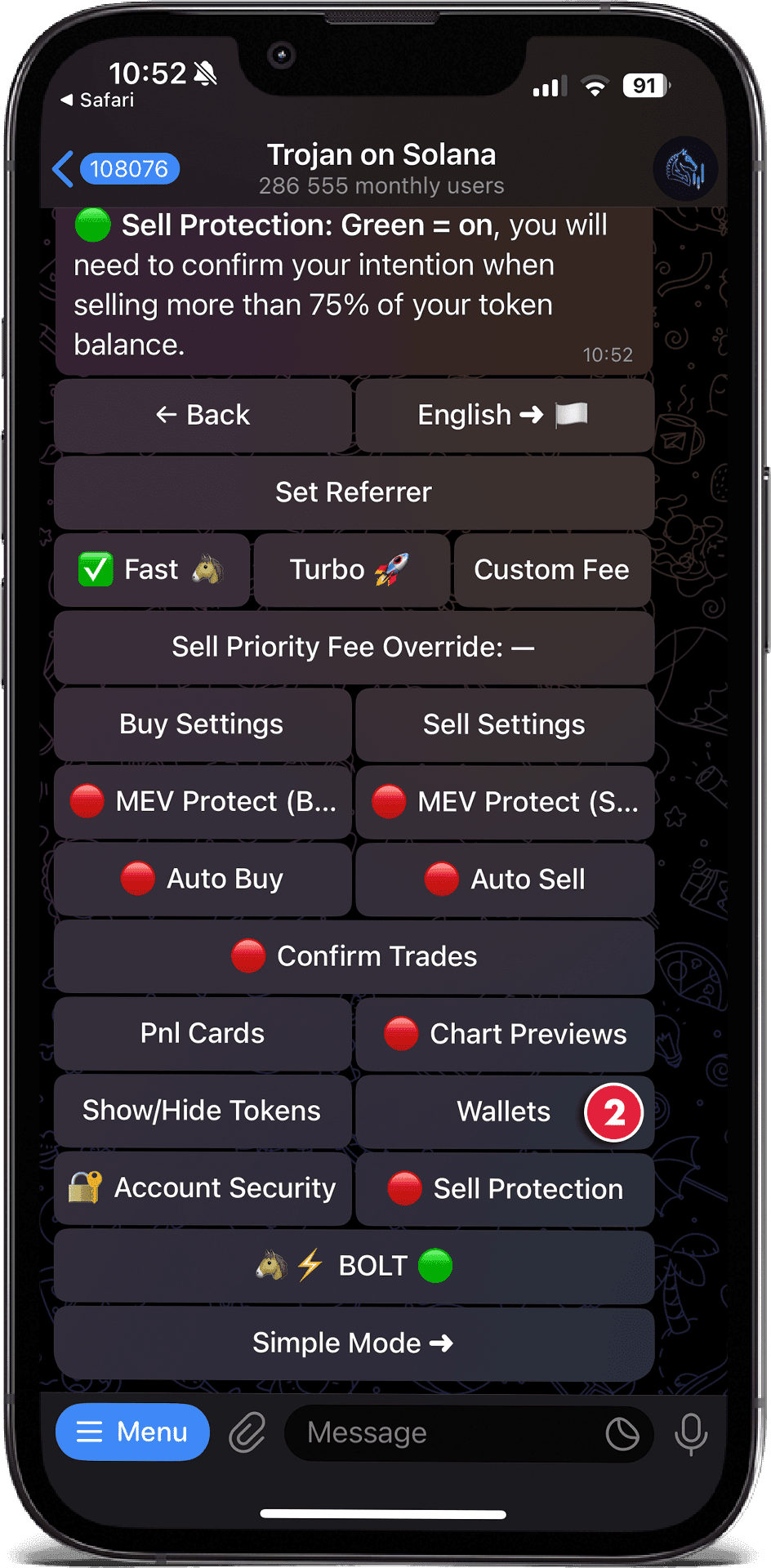
- Click "Wallets"
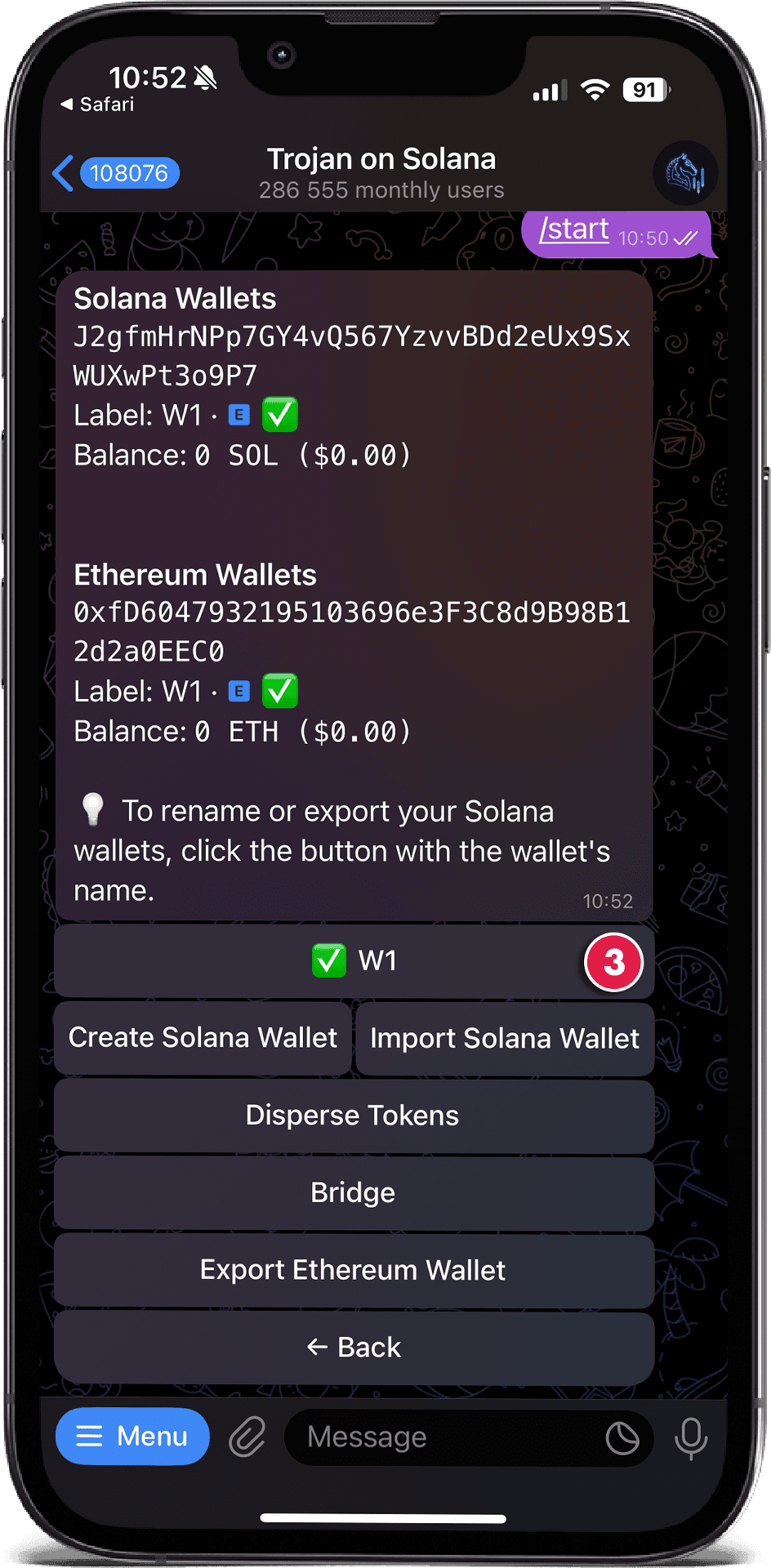
- Tap the "W1" button (this is your main wallet)
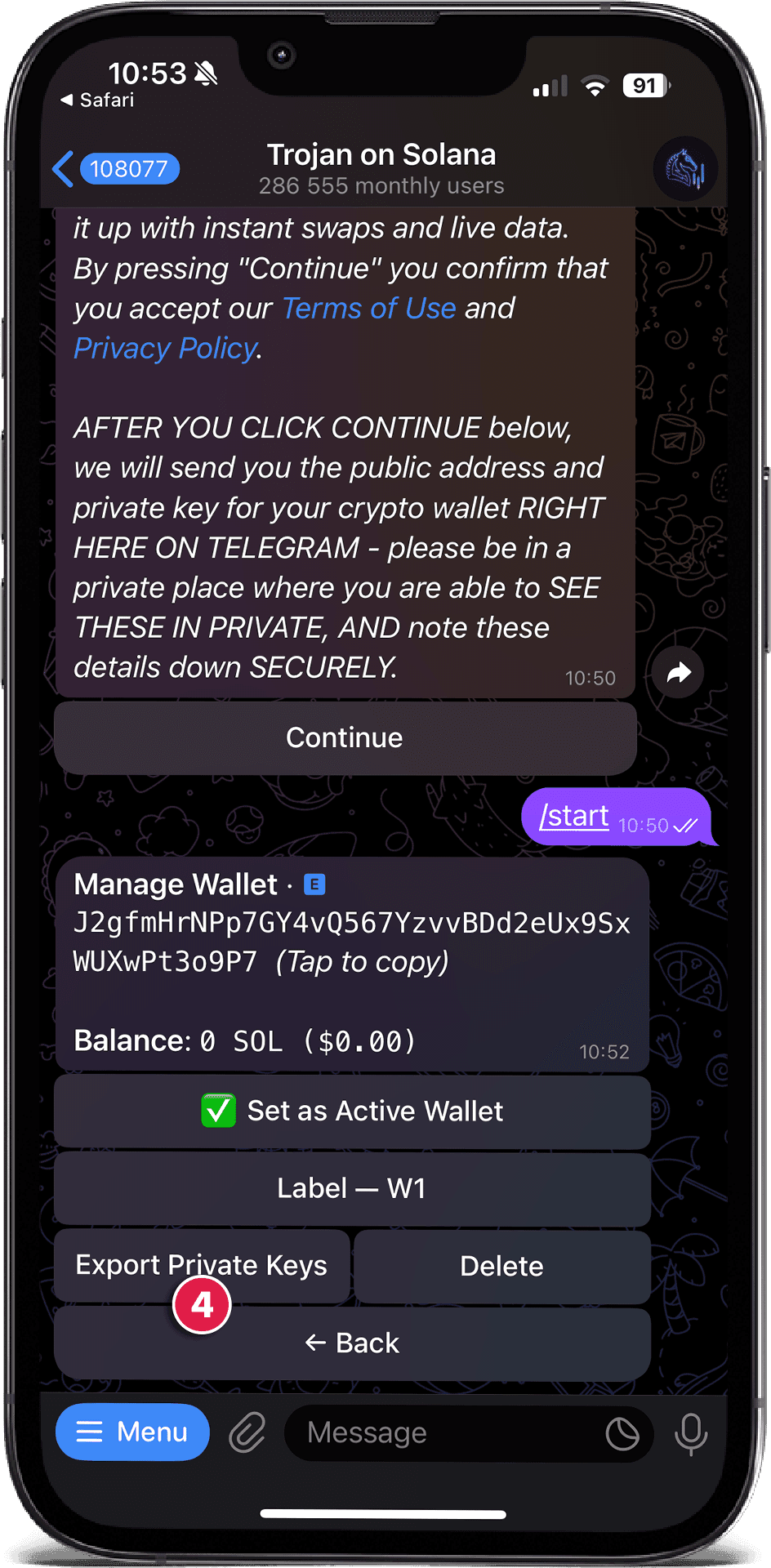
- Tap "Export Private Keys"
- Click "Show Private Keys"
- Tap to copy your private key

Attention:
Step 3: Import the Wallet in Phantom
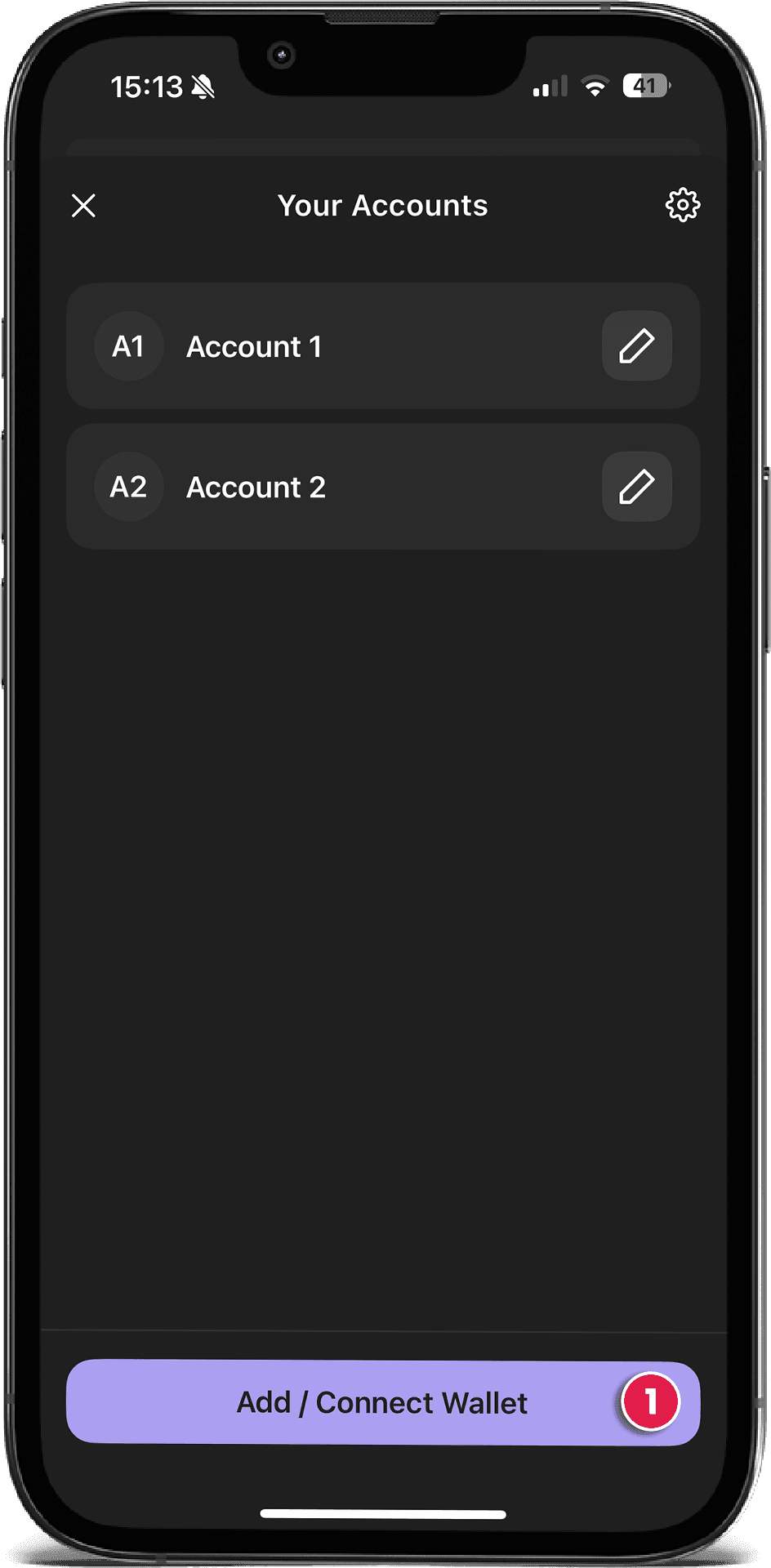
Open your Phantom wallet app on your phone and tap the menu icon in the upper-left corner. To import your wallet, follow these steps:
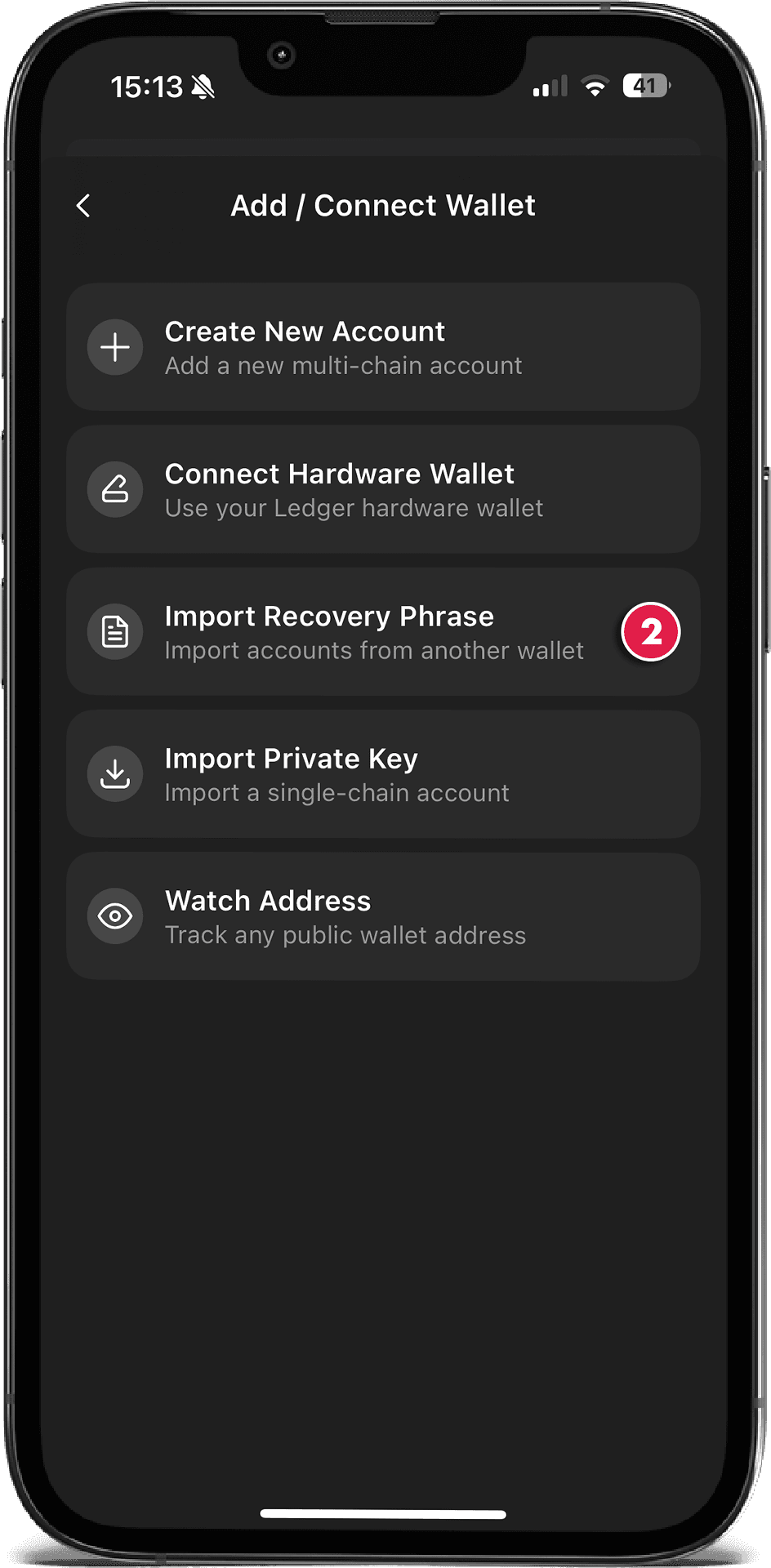
- Tap "Add / Connect Wallet"
- Choose "Import Recovery Phrase" and paste the seed phrase from Trojan Bot.
Mobile or Desktop:
Step 4: Use SolRIP to Reclaim SOL
Now that your Trojan Bot wallet is accessible in Phantom:
- Go to solrip.io
- Connect the imported wallet
- Navigate to the "Clean Up" page
- Click "Select All" image to select all empty token accounts
- Burn them to reclaim SOL instantly!
✅ Congratulations!
You've just recovered SOL from your Trojan Bot trading activity and cleaned up your wallet. SolRIP helps you turn leftover accounts into free SOL in seconds. 🔥
Related FAQs
Have more questions? Check the full FAQs page.